Hide Only Vertex [Lock Vertex]
 Bookyakuno
in Addons
Bookyakuno
in Addons
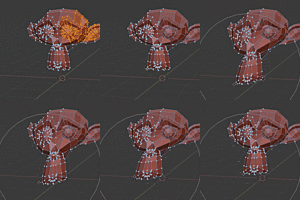
- Addon hidden vertices seem to be cleared when you move to Weight Paint / Vertex Paint / Sculpt mode. Therefore, it cannot be used in these modes. Use the normal hide or sculpt mask.
- In the UV Editor, hidden vertices are synced in UV Select Sync mode.
Known issues
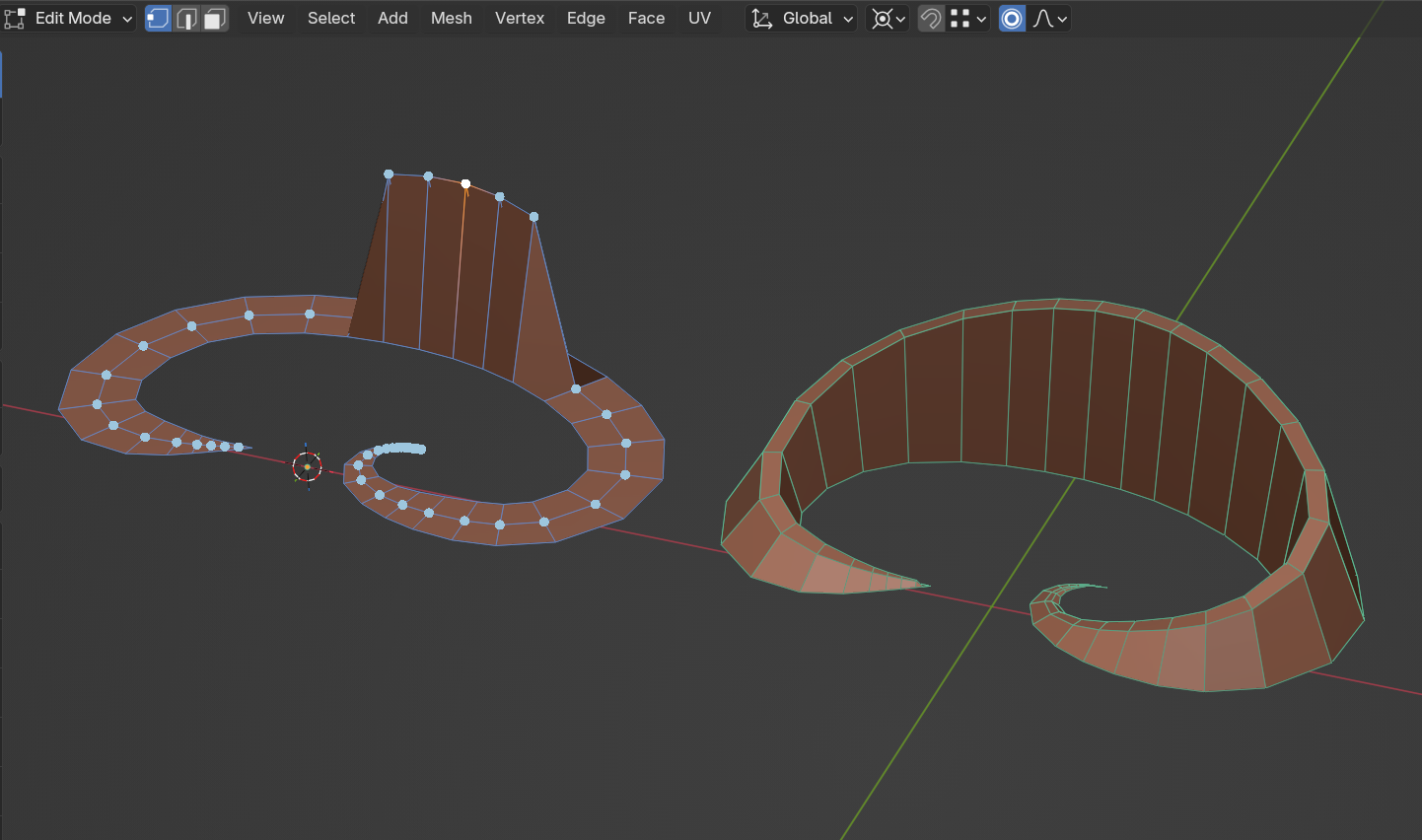
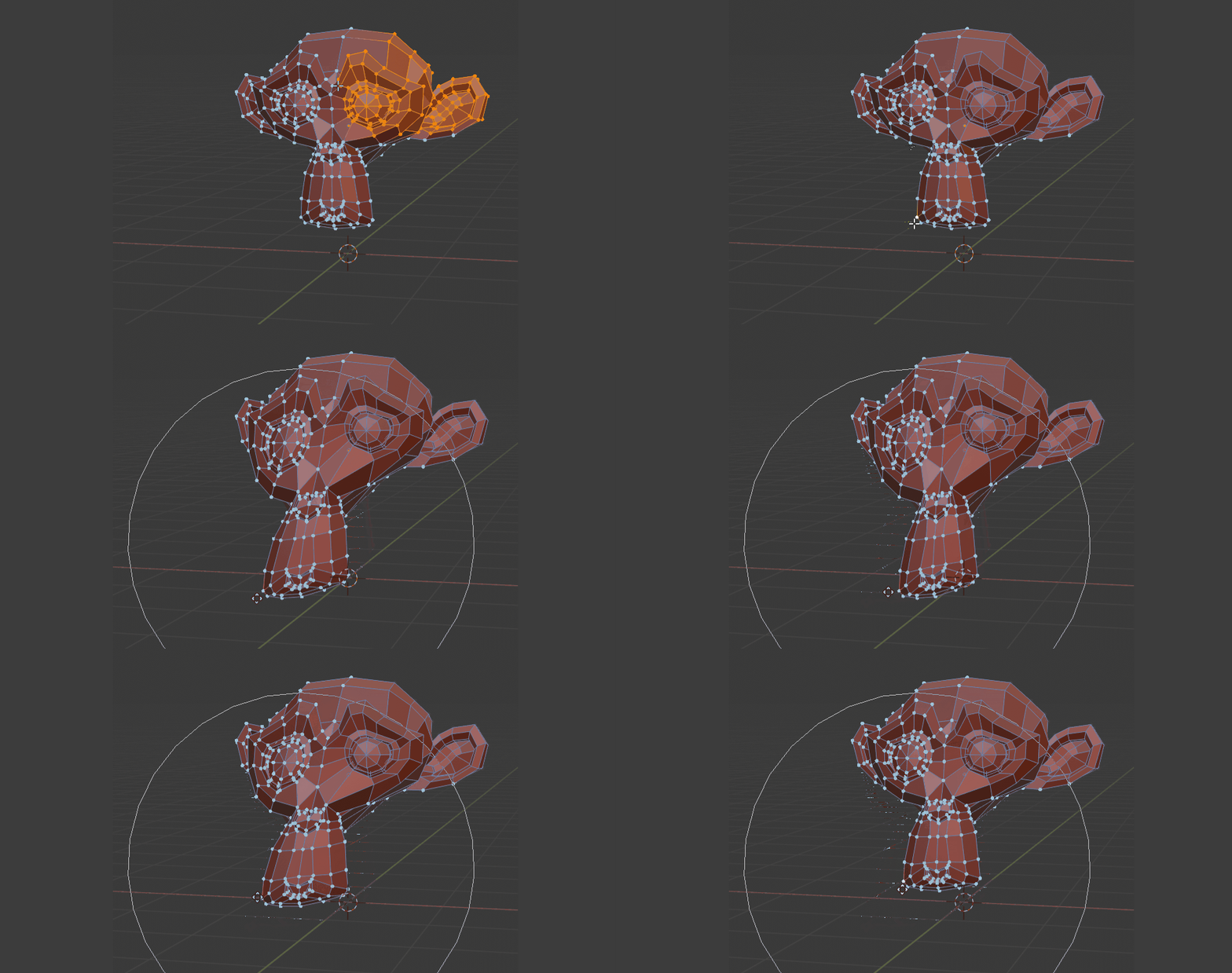
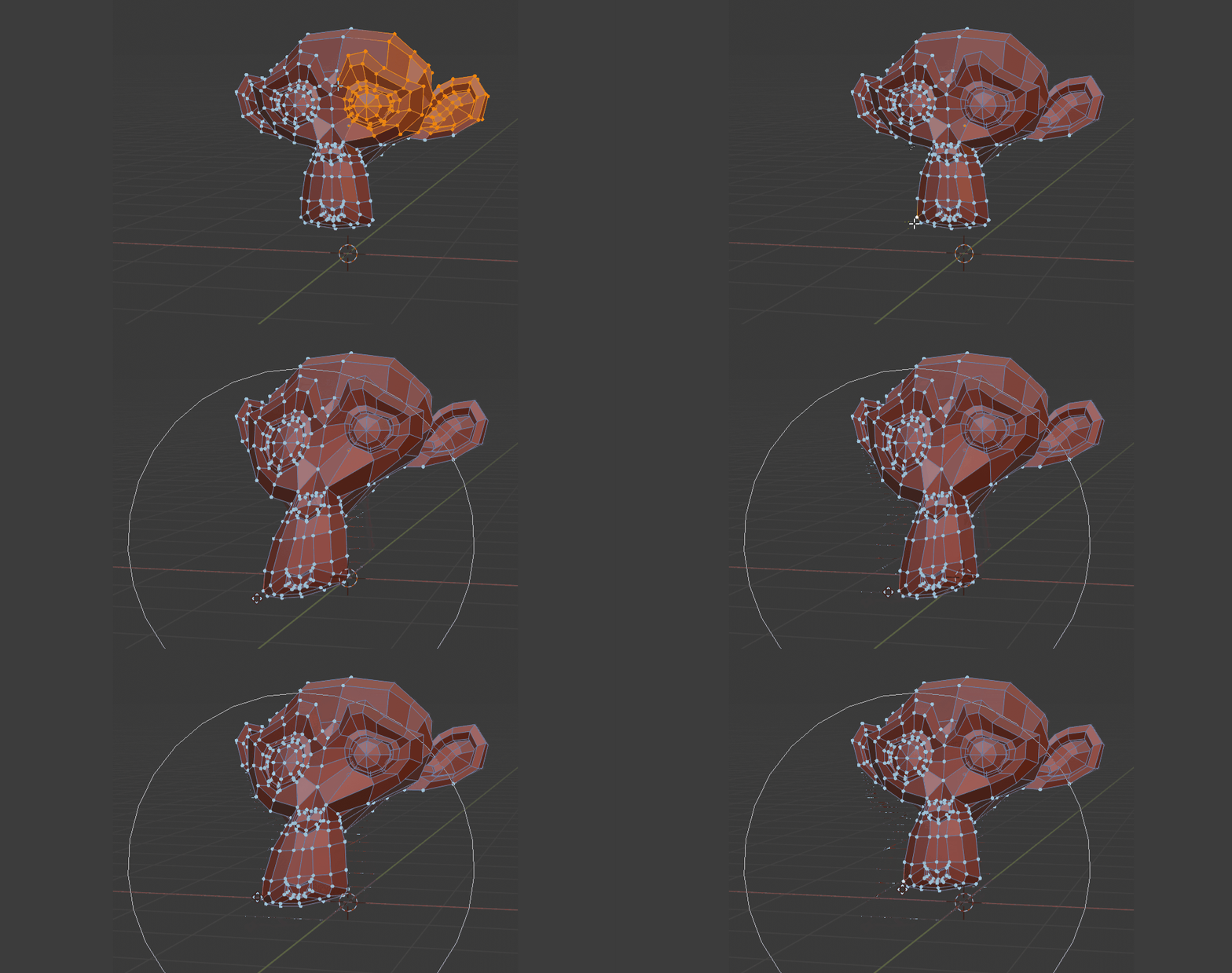
Proportional editing (connected only) may not work well depending on the shape of the mesh.
Specifically, this occurs in the following situations(Left in image).
- - Hide outer edge loop by add-on.
- - Move adjacent vertices on either side of the outer edge loop using proportional editing (connected Only).
Solution
The problem can be solved by making sure that the vertices are not adjacent to each other on either side of the open edge.
By temporarily adding a loop edge, you can move normally(Right in image).
Points to note
Please note that Blender's default functionality does not assume that only the vertices are hidden.
Some features may behave strangely.
It is best to use the add-on hiding function only as a temporary or simple way to lock it.
(For example, if you dissolve loop edges while only the vertices are hidden, multi loops will also be removed.)
(If you want to remove the loop edge, first cancel the hiding and then remove it.)
I updated Saidenka’s Scramble Addon feature to Blender2.8.
- Original author : Saidenka
- Blender2.8 updated : Bookyakuno
Have questions about this product?
Login to message
| Sales | 500+ |
| Rating | 10 ratings |
| Published | about 6 years ago |
| Blender Version | 2.83 - 5.0 |
| License | GPL |