 Netron Systems


What is HiPoly?
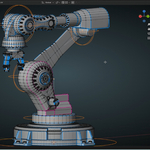
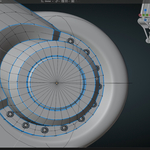
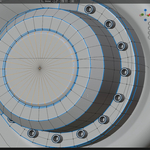
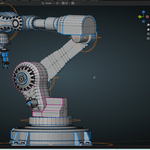
HiPoly is the way to exceptional shading for high poly models, making expert-level geometry work more accessible, the complex 3D modeling tasks simpler and more automatic. Instead of doing many manual steps that can go wrong, HiPoly does a lot of hard work with smart tools that handle technical complexity. Here we find the presentation video, and here's how it works:
How it works:
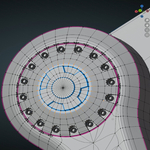
VertexHub: Select some vertices on a face, press Ctrl+Alt+C, and move your mouse. HiPoly automatically keeps the new center point perfectly flat on your face - no more vertices floating in wrong places! One click creates perfect Vertex Hubs!
VertexLink: Want to connect vertices together? Select vertices, last selected becomes your hub. Select them and press Ctrl+Alt+V. HiPoly automatically figures out which connections already exist and only creates the new ones you need - no duplicate edges or messy geometry.

Enable Snap Tools: Toggle vertex snapping with auto-merge for faster vertex cleanup. Automatically configures optimal settings and disables for safer work. Eliminates menu hunting and guesswork, saving compounded time.
Edge Operations: Tell HiPoly what angle makes an edge "sharp" and it automatically selects all the sharp edges in the mesh.
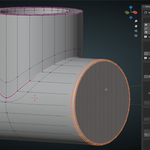
Parallel Offset: Create parallel edge with consistent spacing across your selection. Perfect for supporting edges to achieve exceptional shading with high poly.

Generate High-Quality Meshes Following Proper Topology Preparation:
One-Click HiPoly Creation: Turn the worked mesh into a smooth, high-resolution version automatically. HiPoly combines multiple balanced techniques that normally require professional knowledge in a single click.
Smart Settings: All the technicals are pre-configured by professionals, so we get great results quickly throughout our workflows.
See Your Progress: Live counters show how many vertices and faces your mesh has, helping you understand how your changes affect performance.
Why HiPoly:
Prevents Mistakes: Smart habits prevent common errors, floating vertices, messy topology
Saves Learning Time: Jump forward in learning techniques & workflows, Success with HiPoly quickly teaches what good geometry looks like
Grow: As you learn more, you'll appreciate the advanced techniques happening behind the scenes
Professional Results: Create meshes that look like they're made with experienced artists quickly
Perfect For:
- Professionals with 10+ years of experience find the addon indispensable to workflows, due to eliminating decade-long repetitive struggles and addressing senior-specific pain points.
- Beginners who want professional results while still learning
- Hobbyists who want to focus on creativity, not technical details
- Students learning 3D modeling who need reliable tools
- Anyone who's frustrated with messy geometry or time-consuming manual work
Conclusion:
HiPoly is all about optimizing and learning complex vertex manipulation, geometry support, edge selections, and modifier stacking, HiPoly lets us create beautiful, clean geometry to consistently deliver quality assets from day one. As we work with the tools efficiently, we quickly learn what good 3D topology looks like.
HiPoly is like having an experienced 3D artist automating tasks - The smart tools handles great technical execution saving significant work.