 peterz






New Version Update 1.3.4
History Bookmark Pro
Advanced history tracking and state bookmarks (snapshots) for Blender.
History Bookmark Pro is a powerful workflow add-on designed to give you precise control over your undo history and scene states. Stop relying on guesswork with the standard undo command. With History Bookmark Pro, you can visualize your editing steps, roll back to any specific point in time, and save "bookmarks" of your scene state to experiment freely without fear of losing your work.
Key Features
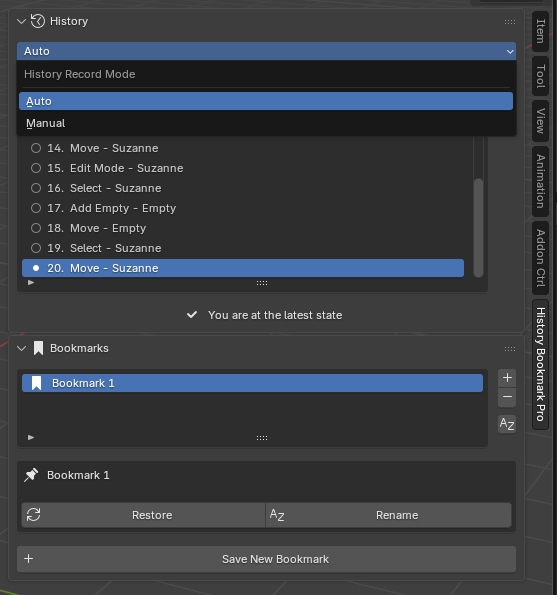
Visual History Timeline
View a clear, readable list of your recent operations. The add-on tracks your actions automatically, displaying them in a sequential list. You can see exactly what steps you have taken, making it easy to identify the exact moment you want to return to.
Instant Rollback
Navigate your history with confidence. Instead of pressing Ctrl+Z repeatedly, simply select a step in the history list and click "Undo to Selected." The add-on will instantly revert your scene to that specific state. If you change your mind, a "Redo Last Undo" feature allows you to recover your previous state immediately.
Scene State Bookmarks
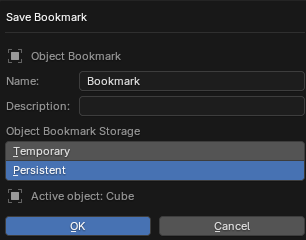
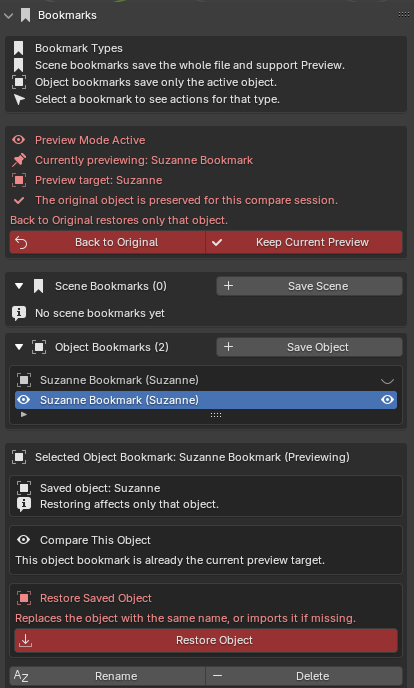
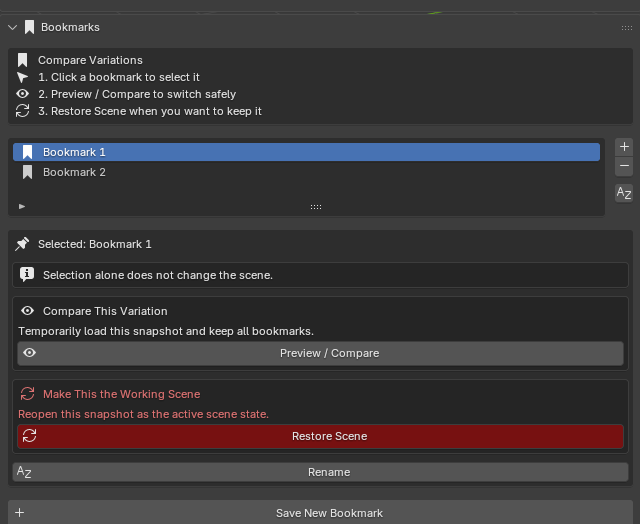
Save snapshots of your current scene at any moment. Bookmarks act as restore points, allowing you to branch out your creative process.
- Experiment Freely: Create a bookmark before trying a destructive modeling operation or a complex modifier stack change.
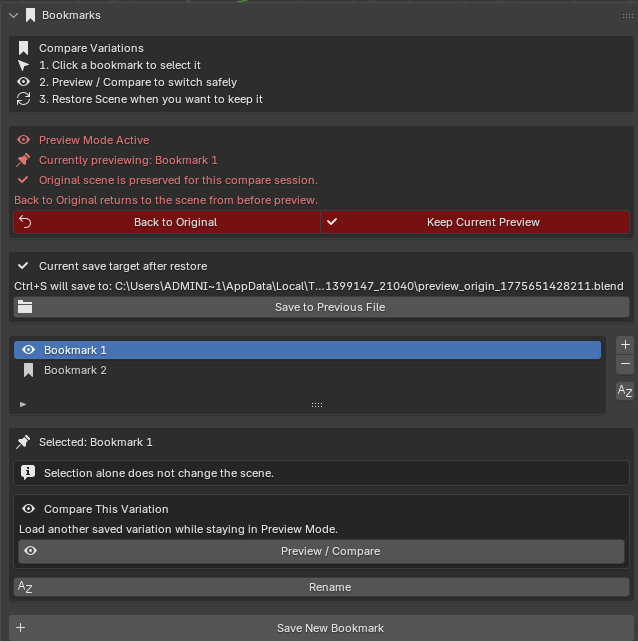
- Compare Variations: Save different versions of your scene layout or lighting setup and switch between them instantly.
- Persistent Data: Bookmarks save the full state of your blend file to a temporary location, ensuring a complete restore every time.
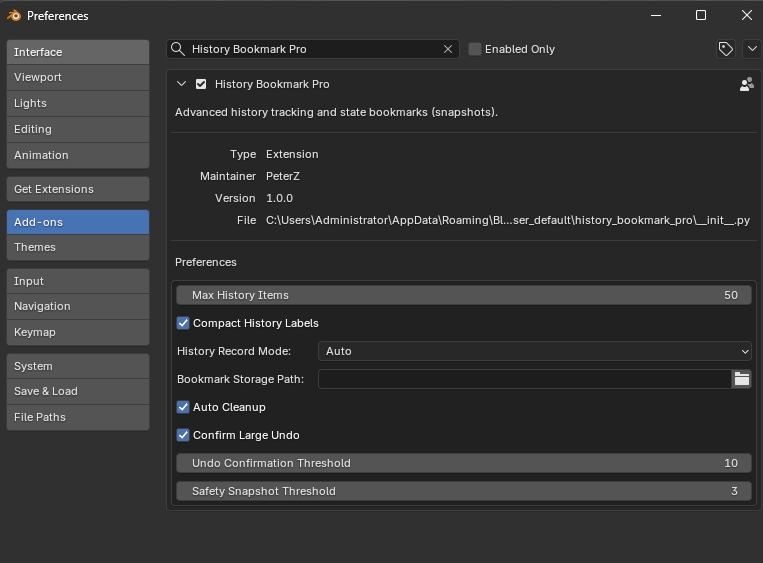
Flexible Recording Modes
- Auto Mode: Automatically records every compatible operation you perform.
- Manual Mode: Gives you full control to only record specific steps when you choose.
Session Management
The add-on manages temporary files efficiently, with options to automatically clean up session data when you close Blender, keeping your drive clean.
Workflow
- Open the Panel: Located in the 3D Viewport Sidebar (N-Panel) under the "History Bookmark Pro" tab.
- Track History: Work as usual. Your actions will populate the History list.
- Create Bookmarks: Click "Save New Bookmark" whenever you reach a milestone you might want to return to.
- Restore: Click any History item to roll back, or select a Bookmark and click "Restore" to jump back to that saved state.
Compatibility
Compatible with Blender 4.2 and newer.