Hurricane
 BeFX Studios



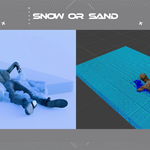
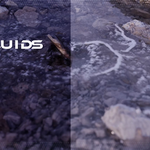
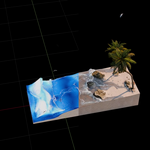
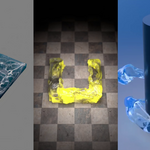
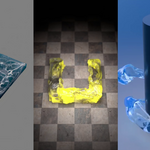
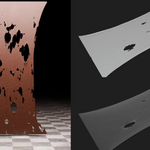
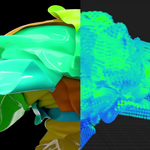
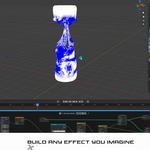
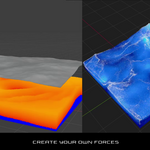
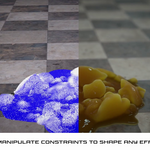
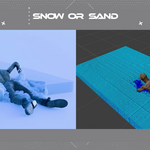
# Hurricane 0.9.6
## Important changes
- **New:** Many HEL presets have been updated with a clearer panel, more reliable behavior and, above all, a **guide**: an object that is added with the script, which you move, rotate and scale in the viewport to place the effect, while the viewport draws what the HEL does with its current values. In this version: Air Turbulence, Curl Turbulence, Curve Follow, Directional Wind, Harmonic, Magnetic, Mesh Attraction, Point Force, Sinusoidal, Transfer Motion, Vortex and 1 / 2 Target Attractor; the rest of the HEL presets will be updated little by little. Each script in the list has an eye that hides its guides, the panel only shows the settings that apply, and Directional Wind replaces the Wind Force preset (scenes that already use it keep working).
- **Change:** Hurricane now requires Blender 5.2 or newer. Below that version the emitter's Geometry Nodes produced no geometry at all — your object would simply vanish with no error message — because it relies on Bundle nodes, which do not exist in 4.5 and were still experimental in 5.1. The manifest previously claimed support from 4.5, so it could be installed where it could not work.
- **Note:** If the solver disconnects at a random frame every time you press Play, and the system console shows exit code 3221225477 (access violation), check your CPU before anything else. A tester with an Intel Core i7-14700K had exactly this; updating the motherboard BIOS to a version with Intel microcode 0x12B or newer fixed it completely. Intel 13th and 14th generation desktop CPUs are known to crash under sustained multi-threaded load without that update. The console now points this out when it happens.
## New
- A scene without a simulation shows a cleaner start screen, and demo scenes can now be opened from it without creating a simulation first.
- The Emitters list shows each emitter's material (liquid, sand, cloth, softbody or snow) and how many particles it will emit. The count is no longer shown in Main Settings.
- Starting a new simulation widens the sidebar so the whole panel fits without cut-off labels. A sidebar that is already wider, or closed, is left as it is.
- The panel's modules (Particles, Simulation, Constraints, Colliders, HEL, Surface, Shading) are now a column of icon buttons on the left, with the active one highlighted in blue.
- Cloth constraints have a material presets menu in their header: Silk, Jersey, Fleece, Cotton, Linen, Canvas, Denim, Leather and Rubber. The header shows which one the cloth uses, or Custom once a slider is changed; a new cloth starts as Cotton.
- Cloth Bending now resists folding the way real fabric does, so a cloth can go from silk to stiff canvas or leather; before, every setting draped like light silk. Scenes made with earlier versions drape differently.
- Cloth and Softbody constraints have a single Damping slider (0 to 1) instead of one per link type. It calms bouncing and vibration the same way at any stiffness or mesh resolution. Older scenes are converted when opened; very high old values are capped, since beyond that point damping only softened the cloth and made it jitter.
- Cloth, Softbody and Plasticity stiffness sliders now go from 0 to 1 (each quarter ten times stiffer) and behave the same at any mesh resolution or particle mass. Older scenes are converted when opened; a cloth or softbody whose resolution or mass differs from the preset's will now stretch differently.
- Emitters now show the particles they are going to emit, drawn like the simulated particles, with a clean outline and an arrow for the initial velocity, instead of the Geometry Nodes point cloud.
- Sphere, cube and circle emitters have handles to resize them. The particle spacing is kept, so a bigger emitter emits more particles.
- The Tools preview paints the tool's mask directly on the emitter's particles, without switching the viewport to Material Preview.
- Random Surface emitters are set up with Resolution alone: particle size and density follow it, as in Grid mode, so there is no Density value to raise by hand for a continuous flow. Emitters in older scenes keep their previous settings.
- The emitter's Tools list warns when a Split tool has no Weld constraint sewing it while Particles Self Collision is on, since the cut pieces would burst apart at birth.
- Developer Extras now includes realtime particle rendering methods, surface meshing with mesh upscale, and configurable whitewater preview.
- Developer Extras setting for optional controls in the Hurricane addon.
- Large particle transfers are faster with compatible solver builds, while older solvers continue to work.
- Emitters now have an Auto-Detect / Force Animated switch, like colliders. Use Force Animated when the emitter geometry changes every frame without keyframes (lattice, Alembic/USD cache, another simulation) so its mesh is re-evaluated on every frame instead of being cached.
- New "Follow Mesh" tool, available from the emitter's Tools list. It has no settings — just add it.
- New "Delete Geometry" tool, available from the emitter's Tools list. It deletes the emitter points whose mask attribute matches, with an Invert toggle and a Threshold.
## Fixes
- The first pause after playing a new simulation no longer freezes Blender for several seconds.
- The emitter numbers in the Emitters list no longer leave an empty gap on their left when the sidebar is wide.
- Removing a tool while its preview was on left the preview stuck and the simulated particles hidden.
- Volume emitters no longer slow down viewport playback, even when disabled; the Random Seed option that caused it has been removed.
- Baking from the command line (background mode) ignored the Split tool's cuts when building Cloth and Weld constraints, so a tearable cloth fell apart or exploded at birth.
- The Stickiness, Surface Wetting Cling, Waves Generator, Harmonic, Magnetic, Rest Anchors, Spherical Shield, Spherical Shield Debris and Random Desintegrator presets no longer change strength with the substep count or the particle size. Their values use a new scale, so add them in a new slot instead of reloading them over an old one, which keeps the old numbers.
- Applying an emitter preset while in Edit Mode failed halfway through, leaving the object with a "Pinned" vertex group but no emitter and not registered in the simulation. Object Mode is now enforced during the operation and your previous mode restored afterwards.
- Converting a hidden object into an emitter left it hidden, so neither the mesh nor the emitted points were visible and it looked like the object had been deleted. The object is now shown when converted; it still stays out of renders, as the particles are what get rendered.
- Starting a simulation while in Edit Mode turned your own object into the collision floor. The object was renamed to "HurricaneFloor", moved out of its collection and merged with the floor geometry, so hiding the floor from the side panel made your mesh vanish — and it did not come back in Object Mode. The floor is now built without relying on the current mode, selection or active collection.
- Cached frames could be silently lost while simulating, making particles disappear mid-playback and the solver look like it had disconnected. The background cache thread was handed the same data the main thread kept writing to, so a frame could fail to be written with no message at all. Measured on the previous build: about 1 frame lost in every 400.
- Cache frames are now written atomically. Previously the .usdc file was deleted and rewritten in place, so anything reading it at that moment — Blender's own cache reader included — could catch a missing or half-written file.
- Constraint links were written to the cache with half the entries they should have, and each frame also stored a duplicate copy of every particle position, once per emitter. Cache files are now around 24% smaller with no loss of data.
- When writing a cache frame fails, the console now prints the full error and says which frame is missing, instead of a single line with no context.
- Hardening — with two or more emitters, a per-particle attribute whose length did not match the others would be written to the cache unfiltered, producing malformed geometry (a point cloud with more widths or velocities than points) while still reporting success. Such attributes are now skipped and reported in the console, and the data coming back from the solver is checked for this as soon as it arrives instead of only at write time.
- Cloth and Softbody presets no longer fail when applied from a script or a background session.
- Adding a tool to an emitter pushed the HurricaneEmitter modifier to the very top of the stack, above modifiers the object already had (an Armature, for instance), which broke the deformation. The object's own modifiers now stay above Hurricane's, unless you pinned them to the end of the stack.
- Constraint links were built from the wrong mesh when the emitter was hidden in the viewport, which could stop the simulation with an "index did not match" error as soon as a constraint visibility toggle was used.
- "Search in Same Island Only" never produced any constraint, in any emitter mode. It now works, and since islands can only be inherited when one particle is emitted per source vertex, the option is available in the Points and Initial State modes only.
- The solver installer was unreachable when the scene already contained a simulation — the main panel and the addon preferences now always offer the Install/Reinstall Solver Binary button.
- An object left over from a deleted simulation, or copied from another scene or .blend file, could not be added to a simulation again, and the warning only showed up in the Info editor.
- If you deleted one of a simulation's collections (Emitters, Colliders...) from the Outliner, the next object you added to that simulation disappeared from the scene. The missing collection is now recreated instead.
Hurricane 0.9.4
New Features
------------
- Added per-particle Rest Position (object-space at emission) and UV Map attributes, with dedicated emitter toggles. These attributes persist through cache baking and are accessible from HEL (vecattribute["hurr_rest_position"], vecattribute["hurr_uvmap"]) and Blender shaders.
- Added particle texture shading.
- Added automatic synchronization for the HEL Presets Library with our Google Drive. The "Update HEL" button now displays the number of new/updated presets available and synchronizes them with an in-panel progress bar.
- Added a new Air Turbulence HEL preset (Forces & Dynamics).
- Added two new HEL presets: single_target_attractor and two_target_attractor (Forces & Dynamics).
- Added a Constraint Stretch/Tension GPU visualization shader with a color-coded heat map. Supports visualization across all constraints or only Weld/Tear seams, with adjustable line thickness and sensitivity.
Changes
-------
- Solver settings (Gravity, Substeps, Iterations, Spacing, etc.) can now be animated with keyframes. The solver updates these values per frame without invalidating the existing cache. Previously, changing any solver property cleared all cached frames.
- Redesigned the New Simulation panel with a new branding header and an optional floor creation toggle.
Improvements
------------
- Improved HEL script auto-categorization in the Script Editor. It now reads optional "@category:" and "@type:" headers from scripts and falls back to prefix matching, instead of relying solely on exact filename matches.
Compatibility
-------------
- Added compatibility with Blender 5.x layered Actions.
Fixes
-----
- Fixed a rendering issue where particle and mesh visibility could visibly "jump" between frames. Added an optional "Render Crash Protection" preference (Preferences → Interface) that automatically enables Blender's Lock Interface during rendering, preventing the native Blender crash while keeping visibility updates working correctly. The original Lock Interface setting is restored after rendering.
- Fixed baking so keyframed properties on emitters, colliders, and the solver (such as Flow Interval Wait or Tap Control) are now correctly evaluated during simulation.
- Fixed an issue where quick playback stop/start loops could leave orphaned Geometry Nodes bake data, causing emitter corruption on subsequent bakes.
- Fixed Cloth and Softbody mesh exports so particle velocity is now preserved, allowing correct motion blur and velocity-based render effects.
- Fixed an issue where hidden emitters could trigger a "Cannot edit hidden object" error during Geometry Nodes baking, causing an infinite retry loop.
- Fixed the Constraint Break Threshold (Max Elongation) UI value so it now correctly maps to the solver's internal scale.
- Fixed automatic cleanup of Sand/Snow ground surfaces when the last emitter using them is removed.
Updated
-------
- Updated the demo scene blend files:
- ClothCut
- ClothTearingHEL
- WaterOnCloth
Hurricane 0.9.3
- Change: Removed the global GPU/Point Cloud/Mesh/Constraints visualization toggles — visibility is now controlled per emitter, per mesh and per constraint (Alt+Click a toggle to apply it to all of them at once).
- Fix: GPU/point cloud particles could still disappear during cached playback for some emitters in multi-emitter setups.
- Fix: Extension could show up as installable on platforms it doesn't actually support (Windows ARM64, Linux ARM64), which could cause installation to fail
. - Fix: Constraint "Relative Distance" breaking type still applied after switching a constraint from Softbody (or other types) to Cloth — the value is now reset when switching to Cloth.
- Fix: Remap F-curve indices after script removal to preserve exposed property animations — removing a HEL script above another with animated exposed properties no longer breaks those animations.
Hurricane 0.9.2
- Fix: Softbody/cloth mesh frozen during render — mesh visualization no longer freezes on the last simulated frame when rendering an animation.
- Fix: Several Blender crashes when rendering softbody/cloth simulations — rendering these simulations should now be noticeably more stable overall.
- Optimize: GPU particle playback slowdown on cached frames — restored the fast disk fallback for pure GPU-shader playback.
- Optimize: GPU particle playback disk read time reduced (~25%) by only reading the attributes the GPU shader actually uses.
- Optimize: GRADIENT display mode was noticeably slower than PREVIEW during playback — removed redundant velocity magnitude recalculation.
- Fix: Clear Cache failing silently on Windows — locked cache files are now properly released and deletion failures are reported instead of silently ignored.
- Fix: Automatic Clear Cache could leave stale .usdc cache files locked, risking native crashes on a subsequent render or playback.
- Fix: Cloth/Softbody/Sand/Snow emitters losing particle visualization after generating a mesh.
# Hurricane 0.9.6
## Important changes
- **New:** Many HEL presets have been updated with a clearer panel, more reliable behavior and, above all, a **guide**: an object that is added with the script, which you move, rotate and scale in the viewport to place the effect, while the viewport draws what the HEL does with its current values. In this version: Air Turbulence, Curl Turbulence, Curve Follow, Directional Wind, Harmonic, Magnetic, Mesh Attraction, Point Force, Sinusoidal, Transfer Motion, Vortex and 1 / 2 Target Attractor; the rest of the HEL presets will be updated little by little. Each script in the list has an eye that hides its guides, the panel only shows the settings that apply, and Directional Wind replaces the Wind Force preset (scenes that already use it keep working).
- **Change:** Hurricane now requires Blender 5.2 or newer. Below that version the emitter's Geometry Nodes produced no geometry at all — your object would simply vanish with no error message — because it relies on Bundle nodes, which do not exist in 4.5 and were still experimental in 5.1. The manifest previously claimed support from 4.5, so it could be installed where it could not work.
- **Note:** If the solver disconnects at a random frame every time you press Play, and the system console shows exit code 3221225477 (access violation), check your CPU before anything else. A tester with an Intel Core i7-14700K had exactly this; updating the motherboard BIOS to a version with Intel microcode 0x12B or newer fixed it completely. Intel 13th and 14th generation desktop CPUs are known to crash under sustained multi-threaded load without that update. The console now points this out when it happens.
## New
- A scene without a simulation shows a cleaner start screen, and demo scenes can now be opened from it without creating a simulation first.
- The Emitters list shows each emitter's material (liquid, sand, cloth, softbody or snow) and how many particles it will emit. The count is no longer shown in Main Settings.
- Starting a new simulation widens the sidebar so the whole panel fits without cut-off labels. A sidebar that is already wider, or closed, is left as it is.
- The panel's modules (Particles, Simulation, Constraints, Colliders, HEL, Surface, Shading) are now a column of icon buttons on the left, with the active one highlighted in blue.
- Cloth constraints have a material presets menu in their header: Silk, Jersey, Fleece, Cotton, Linen, Canvas, Denim, Leather and Rubber. The header shows which one the cloth uses, or Custom once a slider is changed; a new cloth starts as Cotton.
- Cloth Bending now resists folding the way real fabric does, so a cloth can go from silk to stiff canvas or leather; before, every setting draped like light silk. Scenes made with earlier versions drape differently.
- Cloth and Softbody constraints have a single Damping slider (0 to 1) instead of one per link type. It calms bouncing and vibration the same way at any stiffness or mesh resolution. Older scenes are converted when opened; very high old values are capped, since beyond that point damping only softened the cloth and made it jitter.
- Cloth, Softbody and Plasticity stiffness sliders now go from 0 to 1 (each quarter ten times stiffer) and behave the same at any mesh resolution or particle mass. Older scenes are converted when opened; a cloth or softbody whose resolution or mass differs from the preset's will now stretch differently.
- Emitters now show the particles they are going to emit, drawn like the simulated particles, with a clean outline and an arrow for the initial velocity, instead of the Geometry Nodes point cloud.
- Sphere, cube and circle emitters have handles to resize them. The particle spacing is kept, so a bigger emitter emits more particles.
- The Tools preview paints the tool's mask directly on the emitter's particles, without switching the viewport to Material Preview.
- Random Surface emitters are set up with Resolution alone: particle size and density follow it, as in Grid mode, so there is no Density value to raise by hand for a continuous flow. Emitters in older scenes keep their previous settings.
- The emitter's Tools list warns when a Split tool has no Weld constraint sewing it while Particles Self Collision is on, since the cut pieces would burst apart at birth.
- Developer Extras now includes realtime particle rendering methods, surface meshing with mesh upscale, and configurable whitewater preview.
- Developer Extras setting for optional controls in the Hurricane addon.
- Large particle transfers are faster with compatible solver builds, while older solvers continue to work.
- Emitters now have an Auto-Detect / Force Animated switch, like colliders. Use Force Animated when the emitter geometry changes every frame without keyframes (lattice, Alembic/USD cache, another simulation) so its mesh is re-evaluated on every frame instead of being cached.
- New "Follow Mesh" tool, available from the emitter's Tools list. It has no settings — just add it.
- New "Delete Geometry" tool, available from the emitter's Tools list. It deletes the emitter points whose mask attribute matches, with an Invert toggle and a Threshold.
## Fixes
- The first pause after playing a new simulation no longer freezes Blender for several seconds.
- The emitter numbers in the Emitters list no longer leave an empty gap on their left when the sidebar is wide.
- Removing a tool while its preview was on left the preview stuck and the simulated particles hidden.
- Volume emitters no longer slow down viewport playback, even when disabled; the Random Seed option that caused it has been removed.
- Baking from the command line (background mode) ignored the Split tool's cuts when building Cloth and Weld constraints, so a tearable cloth fell apart or exploded at birth.
- The Stickiness, Surface Wetting Cling, Waves Generator, Harmonic, Magnetic, Rest Anchors, Spherical Shield, Spherical Shield Debris and Random Desintegrator presets no longer change strength with the substep count or the particle size. Their values use a new scale, so add them in a new slot instead of reloading them over an old one, which keeps the old numbers.
- Applying an emitter preset while in Edit Mode failed halfway through, leaving the object with a "Pinned" vertex group but no emitter and not registered in the simulation. Object Mode is now enforced during the operation and your previous mode restored afterwards.
- Converting a hidden object into an emitter left it hidden, so neither the mesh nor the emitted points were visible and it looked like the object had been deleted. The object is now shown when converted; it still stays out of renders, as the particles are what get rendered.
- Starting a simulation while in Edit Mode turned your own object into the collision floor. The object was renamed to "HurricaneFloor", moved out of its collection and merged with the floor geometry, so hiding the floor from the side panel made your mesh vanish — and it did not come back in Object Mode. The floor is now built without relying on the current mode, selection or active collection.
- Cached frames could be silently lost while simulating, making particles disappear mid-playback and the solver look like it had disconnected. The background cache thread was handed the same data the main thread kept writing to, so a frame could fail to be written with no message at all. Measured on the previous build: about 1 frame lost in every 400.
- Cache frames are now written atomically. Previously the .usdc file was deleted and rewritten in place, so anything reading it at that moment — Blender's own cache reader included — could catch a missing or half-written file.
- Constraint links were written to the cache with half the entries they should have, and each frame also stored a duplicate copy of every particle position, once per emitter. Cache files are now around 24% smaller with no loss of data.
- When writing a cache frame fails, the console now prints the full error and says which frame is missing, instead of a single line with no context.
- Hardening — with two or more emitters, a per-particle attribute whose length did not match the others would be written to the cache unfiltered, producing malformed geometry (a point cloud with more widths or velocities than points) while still reporting success. Such attributes are now skipped and reported in the console, and the data coming back from the solver is checked for this as soon as it arrives instead of only at write time.
- Cloth and Softbody presets no longer fail when applied from a script or a background session.
- Adding a tool to an emitter pushed the HurricaneEmitter modifier to the very top of the stack, above modifiers the object already had (an Armature, for instance), which broke the deformation. The object's own modifiers now stay above Hurricane's, unless you pinned them to the end of the stack.
- Constraint links were built from the wrong mesh when the emitter was hidden in the viewport, which could stop the simulation with an "index did not match" error as soon as a constraint visibility toggle was used.
- "Search in Same Island Only" never produced any constraint, in any emitter mode. It now works, and since islands can only be inherited when one particle is emitted per source vertex, the option is available in the Points and Initial State modes only.
- The solver installer was unreachable when the scene already contained a simulation — the main panel and the addon preferences now always offer the Install/Reinstall Solver Binary button.
- An object left over from a deleted simulation, or copied from another scene or .blend file, could not be added to a simulation again, and the warning only showed up in the Info editor.
- If you deleted one of a simulation's collections (Emitters, Colliders...) from the Outliner, the next object you added to that simulation disappeared from the scene. The missing collection is now recreated instead.
Hurricane 0.9.4
New Features
------------
- Added per-particle Rest Position (object-space at emission) and UV Map attributes, with dedicated emitter toggles. These attributes persist through cache baking and are accessible from HEL (vecattribute["hurr_rest_position"], vecattribute["hurr_uvmap"]) and Blender shaders.
- Added particle texture shading.
- Added automatic synchronization for the HEL Presets Library with our Google Drive. The "Update HEL" button now displays the number of new/updated presets available and synchronizes them with an in-panel progress bar.
- Added a new Air Turbulence HEL preset (Forces & Dynamics).
- Added two new HEL presets: single_target_attractor and two_target_attractor (Forces & Dynamics).
- Added a Constraint Stretch/Tension GPU visualization shader with a color-coded heat map. Supports visualization across all constraints or only Weld/Tear seams, with adjustable line thickness and sensitivity.
Changes
-------
- Solver settings (Gravity, Substeps, Iterations, Spacing, etc.) can now be animated with keyframes. The solver updates these values per frame without invalidating the existing cache. Previously, changing any solver property cleared all cached frames.
- Redesigned the New Simulation panel with a new branding header and an optional floor creation toggle.
Improvements
------------
- Improved HEL script auto-categorization in the Script Editor. It now reads optional "@category:" and "@type:" headers from scripts and falls back to prefix matching, instead of relying solely on exact filename matches.
Compatibility
-------------
- Added compatibility with Blender 5.x layered Actions.
Fixes
-----
- Fixed a rendering issue where particle and mesh visibility could visibly "jump" between frames. Added an optional "Render Crash Protection" preference (Preferences → Interface) that automatically enables Blender's Lock Interface during rendering, preventing the native Blender crash while keeping visibility updates working correctly. The original Lock Interface setting is restored after rendering.
- Fixed baking so keyframed properties on emitters, colliders, and the solver (such as Flow Interval Wait or Tap Control) are now correctly evaluated during simulation.
- Fixed an issue where quick playback stop/start loops could leave orphaned Geometry Nodes bake data, causing emitter corruption on subsequent bakes.
- Fixed Cloth and Softbody mesh exports so particle velocity is now preserved, allowing correct motion blur and velocity-based render effects.
- Fixed an issue where hidden emitters could trigger a "Cannot edit hidden object" error during Geometry Nodes baking, causing an infinite retry loop.
- Fixed the Constraint Break Threshold (Max Elongation) UI value so it now correctly maps to the solver's internal scale.
- Fixed automatic cleanup of Sand/Snow ground surfaces when the last emitter using them is removed.
Updated
-------
- Updated the demo scene blend files:
- ClothCut
- ClothTearingHEL
- WaterOnCloth
Hurricane 0.9.3
- Change: Removed the global GPU/Point Cloud/Mesh/Constraints visualization toggles — visibility is now controlled per emitter, per mesh and per constraint (Alt+Click a toggle to apply it to all of them at once).
- Fix: GPU/point cloud particles could still disappear during cached playback for some emitters in multi-emitter setups.
- Fix: Extension could show up as installable on platforms it doesn't actually support (Windows ARM64, Linux ARM64), which could cause installation to fail
. - Fix: Constraint "Relative Distance" breaking type still applied after switching a constraint from Softbody (or other types) to Cloth — the value is now reset when switching to Cloth.
- Fix: Remap F-curve indices after script removal to preserve exposed property animations — removing a HEL script above another with animated exposed properties no longer breaks those animations.
Hurricane 0.9.2
- Fix: Softbody/cloth mesh frozen during render — mesh visualization no longer freezes on the last simulated frame when rendering an animation.
- Fix: Several Blender crashes when rendering softbody/cloth simulations — rendering these simulations should now be noticeably more stable overall.
- Optimize: GPU particle playback slowdown on cached frames — restored the fast disk fallback for pure GPU-shader playback.
- Optimize: GPU particle playback disk read time reduced (~25%) by only reading the attributes the GPU shader actually uses.
- Optimize: GRADIENT display mode was noticeably slower than PREVIEW during playback — removed redundant velocity magnitude recalculation.
- Fix: Clear Cache failing silently on Windows — locked cache files are now properly released and deletion failures are reported instead of silently ignored.
- Fix: Automatic Clear Cache could leave stale .usdc cache files locked, risking native crashes on a subsequent render or playback.
- Fix: Cloth/Softbody/Sand/Snow emitters losing particle visualization after generating a mesh.
# Hurricane 0.9.6
## Important changes
- **New:** Many HEL presets have been updated with a clearer panel, more reliable behavior and, above all, a **guide**: an object that is added with the script, which you move, rotate and scale in the viewport to place the effect, while the viewport draws what the HEL does with its current values. In this version: Air Turbulence, Curl Turbulence, Curve Follow, Directional Wind, Harmonic, Magnetic, Mesh Attraction, Point Force, Sinusoidal, Transfer Motion, Vortex and 1 / 2 Target Attractor; the rest of the HEL presets will be updated little by little. Each script in the list has an eye that hides its guides, the panel only shows the settings that apply, and Directional Wind replaces the Wind Force preset (scenes that already use it keep working).
- **Change:** Hurricane now requires Blender 5.2 or newer. Below that version the emitter's Geometry Nodes produced no geometry at all — your object would simply vanish with no error message — because it relies on Bundle nodes, which do not exist in 4.5 and were still experimental in 5.1. The manifest previously claimed support from 4.5, so it could be installed where it could not work.
- **Note:** If the solver disconnects at a random frame every time you press Play, and the system console shows exit code 3221225477 (access violation), check your CPU before anything else. A tester with an Intel Core i7-14700K had exactly this; updating the motherboard BIOS to a version with Intel microcode 0x12B or newer fixed it completely. Intel 13th and 14th generation desktop CPUs are known to crash under sustained multi-threaded load without that update. The console now points this out when it happens.
## New
- A scene without a simulation shows a cleaner start screen, and demo scenes can now be opened from it without creating a simulation first.
- The Emitters list shows each emitter's material (liquid, sand, cloth, softbody or snow) and how many particles it will emit. The count is no longer shown in Main Settings.
- Starting a new simulation widens the sidebar so the whole panel fits without cut-off labels. A sidebar that is already wider, or closed, is left as it is.
- The panel's modules (Particles, Simulation, Constraints, Colliders, HEL, Surface, Shading) are now a column of icon buttons on the left, with the active one highlighted in blue.
- Cloth constraints have a material presets menu in their header: Silk, Jersey, Fleece, Cotton, Linen, Canvas, Denim, Leather and Rubber. The header shows which one the cloth uses, or Custom once a slider is changed; a new cloth starts as Cotton.
- Cloth Bending now resists folding the way real fabric does, so a cloth can go from silk to stiff canvas or leather; before, every setting draped like light silk. Scenes made with earlier versions drape differently.
- Cloth and Softbody constraints have a single Damping slider (0 to 1) instead of one per link type. It calms bouncing and vibration the same way at any stiffness or mesh resolution. Older scenes are converted when opened; very high old values are capped, since beyond that point damping only softened the cloth and made it jitter.
- Cloth, Softbody and Plasticity stiffness sliders now go from 0 to 1 (each quarter ten times stiffer) and behave the same at any mesh resolution or particle mass. Older scenes are converted when opened; a cloth or softbody whose resolution or mass differs from the preset's will now stretch differently.
- Emitters now show the particles they are going to emit, drawn like the simulated particles, with a clean outline and an arrow for the initial velocity, instead of the Geometry Nodes point cloud.
- Sphere, cube and circle emitters have handles to resize them. The particle spacing is kept, so a bigger emitter emits more particles.
- The Tools preview paints the tool's mask directly on the emitter's particles, without switching the viewport to Material Preview.
- Random Surface emitters are set up with Resolution alone: particle size and density follow it, as in Grid mode, so there is no Density value to raise by hand for a continuous flow. Emitters in older scenes keep their previous settings.
- The emitter's Tools list warns when a Split tool has no Weld constraint sewing it while Particles Self Collision is on, since the cut pieces would burst apart at birth.
- Developer Extras now includes realtime particle rendering methods, surface meshing with mesh upscale, and configurable whitewater preview.
- Developer Extras setting for optional controls in the Hurricane addon.
- Large particle transfers are faster with compatible solver builds, while older solvers continue to work.
- Emitters now have an Auto-Detect / Force Animated switch, like colliders. Use Force Animated when the emitter geometry changes every frame without keyframes (lattice, Alembic/USD cache, another simulation) so its mesh is re-evaluated on every frame instead of being cached.
- New "Follow Mesh" tool, available from the emitter's Tools list. It has no settings — just add it.
- New "Delete Geometry" tool, available from the emitter's Tools list. It deletes the emitter points whose mask attribute matches, with an Invert toggle and a Threshold.
## Fixes
- The first pause after playing a new simulation no longer freezes Blender for several seconds.
- The emitter numbers in the Emitters list no longer leave an empty gap on their left when the sidebar is wide.
- Removing a tool while its preview was on left the preview stuck and the simulated particles hidden.
- Volume emitters no longer slow down viewport playback, even when disabled; the Random Seed option that caused it has been removed.
- Baking from the command line (background mode) ignored the Split tool's cuts when building Cloth and Weld constraints, so a tearable cloth fell apart or exploded at birth.
- The Stickiness, Surface Wetting Cling, Waves Generator, Harmonic, Magnetic, Rest Anchors, Spherical Shield, Spherical Shield Debris and Random Desintegrator presets no longer change strength with the substep count or the particle size. Their values use a new scale, so add them in a new slot instead of reloading them over an old one, which keeps the old numbers.
- Applying an emitter preset while in Edit Mode failed halfway through, leaving the object with a "Pinned" vertex group but no emitter and not registered in the simulation. Object Mode is now enforced during the operation and your previous mode restored afterwards.
- Converting a hidden object into an emitter left it hidden, so neither the mesh nor the emitted points were visible and it looked like the object had been deleted. The object is now shown when converted; it still stays out of renders, as the particles are what get rendered.
- Starting a simulation while in Edit Mode turned your own object into the collision floor. The object was renamed to "HurricaneFloor", moved out of its collection and merged with the floor geometry, so hiding the floor from the side panel made your mesh vanish — and it did not come back in Object Mode. The floor is now built without relying on the current mode, selection or active collection.
- Cached frames could be silently lost while simulating, making particles disappear mid-playback and the solver look like it had disconnected. The background cache thread was handed the same data the main thread kept writing to, so a frame could fail to be written with no message at all. Measured on the previous build: about 1 frame lost in every 400.
- Cache frames are now written atomically. Previously the .usdc file was deleted and rewritten in place, so anything reading it at that moment — Blender's own cache reader included — could catch a missing or half-written file.
- Constraint links were written to the cache with half the entries they should have, and each frame also stored a duplicate copy of every particle position, once per emitter. Cache files are now around 24% smaller with no loss of data.
- When writing a cache frame fails, the console now prints the full error and says which frame is missing, instead of a single line with no context.
- Hardening — with two or more emitters, a per-particle attribute whose length did not match the others would be written to the cache unfiltered, producing malformed geometry (a point cloud with more widths or velocities than points) while still reporting success. Such attributes are now skipped and reported in the console, and the data coming back from the solver is checked for this as soon as it arrives instead of only at write time.
- Cloth and Softbody presets no longer fail when applied from a script or a background session.
- Adding a tool to an emitter pushed the HurricaneEmitter modifier to the very top of the stack, above modifiers the object already had (an Armature, for instance), which broke the deformation. The object's own modifiers now stay above Hurricane's, unless you pinned them to the end of the stack.
- Constraint links were built from the wrong mesh when the emitter was hidden in the viewport, which could stop the simulation with an "index did not match" error as soon as a constraint visibility toggle was used.
- "Search in Same Island Only" never produced any constraint, in any emitter mode. It now works, and since islands can only be inherited when one particle is emitted per source vertex, the option is available in the Points and Initial State modes only.
- The solver installer was unreachable when the scene already contained a simulation — the main panel and the addon preferences now always offer the Install/Reinstall Solver Binary button.
- An object left over from a deleted simulation, or copied from another scene or .blend file, could not be added to a simulation again, and the warning only showed up in the Info editor.
- If you deleted one of a simulation's collections (Emitters, Colliders...) from the Outliner, the next object you added to that simulation disappeared from the scene. The missing collection is now recreated instead.
Hurricane 0.9.4
New Features
------------
- Added per-particle Rest Position (object-space at emission) and UV Map attributes, with dedicated emitter toggles. These attributes persist through cache baking and are accessible from HEL (vecattribute["hurr_rest_position"], vecattribute["hurr_uvmap"]) and Blender shaders.
- Added particle texture shading.
- Added automatic synchronization for the HEL Presets Library with our Google Drive. The "Update HEL" button now displays the number of new/updated presets available and synchronizes them with an in-panel progress bar.
- Added a new Air Turbulence HEL preset (Forces & Dynamics).
- Added two new HEL presets: single_target_attractor and two_target_attractor (Forces & Dynamics).
- Added a Constraint Stretch/Tension GPU visualization shader with a color-coded heat map. Supports visualization across all constraints or only Weld/Tear seams, with adjustable line thickness and sensitivity.
Changes
-------
- Solver settings (Gravity, Substeps, Iterations, Spacing, etc.) can now be animated with keyframes. The solver updates these values per frame without invalidating the existing cache. Previously, changing any solver property cleared all cached frames.
- Redesigned the New Simulation panel with a new branding header and an optional floor creation toggle.
Improvements
------------
- Improved HEL script auto-categorization in the Script Editor. It now reads optional "@category:" and "@type:" headers from scripts and falls back to prefix matching, instead of relying solely on exact filename matches.
Compatibility
-------------
- Added compatibility with Blender 5.x layered Actions.
Fixes
-----
- Fixed a rendering issue where particle and mesh visibility could visibly "jump" between frames. Added an optional "Render Crash Protection" preference (Preferences → Interface) that automatically enables Blender's Lock Interface during rendering, preventing the native Blender crash while keeping visibility updates working correctly. The original Lock Interface setting is restored after rendering.
- Fixed baking so keyframed properties on emitters, colliders, and the solver (such as Flow Interval Wait or Tap Control) are now correctly evaluated during simulation.
- Fixed an issue where quick playback stop/start loops could leave orphaned Geometry Nodes bake data, causing emitter corruption on subsequent bakes.
- Fixed Cloth and Softbody mesh exports so particle velocity is now preserved, allowing correct motion blur and velocity-based render effects.
- Fixed an issue where hidden emitters could trigger a "Cannot edit hidden object" error during Geometry Nodes baking, causing an infinite retry loop.
- Fixed the Constraint Break Threshold (Max Elongation) UI value so it now correctly maps to the solver's internal scale.
- Fixed automatic cleanup of Sand/Snow ground surfaces when the last emitter using them is removed.
Updated
-------
- Updated the demo scene blend files:
- ClothCut
- ClothTearingHEL
- WaterOnCloth
Hurricane 0.9.3
- Change: Removed the global GPU/Point Cloud/Mesh/Constraints visualization toggles — visibility is now controlled per emitter, per mesh and per constraint (Alt+Click a toggle to apply it to all of them at once).
- Fix: GPU/point cloud particles could still disappear during cached playback for some emitters in multi-emitter setups.
- Fix: Extension could show up as installable on platforms it doesn't actually support (Windows ARM64, Linux ARM64), which could cause installation to fail
. - Fix: Constraint "Relative Distance" breaking type still applied after switching a constraint from Softbody (or other types) to Cloth — the value is now reset when switching to Cloth.
- Fix: Remap F-curve indices after script removal to preserve exposed property animations — removing a HEL script above another with animated exposed properties no longer breaks those animations.
Hurricane 0.9.2
- Fix: Softbody/cloth mesh frozen during render — mesh visualization no longer freezes on the last simulated frame when rendering an animation.
- Fix: Several Blender crashes when rendering softbody/cloth simulations — rendering these simulations should now be noticeably more stable overall.
- Optimize: GPU particle playback slowdown on cached frames — restored the fast disk fallback for pure GPU-shader playback.
- Optimize: GPU particle playback disk read time reduced (~25%) by only reading the attributes the GPU shader actually uses.
- Optimize: GRADIENT display mode was noticeably slower than PREVIEW during playback — removed redundant velocity magnitude recalculation.
- Fix: Clear Cache failing silently on Windows — locked cache files are now properly released and deletion failures are reported instead of silently ignored.
- Fix: Automatic Clear Cache could leave stale .usdc cache files locked, risking native crashes on a subsequent render or playback.
- Fix: Cloth/Softbody/Sand/Snow emitters losing particle visualization after generating a mesh.
-
$98
License for one individual user.
-
$392
Indie license for up to 5 seats.
-
$784
Studio license for up to 10 seats.
 Included
Includes 12 months of
- Support from BeFX Studios
- Product updates
Extend this product’s Support Period +12 months: 50% of product price
Have questions before purchasing?
Login to message
| Blender Extension Compatible | Yes |
| Sales | 200+ |
| Rating | 10 ratings |
| Published | 3 months ago |
| Blender Version | 5.1 - 5.2 |
| Extension Type | Add-on |
| Render Engine Used | Cycles, Eevee |
| License | GPL |
Discover more products like this
VFX xpbd Fluid particles solver sand CGArtist softbody simulation cloth GPU accelerated fluid solver simulation Houdini