 Ace Of 3D


Installation for Blender 4.2+:
- Just drag and drop zip file into Blender! Or alternatively...
- Edit > Preferences > Get Extensions > Click the arrow in the far upper right > Select "Install from Disk..." in the dropdown > Find and select zip file > Install from Disk
Installation for Blender 4.1 or previous:
Edit > Preferences > Add-ons > Install > Find Zip File > Install Add-on > Activate it!
Example video with instructions by Jayanam:
https://www.youtube.com/watch?v=14G_YIVdBd0&ab_channel=Jayanam
How Do I Find the Addon in Blender?:
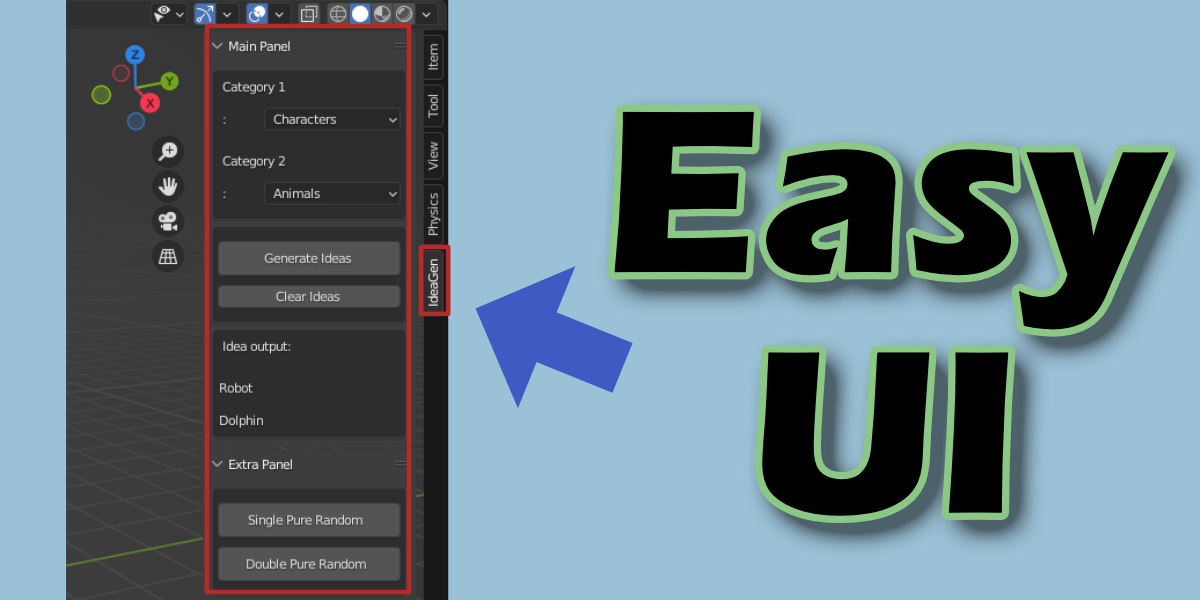
Find it under the 'N' tab (On the right-hand side) within the 3D viewportProblems or Suggestions:
Contact me on Blender Market (on the right of the page) to let me know of any errors you encounter or suggestions you may have.
Check back on the downloads page for access to all future updates!
Discover more products like this
ideas concept art Concept idea gen 3d-concept-art generation script idea addon concepts generate ideagen