 Ace Of 3D

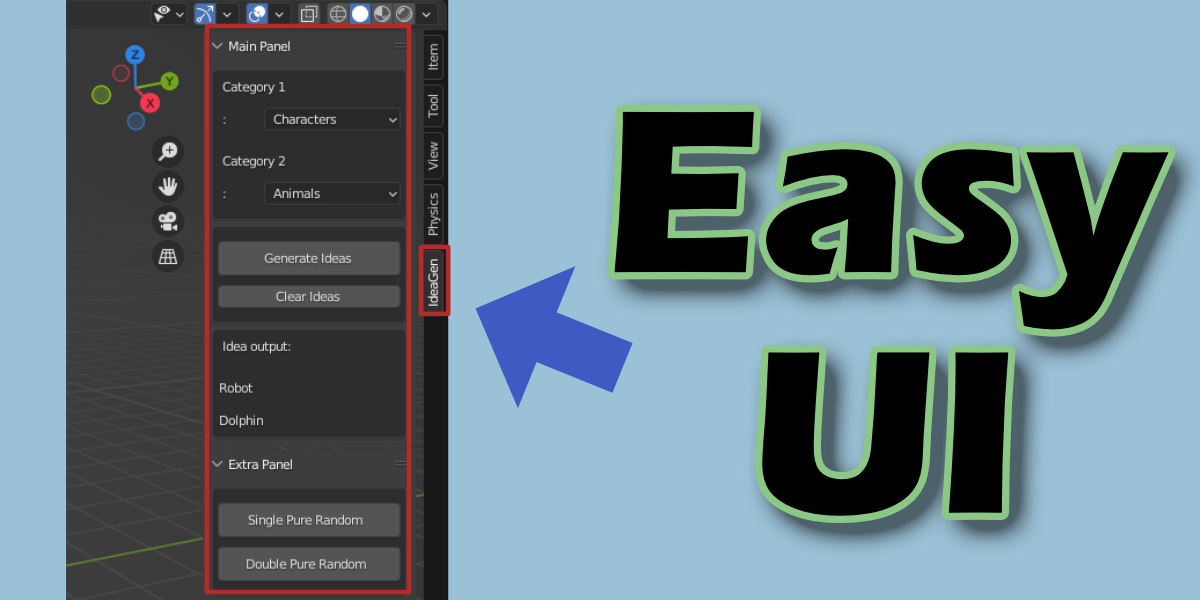
Where Do I Find the Add-on?
Find it under the 'N' tab by simply pressing the 'N' key (This will open the tab on the right-hand side) > Under the label "IdeaGen"
How do I install this add-on?
Edit > Preferences > Add-ons > Install > Find File > Install Add-on > Activate it!
Example video with instructions by Jayanam:
https://www.youtube.com/watch?v=14G_YIVdBd0&ab_channel=Jayanam
What to do if there are errors with the add-on?
Please contact me through product support on Blender Market, and I will help to resolve any issue!
Discover more products like this
idea gen idea ideagen generation ideas addon generate script 3d-concept-art concept art Concept concepts