 Peakz
Shader Editor Add-on
Blur any texture without leaving Blender
The blur node Blender is missing. Plug in an image, drag the slider, and the blurred texture is wired into your material automatically.
Blender 3.0+Windows · macOS · LinuxLive Updatev1.1.5
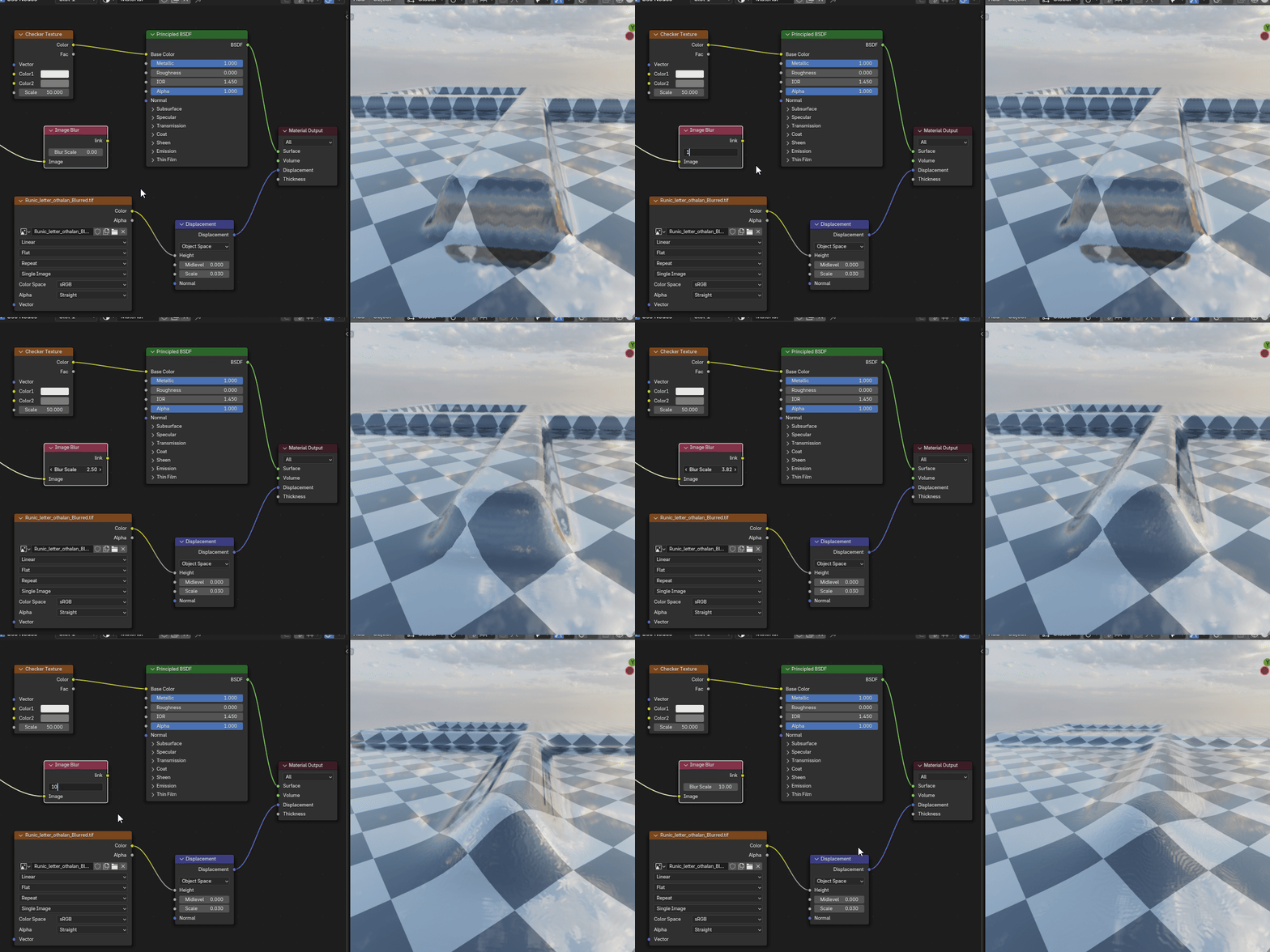
Blender's Shader Editor has no way to blur an image texture. Softening a choppy displacement map or a noisy roughness mask usually means a trip to Photoshop or GIMP, then another trip every time you want a different amount of blur.
The Image Blur Node does it inside Blender. The blurred texture keeps the original's settings and connections, so your material keeps working. You don't need to export, re-import or open another program.
Features
Blur inside Blender
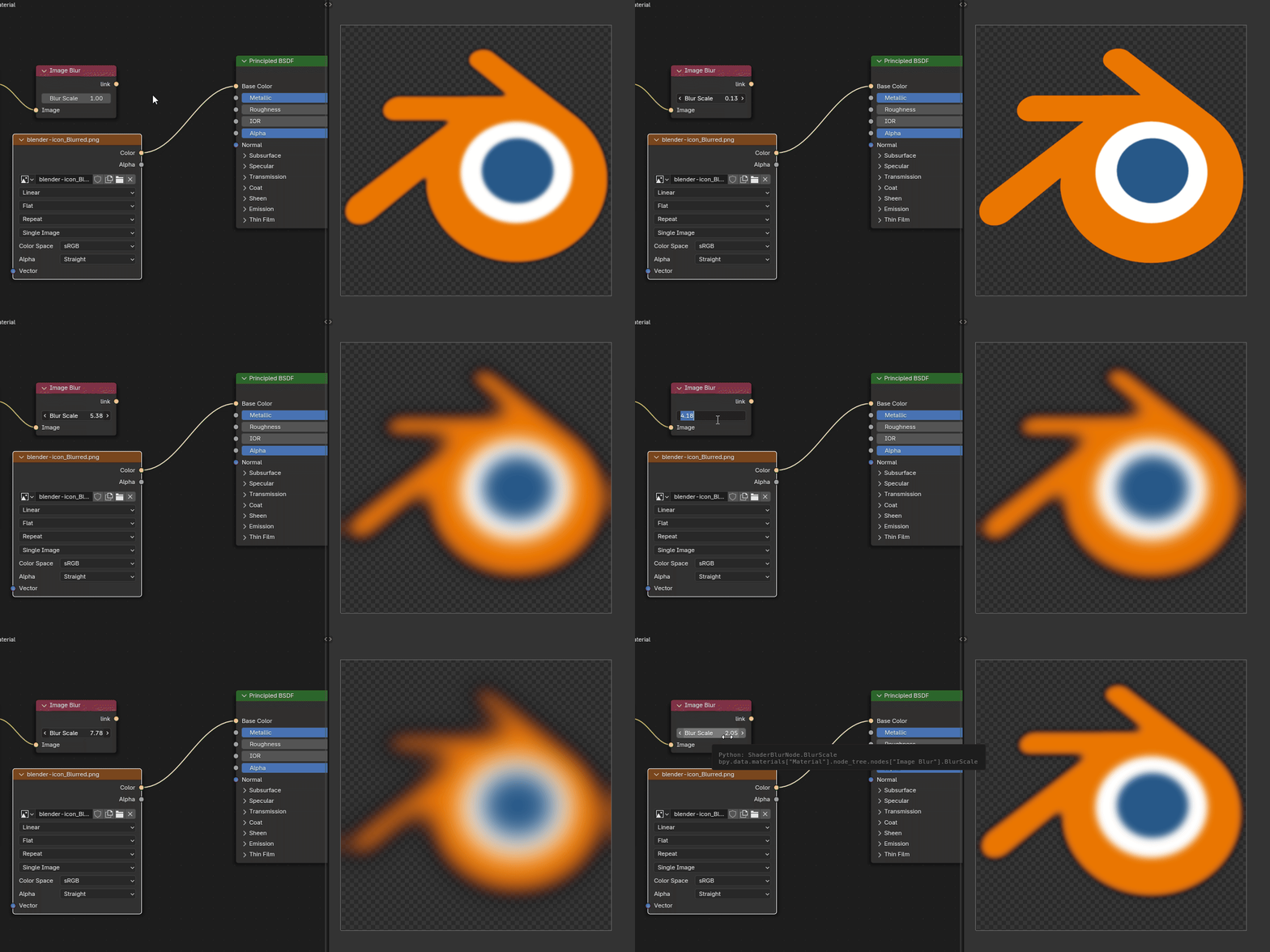
Works like any other node. Turn on Live Update to watch the blur change while you drag.
Drop-in replacement
Keeps the original node's interpolation, projection, extension, color space, alpha mode and connections.
Materials and Worlds
Image and Environment Textures, in object materials, the World, pinned materials and node groups.
Clean transparent edges
PNGs with alpha blur without the dark fringe most simple blurs leave around transparent areas.
Fast on big textures
Large blurs on 4K+ images are many times faster than a standard Gaussian blur, with the same look.
8, 16 and 32-bit images
PNG, JPG, TIFF and EXR. The blurred copy keeps the original's bit depth and file format.
How to use it
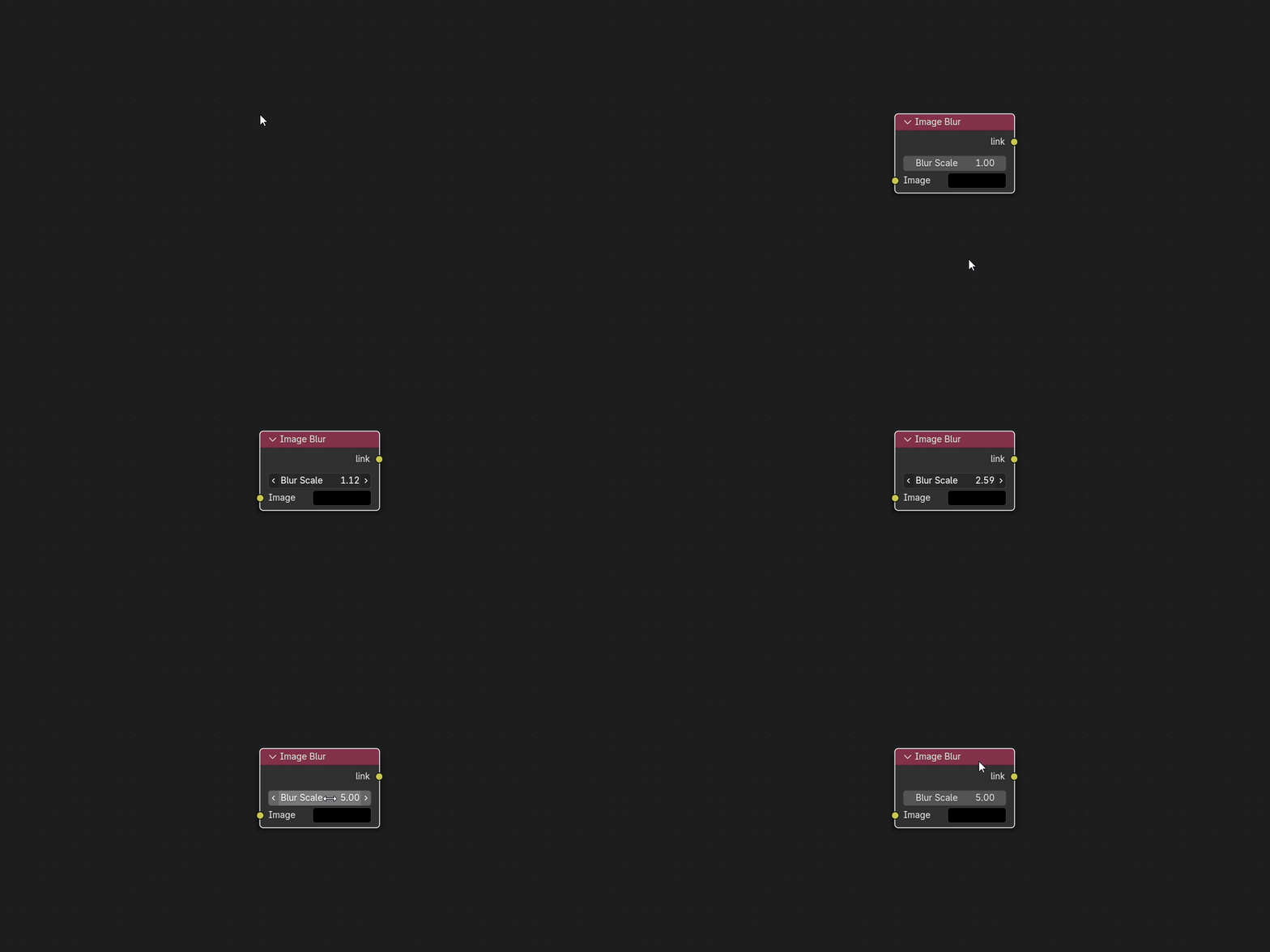
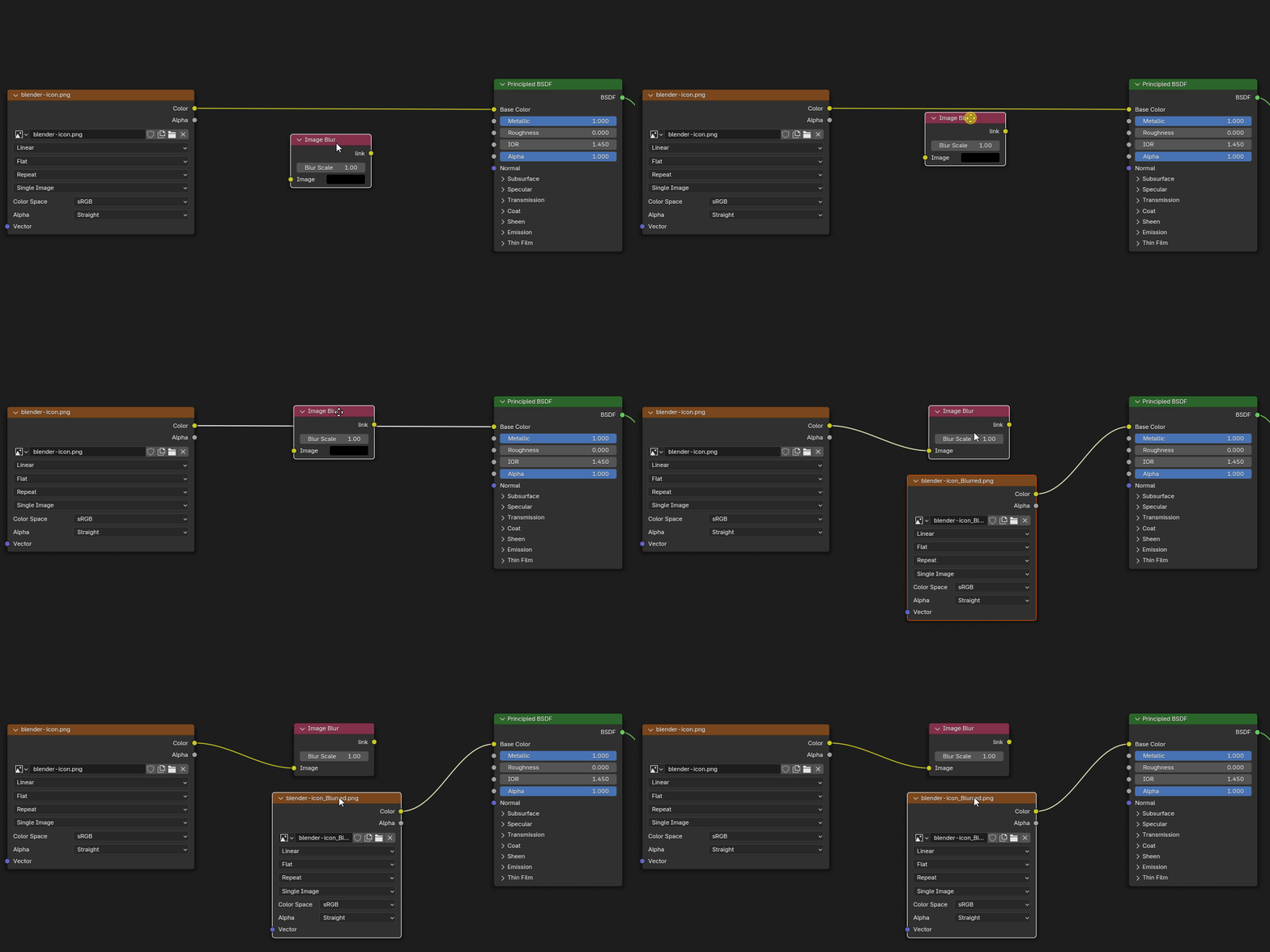
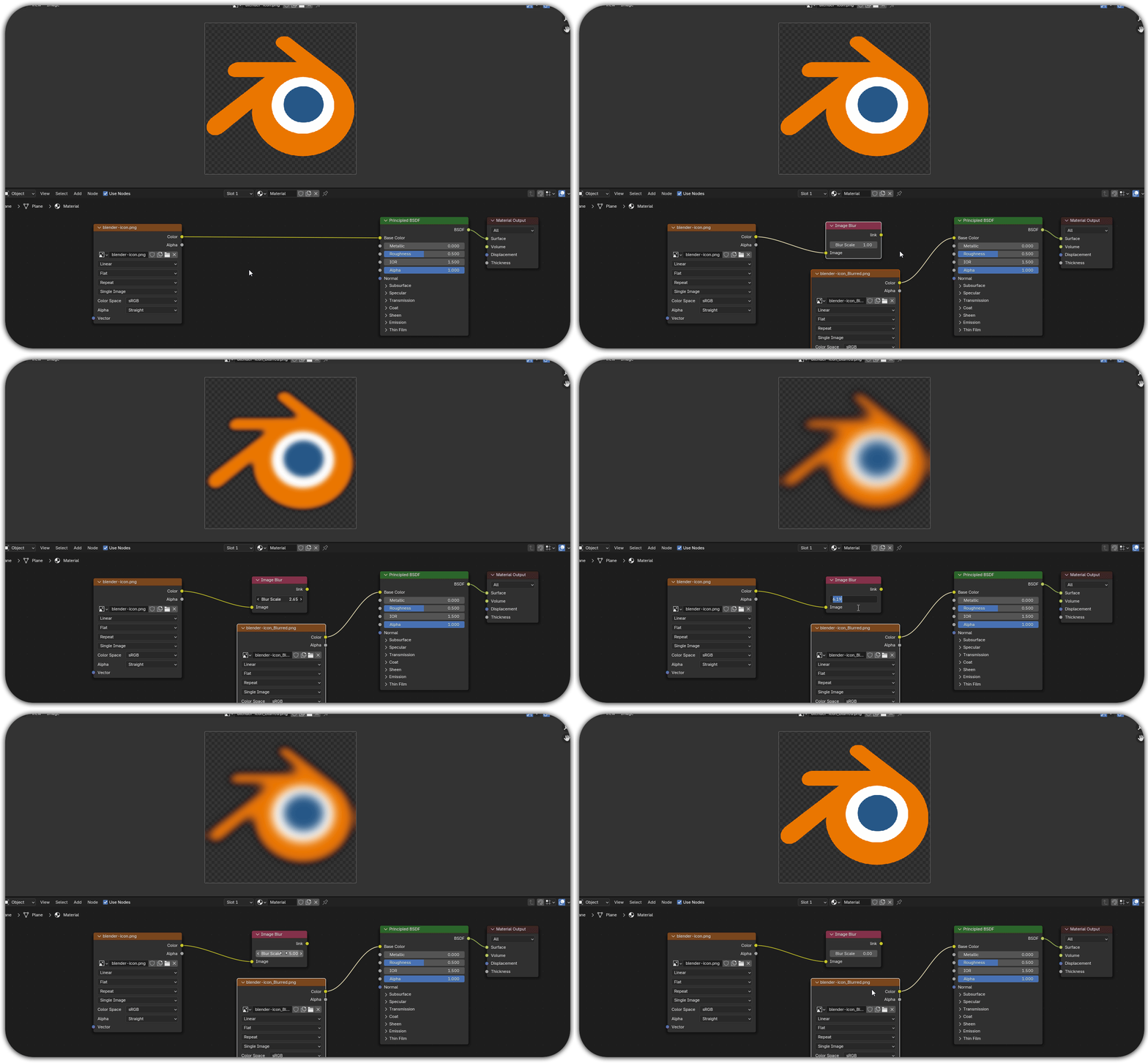
Add the node. In the Shader Editor, choose Add > Image Blur.
Plug in your image. Connect the Color (or Alpha) output of an Image Texture or Environment Texture node to the Image input.
Connect the output. Link the node's output to where you want the blurred image. A new texture node with the blurred image takes its place.
Adjust Blur Scale. The texture updates when you release the slider, or continuously with Live Update on.
Before you buy
Requirements
- Blender 3.0 or newer (tested on 3.0, 4.4, 4.5 and 5.2 LTS)
- Windows x64, macOS (Apple Silicon and Intel), Linux x64
- OpenCV is included: no internet or admin rights needed
- Blender 4.2+: download blurnode-…zip for your system and install via Edit > Preferences > Get Extensions > Install from Disk
- Blender 3.0–4.1: download the …-legacy-…zip for your system and install via Edit > Preferences > Add-ons > Install
Good to know
- The blurred copy is saved next to the original as name_Blurred.ext, or in the Export Path set in the add-on's preferences
- The source image must be a file on disk. Packed and generated images can't be blurred until saved
- Live Update is smoothest on 1K-2K textures. On 4K, updating on release usually feels better
- Seeing "No module named 'cv2'"? Update to the latest version
This add-on started as a commission from an artist who was tired of blurring textures outside Blender. It has been maintained and updated since.
Found a bug or have a request?
Message me here on Superhive or on Discord: peakz9155
Changelog
1.1.4 Latest
1.1.3
1.1.2
1.1.1
1.1.0
1.0.9
Earlier versions
