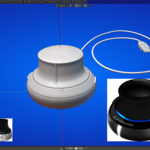
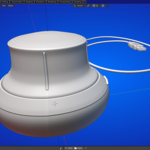
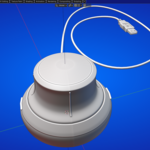
Image Overlay:
Image Overlay for Blender
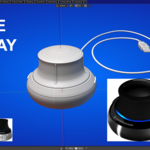
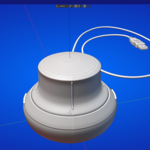
Tired of constantly switching between Blender and reference images? Keep your visual guides right inside the 3D Viewport or Image Editor with this intuitive overlay tool.
Features:
✅ Easy setup – Select a folder and overlay your images instantly
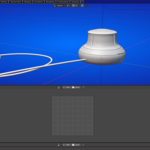
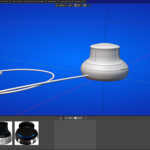
✅ Flexible display – Show in 3D Viewport or Image Editor
✅ Full control – Adjust size, position, and opacity on the fly
✅ Quick presets – One-click positioning and transparency presets
✅ Non-destructive – Works alongside your scene without interference
📦 How It Works:
Install the add‑on in Blender
Open the Image‑Overlay panel in the 3D Viewport
Select a folder containing your reference images
Add images, adjust their size/position/opacity
Work naturally — your references stay visible until you hide them
📁 Simple Folder‑Based Workflow:
Point to any folder of images and load them instantly
Add single images or import the entire folder in one click
Auto‑refreshes the image list when files change
🎨 Total Display Control:
Toggle visibility per image with one checkbox
Adjust image size, position, and opacity in real‑time
Choose between 3D Viewport or Image Editor display
⚡ Quick‑Preset Efficiency:
One‑click positioning: top/bottom, left/right, or center
Opacity presets: 100%, 75%, 50%, 25%, 0% (fully hidden)
Perfect for A/B comparisons or multi‑reference layouts
🖱️ Intuitive Interface:
Clean panel in the 3D Viewport sidebar
Visual list with selection and removal controls
Missing‑image warnings with easy reassign option
🚫 Non‑Intrusive & Lightweight:
Overlays render above your scene but never interfere
No added objects, no scene clutter
Works alongside any project, in any workspace layout
🛠️ Ideal For:
Modelers & Sculptors – Keep orthographic views or concept art in view
Texture Artists – Overlay texture guides while painting in the Image Editor
Lighting & Compositing – Compare before/after images or color palettes
Animators – Reference pose sheets or timing charts
Students & Educators – Follow along with tutorial images without leaving Blender
🎥 Perfect for Video Use:
Clean, professional overlay system for tutorials
Show reference comparison in real‑time
Great for timelapses where reference visibility matters
No external monitors or floating windows needed
Changelog v1.0:
- Initial release
Changelog v1.1:
- Added option to have images added with 1:1 aspect ratio or keeping the original image aspect ratio.
Changelog v1.2:
- The UV Editor space now also works just like the 3D Viewport overlay – your reference image stays fixed on screen while you navigate UVs.
- In the Image Editor space, UV-locked overlays move and scale with the grid – perfect for texture painting and tracing
 KVD
KVD