 P2_limit_sadge


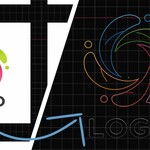
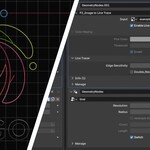
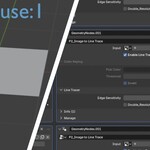
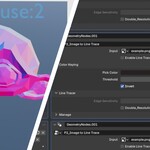
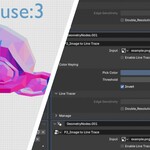
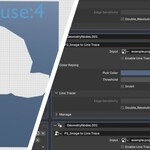
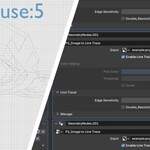
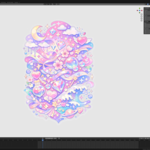
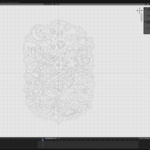
# WHAT IS IMAGE TO LINE TRACE
Image To Line Trace is a Blender Geometry Nodes utility for converting black-and-white, color, or alpha-based images into line mesh output directly inside Blender.
It is designed for logos, icons, and illustrations, with both color-based extraction and outline tracing in a procedural node workflow.
# FROM IMAGE TO TRACE GEOMETRY
Use it for high-contrast logos, icons, graphic elements, illustrations, and other clean image sources.
The output is line mesh geometry that can be used directly or passed into additional downstream Geometry Nodes setups.
# COLOR EXTRACTION AND OUTLINE TRACE MODES
Disable Enable Line Trace to use color extraction mode, then choose the target color with Pick Color.
Enable Enable Line Trace to switch to outline tracing mode, and use Edge Sensitivity when finer contour changes need to be detected.
# FEATURES
- Converts black-and-white, color, or alpha-based images into line mesh output
- Color extraction mode with Pick Color and Threshold
- Outline tracing mode with Edge Sensitivity
- Optional Double_Resolution control for denser sampling
- Included line material for visualization
- Included image attribute helper
- Works as a Geometry Nodes utility
- Blender 5.0 compatible
# WHY BUY IMAGE TO LINE TRACE
- Focused image-to-line-mesh workflow
- Supports both selected-color extraction and outline tracing
- Works directly in Geometry Nodes
- Useful for logos, icons, illustrations, and graphic image sources
- No external vector workflow required
# HOW TO USE
1. Connect an image to the Input socket
2. Disable Enable Line Trace to use color extraction mode
3. Choose the target color with Pick Color
4. Adjust Threshold to control the color match range
5. Enable Enable Line Trace to switch to outline tracing mode
6. Increase Edge Sensitivity when finer contours are needed
7. Use Double_Resolution only when denser sampling is needed
# NOTES
This is a modular Geometry Nodes utility rather than a finished asset or photo-to-3D reconstruction tool.
For best results, use high-contrast logos, graphic elements, or illustrations. Photo-based images are not recommended.
The included line material and image attribute are visualization helpers.