Image To Line Trace
 P2_limit_sadge


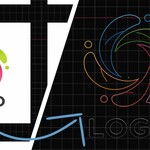
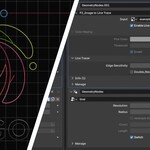
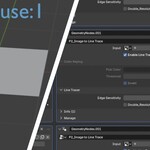
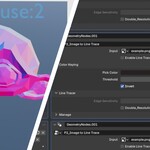
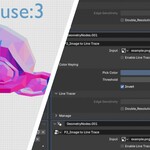
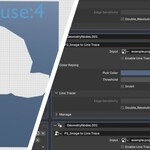
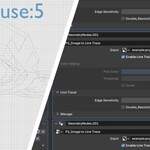
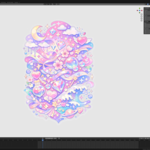
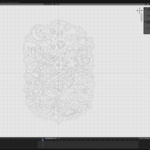
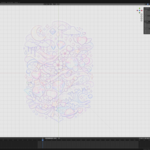
This node group converts black-and-white, color, or alpha-based images into line mesh output inside Blender.
Input
Input (Image) - Required
Any image source used for tracing.
Supports black-and-white, color, and alpha-based images.
Best suited for logos, icons, graphic elements, and illustrations.
Photo-based images are not recommended.
Mode Control
Enable Line Trace
Switches between color extraction mode and outline tracing mode.
Disabled: extracts geometry based on a selected color.
Enabled: generates geometry based on detected image contours.
Parameters
Pick Color
The target color used in color extraction mode.
Threshold
Controls how closely the image must match the selected color.
Lower values produce stricter matches.
Higher values allow a broader color range to be included.
Edge Sensitivity
Controls the sensitivity of contour detection in outline tracing mode.
Higher values make the node respond to finer contour changes.
Double_Resolution
Increases the sampling density used during image processing.
Useful when additional detail is needed, but usually not necessary for normal use.
Output
Geometry (Line Mesh)
Outputs line mesh geometry generated from the input image.
This output can be used directly or passed into additional downstream nodes depending on the workflow.
Included Helpers
line Material
Included as a visualization material for previewing the generated result.
image Attribute
Stored as a helper attribute for visualization and further processing.
Intended Use
This node is designed as a modular Geometry Nodes utility rather than a finished asset.
It is intended for tracing clean graphic sources inside Blender, similar in spirit to an image-to-vector workflow, while remaining fully procedural and node-based.
Have questions about this product?
Login to message
| Published | 6 months ago |
| Blender Version | 5.0 |
| Render Engine Used | Cycles, Eevee |
| License | Royalty Free |
Discover more products like this
line mesh blender 5.0 geometry nodes utility image trace vector trace procedural outline trace alpha line trace logo illustration