 Jooapa


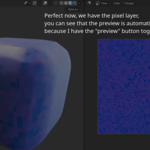
Main features
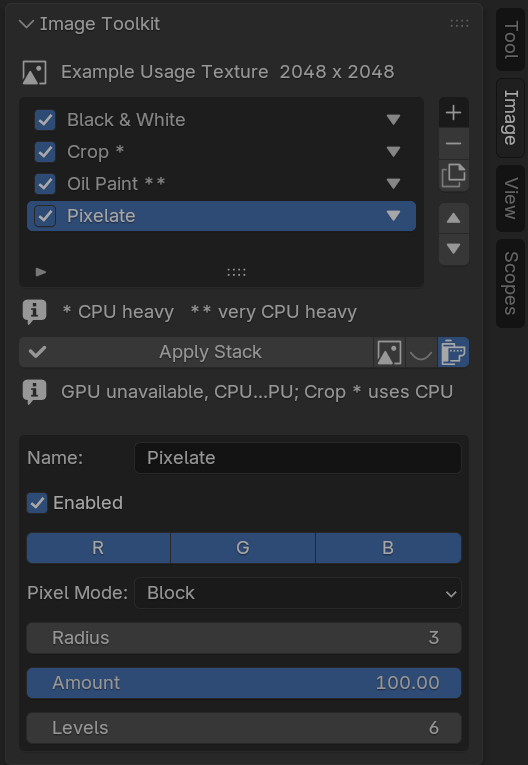
- • Modifier stack workflow for Blender images.
- • Live preview toggle.
- • Per-image modifier stacks so different images keep separate settings.
- • Apply Stack to bake the result into the current image.
- • New Image option to create a separate baked image.
- • RGB channel targeting for many modifiers.
- • GPU preview toggle for supported simple effects.
- • Works in the Blender Image Editor sidebar.
Included modifiers
| Essential | Brightness, Contrast, Exposure, Gamma, Saturation, Hue, Vibrance, Temperature, Tint, White Balance |
| Color | Color Balance, RGB Channel Mixer, Black & White, Sepia, Invert Colors, Posterize, Solarize |
| Levels & Curves | Levels, Curves, Auto Levels *, Normalize *, Histogram Equalization ** |
| Detail | Sharpen *, Gaussian Blur **, Box Blur *, Median Filter **, Unsharp Mask *, High Pass * |
| Noise | Add Noise, Remove Noise **, Despeckle ** |
| Artistic | Vignette, Bloom / Glow **, Pixelate, Oil Paint **, Emboss *, Edge Detection **, Pencil Sketch ** |
| Texture Creation | Grayscale, Height Map from Image, Normal Map Generation **, Ambient Occlusion Approximation **, Seamless Tile *, Edge Padding / Texture Bleeding **, Channel Packing * |
| Utility | Crop *, Resize *, Rotate *, Flip Horizontal *, Flip Vertical *, Mirror *, Canvas Expand *, Auto Trim Transparent Borders * |
| Masking | Alpha Adjustment, Replace Alpha, Remove Background, Feather Mask ** |
* CPU heavy ** very CPU heavy
Workflow
- Open an image in Blender's Image Editor.
- Add Image Toolkit modifiers to the stack.
- Adjust modifier settings and channel toggles.
- Preview the combined result.
- Use Apply Stack to bake changes into the image, or New Image to create a separate result.
Important warning
Live preview currently writes preview pixels into Blender's image datablock. If Blender asks to save modified images, saving those image files can bake the preview and the stack may be applied again when the project is reopened. Use Apply Stack when you intentionally want to modify the source image, or New Image when you want a separate baked result.
Compatibility
- Blender 4.2 or newer.
- Supports RGB and RGBA image data.
- No required external dependencies.
