 JB FX



Can I apply the same impact to other objects?
Yes. Use Copy to Selected.
Do Bounce and Vibration work on Pose Bones?
No. Pose Bone support is intentionally limited to Recoil to keep the workflow simple and predictable.
Does Impact Animator work with rigs?
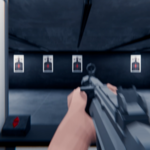
Recoil supports selected Pose Bones. Enter Pose Mode, select the desired control bone and create the Recoil normally.
I enabled Camera Reaction but nothing changed. Why?
If the Impact already exists, press Update after changing Camera Reaction.
Can I temporarily disable an impact?
Yes. Use the Eye icon beside the instance to quickly compare the original animation with the Impact version.
Can I add more than one impact to an object?
Yes. You can create multiple Impact instances at different frames and manage them individually.
Does it replace my existing animation?
No. Impact effects are created separately so you can work non-destructively and keep your original animation.
Is Impact Animator difficult to use?
No. Select your target, move to the impact frame, choose an effect, adjust a few controls and click Add Impact.
What does Impact Animator do?
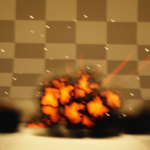
Impact Animator quickly creates Recoil, Bounce, Vibration and Camera Shake effects without manually animating all the secondary motion.
Have questions about this product?
Login to message
| Blender Extension Compatible | Yes |
| Published | about 2 months ago |
| Blender Version | 4.2 - 5.2 |
| Extension Type | Add-on |
| Render Engine Used | Cycles, Eevee |
| License | GPL |

Discover more products like this
camera shake Recoil Armature 3d-camera big impact animation vibration camera animated camera 3D camera tools