 Dead Simple Shop



What it does
This add-on allows you to enable automated incremental backups of your project into a designated folder, at an interval of your choosing whilst also allowing you to choose the amount of backup files retained before the oldest one gets deleted.
How to use it
Download the ZIP-file.
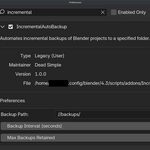
Go to Edit/Preferences/Add-ons.
In 4.3 and above click on the drop down menu top right to install from disk.
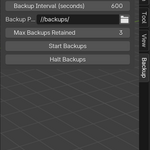
Within the Viewport open up the N-Panel by pressing N. You will find a new tab called "Backup".
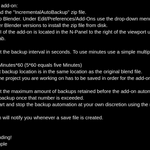
Here you can set the backup interval in seconds, how many backups are to be kept and where they are stored. The default path stores the backups in the exact same location as the original save file. It is imperative, that the file you are working on has been saved once already, in order for the add-on to work properly.
Make sure to press "Start Backups" for the add-on to do its magic.
You can stop the backups at your discretion with the "Halt Backups button".
Half of the proceeds for this add-on go directly to the Blender Foundation.