 Quad Lab







Overview
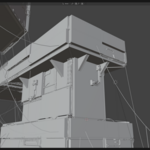
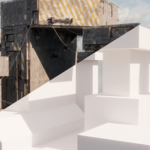
A complete Blender add-on for generating detailed industrial buildings procedurally.
Create complex structures from a simple base mesh using intuitive controls directly in the N-Panel.
Installation
- Download the correct ZIP file for your Blender version from Superhive.
- Open Blender.
- Go to: Edit > Preferences > Add-ons- Click the dropdown icon in the top-right corner of the Add-ons window.
- Select Install from Disk.
- Select the downloaded add-on ZIP file directly.
- Enable the add-on after installation.
- Restart Blender.
After restarting Blender, the add-on panel "Industrial" will appear in the N-Panel inside the 3D Viewport.
- Select any mesh/object. (A cube roughly 50 meters in size is recommended, since the add-on is designed for generating large-scale structures.)
- Open the add-on panel in the N-Panel and click Generate/Apply.
- Use seed values to create new variations.
No manual Geometry Nodes setup required.
Use Cases
- Industrial environments
- Sci-fi structures
- Kitbashing workflows
- Concept art and rapid blockouts
 Included
Includes 12 months of
- Support from Quad Lab
- Product updates
Extend this product’s Support Period +12 months: 25% of product price
Have questions before purchasing?
Login to message
| Blender Extension Compatible | Yes |
| Sales | 10+ |
| Dev Fund Contributor | |
| Published | 5 months ago |
| Blender Version | 4.5 - 5.2 |
| Extension Type | Add-on |
| Render Engine Used | Cycles, Eevee |
| License | GPL |