Industrial Plasma Saw – AAA Game-Ready 3D Asset & Tutorial
 reyhane_3d





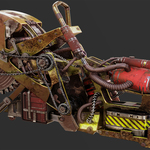
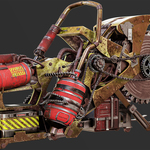
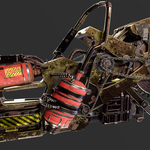


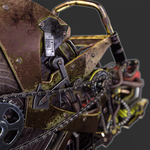



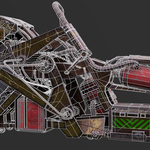
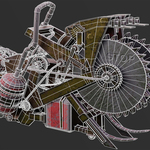
Welcome to the Industrial Plasma Saw Documentation. This guide covers the folder structure, technical specifications, and how to set up and use the asset in your pipeline.
📁 1. Project Folder Structure
• Highpoly: Contains the raw high-poly source mesh (3.9M+ Tris) for custom bakes or reference.
• Lowpoly: Contains the game-ready low-poly asset (67,702 Tris) in .fbx and .obj formats.
• Textures: Organized 4K PBR texture sets (BaseColor, Roughness, Metallic, Normal, Ambient Occlusion).
• UE5_Project: Fully configured Unreal Engine project ready for migration.
⚙️ 2. Technical Specifications & Guidelines
• Topology: Clean quad-dominant topology, completely unwrapped with zero overlapping UVs in critical areas.
• Texel Density: Optimized to match industry standards for first/third-person weapons and heavy industrial props.
• Scaling: Built and tested to real-world scale (Third-Person character compatible).
🎮 3. Unreal Engine 5 Setup
1. Copy the provided folder into your Unreal Engine 5 project's "Content" directory.
2. Assign the provided 4K PBR textures to the corresponding material slots (Base Color, Metallic, Roughness, Normal).
3. The model is fully optimized for Lumen and Nanite workflows where applicable.
Have questions about this product?
Login to message
| Published | about 2 months ago |
| Blender Version | 2.9 - 5.2 |
| Render Engine Used | Cycles, Eevee |
| Misc Data | Uvs-Unwrapped, Animated, Low-High-Resolution, Normal-Mapped, Textured |
| License | Royalty Free |
Discover more products like this
plasma saw game ready hard surface Workflow asset pack mechanical pbr-textures highpoly lowpoly weapon industrial 3d tutorial sci fi prop