Instance Pivot
 Basem ALi Deeb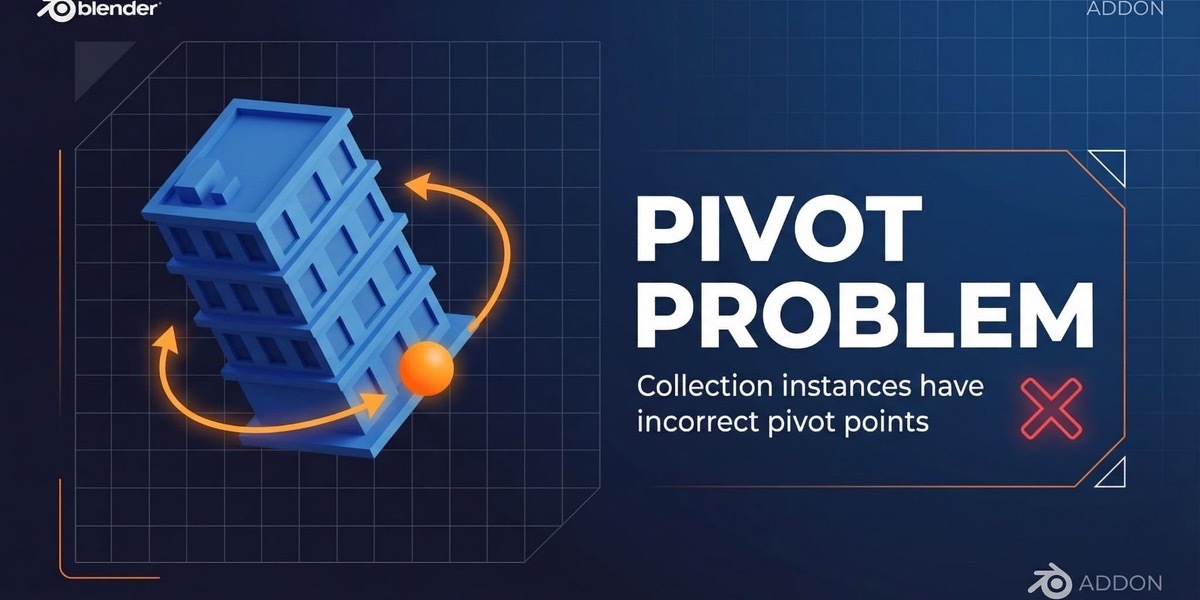







😫 Tired of Wasting Hours Fixing Pivot Points?
If you work with collection instances in Blender, you know the pain. By default, pivot points are placed at the world origin, making it nearly impossible to rotate or position your instances naturally. The manual process of fixing this is slow, repetitive, and prone to errors.
The old way:
1.Manually calculate the center of dozens of objects.
2.Move the 3D cursor to the exact spot.
3.Adjust the instance offset with complex math.
4.Repeat for every single instance...
This tedious process can take 5-10 minutes per instance. For a large architectural scene with 50 instances, that's 4-8 hours of your life wasted on a boring, repetitive task.
✨ Introducing Instance Pivot: Your One-Click Solution
Instance Pivot is a powerful, professional addon for Blender 5.0+ that completely automates this process. With a single click, you can instantly set the pivot point of any collection instance to its geometric center and bottom, saving you countless hours and boosting your productivity.
| Feature | Manual Method | With Instance Pivot ✨ |
| Time per Instance | 5-10 minutes | 2 seconds |
| Accuracy | Prone to human error | Perfectly calculated |
| Workflow | Tedious and repetitive | One-click automation |
| Productivity | Extremely low | 150x Faster |
Stop wasting time. Start creating.
🚀 Core Features
Instance Pivot is packed with features designed to streamline your workflow.
•One-Click Operation: No complex menus. Just select your instance and click the button.
•Center + Bottom Pivot: Automatically places the pivot at the geometric center (X/Y) and the lowest point (Z), perfect for architecture and environment assets.
•Use Selected Objects: Have a complex collection? Choose to calculate the pivot based on only the objects you have selected.
•Universal Object Support: Works flawlessly with any object type, including Mesh, Curve, Empty, Light, and Camera. If an object has no geometry, its location is used instead.
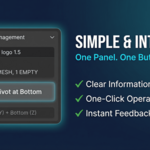
•Intuitive UI: A clean, simple panel that provides all the information you need, including object counts and types.
•Blender 5.0+ Ready: Built and tested for the latest versions of Blender.
🖼️ Visual Showcase
(Image: instance_pivot_banner_01.png)
Before: The pivot is in the wrong place, making rotation a nightmare.
(Image: instance_pivot_banner_02.png)
After: With one click, the pivot is perfectly centered at the bottom.
(Image: instance_pivot_ui_showcase.png)
The simple and intuitive interface gives you all the info you need without the clutter.
⚙️ Installation
Installing Instance Pivot is simple. Choose the method that works best for you.
Method 1: Direct Install (Recommended)
1.Download the instance_pivot.py file from your purchase.
2.Open Blender and go to Edit > Preferences > Add-ons.
3.Click the Install... button at the top right.
4.Navigate to and select the instance_pivot.py file.
5.Enable the addon by ticking the checkbox next to "Instance Pivot".
Method 2: Manual Install
1.Download instance_pivot.py.
2.Copy the file into your Blender addons directory. The location varies by operating system:
•Windows: C:\Users\YourUsername\AppData\Roaming\Blender\5.0\scripts\addons
•macOS: /Users/YourUsername/Library/Application Support/Blender/5.0/scripts/addons
•Linux: /home/YourUsername/.config/blender/5.0/scripts/addons
3.Restart Blender.
4.Go to Edit > Preferences > Add-ons, search for "Instance Pivot", and enable it.
📖 How to Use
Get perfect pivots in seconds.
Basic Workflow
1.Select your Collection Instance in the viewport.
2.Open the sidebar by pressing the N key.
3.Navigate to the Tool tab and find the Instance Pivot panel.
4.Click the Center Pivot at Bottom button.
That's it! Your pivot point is now perfectly aligned.
Advanced Workflow: Using Selected Objects
For complex collections, you can calculate the pivot based on a subset of objects.
1.In the Outliner, expand your collection and select the specific objects you want to use (use Shift + Click).
2.In the Instance Pivot panel, make sure the Use Selected Only checkbox is ticked.
3.Click Center Pivot at Bottom.
The pivot will be calculated using only the bounds of the objects you selected.
🎯 Perfect for Any Workflow
Instance Pivot is essential for a wide range of 3D professionals.
•Architectural Visualization: Place buildings, trees, and furniture with pivots at their base for natural rotation.
•Game Development: Ensure your game assets have correct, consistent pivot points for easy placement in game engines like Unity and Unreal.
•Environment Design: Quickly populate scenes with rocks, props, and other assets that sit perfectly on the ground.
•Product Visualization: Manage complex product assemblies with ease.
📝 Changelog
•v4.0 (Latest): Added "Use Selected Only" feature, full object type support, improved UI.
•v3.2: Enhanced Center + Bottom pivot calculation.
•v2.0: Introduced universal object support with geometry/location fallback.
•v1.0: Initial release.
🤝 Support & Credits
This addon was created with care by Basem.
If you encounter any issues, have questions, or want to suggest a feature, please don't hesitate to get in touch. Your feedback is invaluable and helps make this tool better for everyone.
Thank you for your support!
$7.99
Have questions about this product?
Login to message
| Published | 8 months ago |
| Blender Version | 4.5 - 5.2 |
| Extension Type | N/A |
| Render Engine Used | Cycles, Eevee |
| License | GPL |
