Iso Groups
 Techqon core


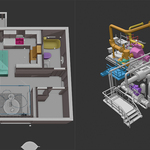
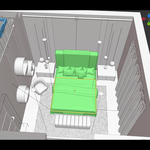
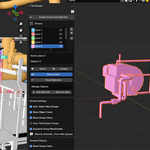
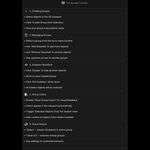
What is Iso Groups?
Iso Groups is a Blender addon designed to simplify object organization and editing in complex scenes. It lets you create custom groups of objects and isolate them with a single click, so you can focus on specific parts of your model without visual clutter or constant re-selection.
Perfect for workflows in architecture, product design, or any detailed scene where precise control and visibility are essential.
Installation
-
Download the .zip file from this product page.
-
In Blender, go to Edit > Preferences > Add-ons > Install.
-
Select the downloaded .zip file and click Install Add-on.
-
Enable the addon by checking the box next to “Iso Groups”.
-
The panel will appear in the N-Panel (right sidebar) under the Iso Groups tab.
Download the .zip file from this product page.
In Blender, go to Edit > Preferences > Add-ons > Install.
Select the downloaded .zip file and click Install Add-on.
Enable the addon by checking the box next to “Iso Groups”.
The panel will appear in the N-Panel (right sidebar) under the Iso Groups tab.
How to Use
1. Create a Group
-
Select the objects you want to group in the 3D Viewport.
-
Click “Create Group from Selection”.
-
Name your group descriptively (e.g., “Sofa”, “Cabinet”).
Select the objects you want to group in the 3D Viewport.
Click “Create Group from Selection”.
Name your group descriptively (e.g., “Sofa”, “Cabinet”).
2. Manage Your Groups
-
Select a group from the list to make it active.
-
Use “Add Selected” to add more objects to the active group.
-
Use “Remove Selected” to remove objects from the group.
-
Use the up/down arrows to reorder your groups.
Select a group from the list to make it active.
Use “Add Selected” to add more objects to the active group.
Use “Remove Selected” to remove objects from the group.
Use the up/down arrows to reorder your groups.
3. Isolate Objects
-
Click “Isolate” to hide all other objects in the scene.
-
Work freely on your group without distractions.
-
Click “Exit Isolation” (same button) to restore all objects.
Click “Isolate” to hide all other objects in the scene.
Work freely on your group without distractions.
Click “Exit Isolation” (same button) to restore all objects.
4. Use Group Colors (Optional)
-
Enable “Show Group Colors” in the settings to visualize group assignments.
-
Each group gets a unique color visible in the viewport.
-
Toggle “Selected Objects Only” for a cleaner view if needed.
-
The addon automatically switches to Object Color mode when needed.
Enable “Show Group Colors” in the settings to visualize group assignments.
Each group gets a unique color visible in the viewport.
Toggle “Selected Objects Only” for a cleaner view if needed.
The addon automatically switches to Object Color mode when needed.
Features
-
Create and manage unlimited object groups.
-
One-click isolation of group content.
-
Visual group feedback with optional color display.
-
Smart and clean UI inside Blender’s N-Panel.
-
Group-exclusive mode to prevent object overlap.
-
Auto-hide empty groups and clean up orphaned colors.
-
Built-in tutorial for easy onboarding.
Create and manage unlimited object groups.
One-click isolation of group content.
Visual group feedback with optional color display.
Smart and clean UI inside Blender’s N-Panel.
Group-exclusive mode to prevent object overlap.
Auto-hide empty groups and clean up orphaned colors.
Built-in tutorial for easy onboarding.
Settings (Optional)
-
Auto-Select New Groups – Automatically selects objects when creating a group.
-
Exclusive Group Membership – Keeps objects from belonging to multiple groups.
-
Auto-Hide Empty Groups – Hides groups that no longer have objects.
-
Clean Up Buttons – Quickly remove unused groups and orphaned colors.
Auto-Select New Groups – Automatically selects objects when creating a group.
Exclusive Group Membership – Keeps objects from belonging to multiple groups.
Auto-Hide Empty Groups – Hides groups that no longer have objects.
Clean Up Buttons – Quickly remove unused groups and orphaned colors.
Requirements
-
Blender 3.0 or newer
-
Compatible with Windows, macOS, and Linux
Blender 3.0 or newer
Compatible with Windows, macOS, and Linux
Tip
Use Iso Groups to manage areas like kitchen appliances, modular furniture, mechanical parts, or any objects that need repeated focus. Your scene stays organized, and your workflow becomes faster and cleaner.
Have questions about this product?
Login to message
| Sales | 20+ |
| Published | about 1 year ago |
| Blender Version | 4.2 - 4.5 |
| Extension Type | N/A |
| Render Engine Used | Cycles, Eevee |
| License | GPL |
Discover more products like this
Workflow Isolate viewport tools productivity 3D Design Tools Scene organization Blender grouping grouping addon Object Management multiple-object-management organization addon blender