JinYu Light Control
 JinYu Studio


How do I install or update JinYu Light Control?
Download the ZIP and do not extract it. In Blender, open Edit > Preferences > Get Extensions, choose Install from Disk, and select the V5.20.5 ZIP. When updating, save a backup, disable the previous version, and install V5.20.5. Do not enable the Standard and Lite editions at the same time.
What is new in V5.20.5?
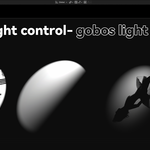
V5.20.5 improves the combined Gobo and Projection workflow so either feature can be enabled first, makes Projection Volume Density update live, and adds Apply Array and Make Lights Independent for converting managed arrays into individually editable lights.
Why do all lights in an array change color or brightness together?
Managed array members share the source Light datablock by design. When the layout is complete, use Apply Array and Make Lights Independent. Each resulting light will receive a unique Light datablock and can then have its own color, energy, animation, and supported node settings.
Can Gobo and Projection be used together?
Yes. In V5.20.5 they can be enabled in either order and the volumetric beam remains synchronized. Projection is available for native Spot lights. Volume Density and related projection controls update immediately.
Which Blender versions and render engines are supported?
The extension requires Blender 4.2 or later and supports Cycles and EEVEE. Some features are engine-specific: Cycles preserves colored Gobo textures and is required for native Light Group output, while EEVEE uses Gobo textures as grayscale intensity patterns.
Are textures and IES files included?
The add-on ZIP contains the node-group and preset assets required by the add-on, but it does not contain a general user-facing Gobo texture or IES profile library. Configure Asset Path to a separately supplied licensed library, if provided with your purchase, or use your own properly licensed files.
Can I use the add-on for commercial projects?
Yes. You may use the add-on to create personal and commercial renders, animations, videos, games, and client work. Redistribution of the add-on, editable source assets, or third-party materials remains subject to the included GPL and asset-license terms.
How do I request technical support?
Contact support through this product page and include your JinYu edition and version, Blender version, render engine, operating system, reproduction steps, screenshots, and any console error. A minimal test .blend file is helpful when possible. Remove confidential or personal information before sending files.
Have questions about this product?
Login to message
| Blender Extension Compatible | Yes |
| Dev Fund Contributor | |
| Published | about 2 months ago |
| Blender Version | 4.2 - 5.2 |
| Extension Type | Add-on |
| Render Engine Used | Cycles, Eevee |
| License | GPL |
Discover more products like this
eevee Light animation Lighting light-array light-linking hdri light-control IES volumetric lighting gobos Cycles light groups