Juggernaut: Batch Bone Tools And Gpu Driven Rig Control
 Trestle Trotter



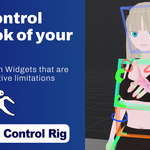
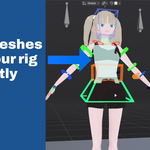
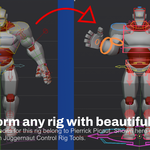
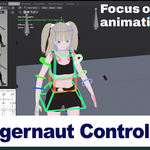
Now rigs can be committed as blender native widgets.
Fixed rigs not loading issues.
Version notes
Important: Uninstall Previous Versions and install cleanly. The add-on manifest has been refactored so it's important to clean previous versions.
The addon has been update.
Usage documentation will be updated soon for the New Batch Bone Tools
Main Updates to the Juggernaut Rig tab
New ways to edit the picker.
Create selection categories using the Juggernaut Rig Settings below.
First create a custom Hierarchy, then make a picker layout. You will be able to select all bones inside the picker categories.
Add bones you want into the picker categories.
For performance close the Juggernaut Rig Settings panel once you are done editing your rig.
Improved Batch Edit Workflow
Previously when selecting multiple bones and enabling batch edit, you had to press confirm on that selection. If the selection was lost then the confirm button would disappear and lock subsequent batch edits.
Now, the confirm batch edit button appears until confirm is checked, avoiding locked batch edit states.
New Shapes
New 2d and 3d shape presets have been added.
2d:
- Target
- Eye Target
- Gear
- Roll
- Paddle/Line
- Hexagon
3d:
- Rhomboid
- Pyramid
- Arrow
- Gear
Arrow settings
Arrows now have their own start shape and end shape settings. As well as paddles/lines
Color settings
New overall rig color settings:
- Choose idle widget saturation, and active bone widgets tint color.
New Operations
- For widgets, sometimes it is necessary to flip the shapes around.
This is now possible with new operations Flip x, Flip y, Flip z.
Now rigs can be committed as blender native widgets.
Fixed rigs not loading issues.
Improved Batch Edit Workflow
Previously when selecting multiple bones and enabling batch edit, you had to press confirm on that selection. If the selection was lost then the confirm button would disappear and lock subsequent batch edits.
Now, the confirm batch edit button appears until confirm is checked, avoiding locked batch edit states.
New Shapes
New 2d and 3d shape presets have been added.
2d:
- Target
- Eye Target
- Gear
- Roll
- Paddle/Line
- Hexagon
3d:
- Rhomboid
- Pyramid
- Arrow
- Gear
Arrow settings
Arrows now have their own start shape and end shape settings. As well as paddles/lines
Color settings
New overall rig color settings:
- Choose idle widget saturation, and active bone widgets tint color.
New Operations
- For widgets, sometimes it is necessary to flip the shapes around.
This is now possible with new operations Flip x, Flip y, Flip z.
Now rigs can be committed as blender native widgets.
Fixed rigs not loading issues.
Improved Batch Edit Workflow
Previously when selecting multiple bones and enabling batch edit, you had to press confirm on that selection. If the selection was lost then the confirm button would disappear and lock subsequent batch edits.
Now, the confirm batch edit button appears until confirm is checked, avoiding locked batch edit states.
New Shapes
New 2d and 3d shape presets have been added.
2d:
- Target
- Eye Target
- Gear
- Roll
- Paddle/Line
- Hexagon
3d:
- Rhomboid
- Pyramid
- Arrow
- Gear
Arrow settings
Arrows now have their own start shape and end shape settings. As well as paddles/lines
Color settings
New overall rig color settings:
- Choose idle widget saturation, and active bone widgets tint color.
New Operations
- For widgets, sometimes it is necessary to flip the shapes around.
This is now possible with new operations Flip x, Flip y, Flip z.
-
$12 $20
Includes every tool from Juggernaut Control Rig Full commercial license for 1 person
-
$54 $90
Includes every tool from Juggernaut Control Rig Full commercial license for 10 people
-
$108 $180
Includes every tool from Juggernaut Control Rig Full commercial license for 20 people
Have questions about this product?
Login to message
| Blender Extension Compatible | Yes |
| Published | 3 months ago |
| Blender Version | 4.2 - 5.1 |
| Extension Type | Add-on |
| Render Engine Used | Cycles, Eevee |
| License | GPL |

Discover more products like this
juggernaut animation tools animation rig widgets Rigging Tools batch bone control-rig