 孙堪伟
孙堪伟



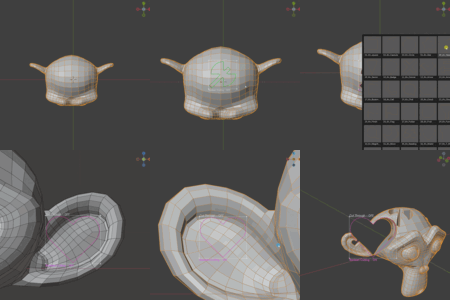
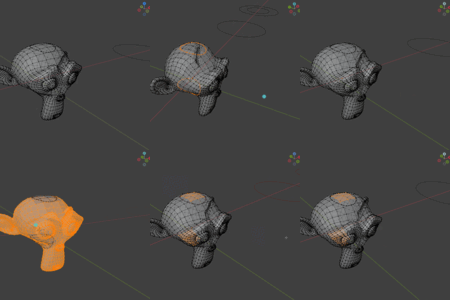
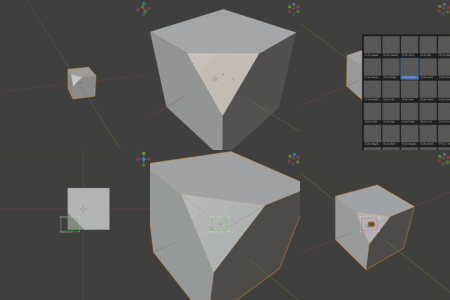
Knifepro - Blender Projection Cutting
Compatibility: Blender 4.5 - 5.0 only
What is Knifepro?
Knifepro simplifies mesh cutting in Blender by replacing complex projection workflows with instant visual cutting.
Installation
1. Edit → Preferences → Add-ons
2. Click "Install..." and select Knifepro .zip
3. Enable "Mesh: Knifepro" checkbox
Quick Start
Method 1: Use Template Library
1. Open Sidebar → Knife Library
2. Select from 50+ templates
3. Click "Import and Cut"
4. Press
Alt+C to executeMethod 2: Custom Knife
1. Select edge-only mesh object
2. Right-click → "Projection Cut"
3. Adjust contour position/size
4. Press
Alt+C to executeKey Features
- Visual contour projection with real-time preview
- Smart boolean cutting with automatic fallback
- 50+ ready-to-use cutting templates
- Clipboard import for SVG and images
- Automatic vertex group creation
Essential Shortcuts
Alt+C - Execute cutESC - Cancel operationCtrl+Shift+V - Import from clipboard
Support
For issues and updates, check the official documentation and community forums.
$9
Have questions about this product?
Login to message
| Sales | 50+ |
| Published | 11 months ago |
| Blender Version | 4.5 - 5.0 |
| Extension Type | N/A |
| Render Engine Used | Cycles |
| License | GPL |