 Kore
Kore



Installation
KoreSelect works with Blender 3.6 and above. To install, go to Edit > Preferences > Add-ons and click "Install from Disk." Select the downloaded .zip file — no need to extract it first. Enable "KoreSelect" in the addon list and you're ready to go.
Getting Started
KoreSelect is accessed through Edit Mode (for mesh selection) and Object Mode (for object-level tools). The main entry point is the context menu:
L — Opens the KoreSelect context menu with all available tools
The menu adapts automatically to your current mode (vertex, edge, face, or object) and only shows relevant tools
Interactive Selection Tools
Every KoreSelect tool runs as an interactive modal — you see results in real time and adjust parameters with your scroll wheel before confirming. No guessing, no redo panel hunting.
Common controls across all modals:
Scroll — Adjust the primary parameter (angle threshold, tolerance, etc.)
LMB / Enter — Confirm selection
ESC / RMB — Cancel and restore your original selection
Edge & Face Loops
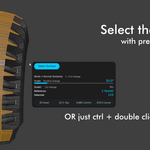
Select edge loops and face loops with an adjustable angle threshold. The loop walker respects your mesh topology and stops at sharp turns.
Scroll — Adjust angle threshold (tighter = shorter loops, looser = longer loops)
1 / 2 — Switch between Loop and Ring mode
A — Toggle loop axis direction (face mode)
P — Toggle pole traversal (continue loops through 3/5-sided vertices)
B — Cycle boundary behavior (None, Sharp, Seam)
Shift+Scroll — Parallel expand (select adjacent parallel loops)
Double-click any edge or face to instantly select its loop without opening the modal.
Waypoint Path
Click to place waypoints on your mesh, and KoreSelect traces the shortest path between them. Works with edges, vertices, and faces.
LMB — Place a waypoint
Scroll — Adjust angle threshold
Backspace — Remove last waypoint
Enter — Confirm the full path
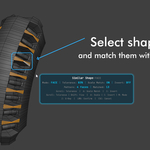
Similar Shape
Select one face group or edge pattern, and KoreSelect finds all matching shapes across your entire mesh. Uses native Rust computation for speed — handles thousands of faces in milliseconds.
Scroll — Adjust similarity tolerance
Supports scale-invariant matching (finds the same bolt cap regardless of size)
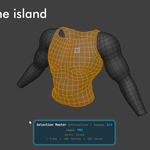
Select Surface
Click a face and KoreSelect flood-fills across connected faces that share a similar angle, selecting an entire continuous surface region. Ideal for selecting flat panels, curved sections, or any coherent surface area.
Select by Material / Normal / Size / Weight
Filter your selection by geometric properties:
Material — Select all faces sharing the same material slot
Normal — Select faces pointing in a similar direction (adjustable threshold)
Size — Select edges or faces within a size range
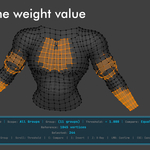
Weight — Select vertices by vertex group weight value
Nth Selection
After making any selection, use Nth Selection to thin it out with a keep/skip pattern. Perfect for creating evenly-spaced selections from a dense loop.
Scroll — Adjust skip count (every 2nd, 3rd, 4th...)
Ctrl+Scroll — Adjust keep count
Shift+Scroll — Shift the pattern offset
I — Invert the pattern
Edge Filter
Quickly select all boundary edges, sharp edges, or seam edges in your mesh. Switch between filter types with number keys.
Boolean Selection
Combine two selections with boolean logic — intersect, union, or subtract. Save a selection to group A, make a new selection, then boolean them together.
Selection Groups
Save any selection as a named group and restore it later. Works across vertices, edges, faces, and objects. Groups persist with your .blend file.
Ctrl+G — Save current selection to a group
Groups appear in the N-panel sidebar under the KoreSelect tab
Click any group to restore its selection instantly
Object Mode Tools
KoreSelect also works in Object Mode:
Select by Type — Quickly select all meshes, curves, cameras, lights, etc.
Hierarchy Selection — Select parent, children, siblings, descendants, or root objects
Similar Size — Find objects with similar volume, dimensions, or surface area
Object Groups — Save and restore object selections
Expand & Contract
Grow or shrink your current selection by one element ring at a time. Available from the context menu or as an interactive modal with scroll control.
Mark / Clear Edges
In edge mode, quickly mark or clear edge attributes (sharp, seam, crease) with an interactive modal — preview the result before applying.
Default Shortcuts
Shortcut Action
L KoreSelect context menu
Alt+L Smart loop select
Shift+L Select edge ring
Double-Click Smart select loop
Shift+Double-Click Extend selection with another loop
Ctrl+Double-Click Select surface
Ctrl+G Save selection to group
Ctrl+Shift+B Select boundary edges
Ctrl+Shift+S Select sharp edges
All shortcuts can be customized in Blender's Keymap preferences (search for "kore_select").
Performance
Core algorithms run in Rust via native compiled libraries, keeping interactive feedback snappy even on dense meshes. The angle-based loop walker, shortest path, and similar shape matching all run natively — you get real-time results as you scroll.
Compatibility
Blender 4.2+ (tested up to 5.0)
macOS (Apple Silicon + Intel), Linux (x86_64, ARM64), Windows (x86_64)
Works alongside other selection addons without conflicts
Have questions about this product?
Login to message
Discover more products like this
Mesh Selection Tool smart selection auto selection tools interactive object-mode Selection loop select surface-selection edit mode 3d hard surface time saver productivity