 Kore
Kore


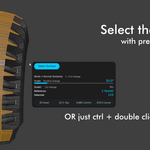
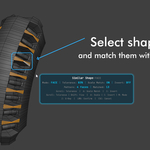
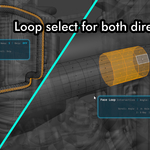
New
- New UV Editor tools: Smart UV Loop, Waypoint Path, Distortion, Similar Island Size, Flipped UVs, and UV Groups
- Cleaner tool panels with easier-to-read values and clearer shortcuts
Improved
- More reliable UV selections and saved selection restore
- Scroll stays free for Blender navigation when a tool already has keyboard shortcuts
Bug Fixes
- Fixed Shift+Alt+Click extend selection not working in edge mode
- Fixed unwanted faces being selected between two extend-selected loops (edge & face mode)
New
- Alt+Click Smart Select — axis-aware loop selection with cycling. Alt+Click to select, Shift+Alt+Click to extend, click again to cycle axis. Works in edge, face, and vertex mode with Adjust Last Operation support
- Nth Selection everywhere — now available in vertex, edge, and face primary menus (previously edge-only)
- Double-click toggle — disable double-click smart select in Preferences → General if it conflicts with your custom shortcuts
- Dijkstra pathfinding ported to Rust — Waypoint Path is significantly faster on dense meshes, especially with angle/view bias enabled
- Smarter context menus — each mode now shows the most-used tools up front. Waypoint Path, Select Island, and Inner Area promoted to primary in face mode. Expand/Contract moved to More › across all modes
Fixed
- Fixed "mesh argument is required" crash that could occur on first operator launch before the cache warmed up
- R key reset now properly resets all parameters and updates the selection in every modal operator
- Fixed Boolean modal reset calling a non-existent method (on_reset did nothing)
- Fixed Similar Size modal not resetting the invert toggle on R press
- Fixed Select Linked modal not updating the viewport after reset
- All operators now use the mesh cache — no more redundant mesh rebuilds between operator calls
- Cache memory cleanup — generation counters no longer accumulate across file loads
New:
• Context-aware menu — press L and see only the tools that matter for your current mode. Edge mode shows loops and filters, face mode shows surface and material tools, vertex mode shows weight and linked selection. Everything else is one click away in "More"
• Smart Double-Click — double-click now adapts to your select mode: Loop & Ring in edge mode, Surface Select in face mode, Select Linked in vertex mode. Shift+Double-Click to extend
• View-aware pathfinding — Waypoint Path now prefers edges visible to the camera instead of going behind the mesh. Press V / Shift+V to adjust view bias
• R key reset — press R in any modal to reset all parameters back to defaults instantly
• Scroll tiers — Shift+Scroll for fine adjustment, Ctrl+Scroll for coarse. Works in all modals
• HUD positioning — choose whether the info panel follows your cursor or stays in one place. Set it once in addon preferences
• Faster modal launch — operators start up to 300ms faster thanks to background mesh caching
Fixed:
• Similar Shape now catches every matching group — previously it could miss 1-2 identical shapes on gears, flanges, and other radial geometry. All teeth, all bolt caps, every time
• Similar Shape works better on curved surfaces — no more needing to crank tolerance to 40% just to catch shapes that are obviously the same
• Shift+Double-Click to extend selection works again
• Fixed a startup error that could appear when opening the loop modal
New
- Now supports Blender 3.6 through 5.1 — one install works across all versions
- Saved selection groups now survive mesh edits — delete faces, subdivide, extrude, and your groups stay intact
- Restoring a group now tells you if some elements are missing (e.g. "Restored 8/12 edges")
Fixed
- Resolved compatibility warnings when installing as a Blender extension
- Stability improvements and bug fixes
$16.90
Have questions about this product?
Login to message
Discover more products like this
productivity object-mode 3d hard surface auto selection tools edit mode interactive surface-selection loop select smart selection time saver Selection Mesh Selection Tool