Lattice Rig
 Bowstone Studios


Lattice Rig – Blender Add-on
Overview
The Lattice Rig add-on provides an advanced workflow for creating, managing, and editing Lattice modifiers in Blender.
It enables artists to generate lattice rigs with control empties, parent them to characters or rigs, mirror deformations symmetrically, and apply/remove lattice modifiers across multiple objects with ease.
This tool is especially useful for:
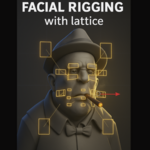
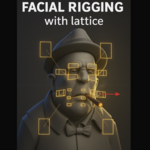
Facial rigging using lattices
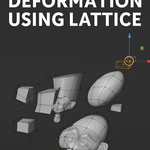
Character deformation setups
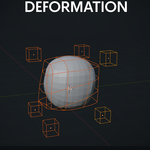
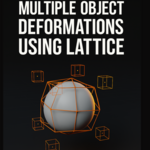
Batch deformation of multiple meshes
Quick non-destructive mesh shaping
Features
🔧 Lattice Creation
-
Fit Modes:
Combined: One lattice fits all selected meshes.
Per Object: Creates one lattice per selected mesh.
Active Only: Creates a lattice only for the active mesh.
Weight Group: Fits a lattice to the active vertex group of the active mesh.
Custom resolutions (U, V, W).
Multiple interpolation modes (Linear, Cardinal, Catmull-Rom, BSpline).
Choose control empty shapes (cube, sphere, arrow, etc.).
🎛 Control Rig
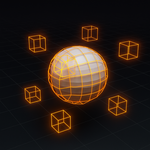
Automatically generates empties for each lattice control point.
Each empty is linked with drivers to control the lattice point’s position.
Supports different empty display shapes for better visualization.
🔗 Parenting Options
Auto mode: Automatically parents the lattice to the mesh or its armature modifier.
Custom mode: Manually parent the lattice to a specified armature and optional bone.
Automatic armature/bone detection operator.
🛠 Lattice Editing
Toggle lattice visibility in viewport.
Change resolution (U, V, W) and interpolation per axis.
Assign vertex groups to lattice modifiers and sync across objects.
Symmetry tools: Mirror lattice deformations across U/V/W axis with one click.
⚡ Modifier Management
Apply or remove all lattice modifiers from selected objects.
Apply/remove individual modifiers with cleanup.
Optional auto-delete unused lattices after applying/removing.
Installation
Download the add-on
.zipor.pyfile.In Blender, go to Edit > Preferences > Add-ons > Install.
Select the file and enable Lattice Rig from the add-on list.
Access it from 3D View > Sidebar (N) > Lattice Rig tab.
Usage
Select mesh objects in the viewport.
Open Sidebar (N) > Lattice Rig > Create Lattice Rig.
Choose Fit Mode, resolution, and interpolation.
-
Click Create Lattice.
Control empties are created and parented.
Lattice modifiers are added automatically.
Example Workflows
Facial Rigging:
Fit a lattice to a character’s head mesh → Parent to head bone → Use control empties for facial deformation.Batch Mesh Editing:
Select multiple meshes → Fit mode = Combined → Create lattice → Deform them all at once.Corrective Shapes:
Create lattice with Weight Group mode → Limit deformation to specific vertex groups → Apply as needed.
Panels & Operators
Create Lattice Rig
Fit Mode (Combined / Per-Object / Active Only / Weight Group).
Resolution (U, V, W).
Interpolation Type (BSpline, Linear, etc.).
Control Points Shape (Cube, Sphere, Arrow, etc.).
-
Parenting Options (Auto / Custom).
Custom mode: Select Armature + Bone.
Detect Parent tool (Eyedropper).
Edit Lattice (when lattice is active)
Toggle visibility.
Adjust resolution and interpolation.
Assign vertex groups to modifiers.
Symmetry tools: Mirror lattice deformations.
Modifier Management
Apply All: Applies all lattice modifiers on selected meshes.
Remove All: Removes all lattice modifiers from selected meshes.
Apply/Remove (per modifier) directly in the UI list.
Tips
Use Weight Group mode to create corrective deformations limited to facial areas (eyes, mouth, etc.).
For rigged characters, parent the lattice directly to bones for localized deformations.
Keep remove lattices after action enabled if you want a clean scene after applying modifiers.
Known Limitations
Complex setups with multiple armatures may require manual parenting.
Performance may degrade with extremely high lattice resolutions.
Have questions about this product?
Login to message
| Dev Fund Contributor | |
| Published | about 1 year ago |
| Blender Version | 2.83 - 4.5 |
| Extension Type | N/A |
| Render Engine Used | Arnold, Blender-Internal, Blender-Game-Engine, Cycles, Eevee, Octane |
| License | GPL |