 Fulford

What does it do?
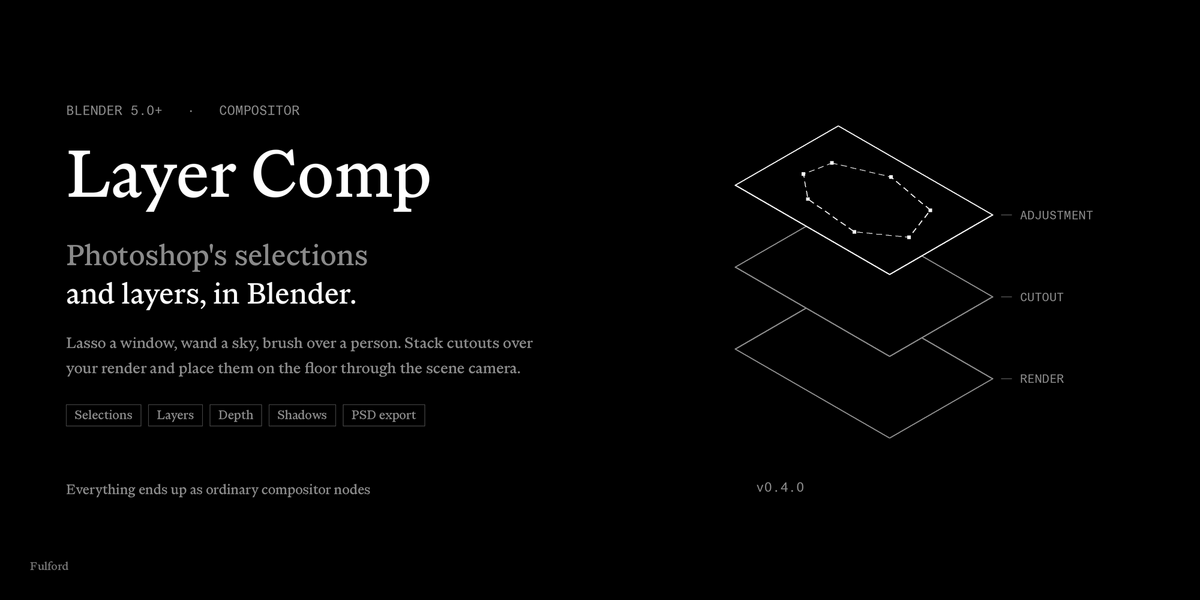
It brings Photoshop's selections and layers to Blender's compositor. Lasso, wand, brush and quick-select on the image; stack cutouts, fills and adjustments over your render; place people on the floor through the scene camera, with shadows, depth and haze. Everything ends up as ordinary compositor nodes.
Which versions of Blender does it work with?
Blender 5.0 or newer. It is developed and verified on 5.2 LTS.
Does it work with Cycles and EEVEE?
Yes. It works on whatever the compositor shows, so the render engine doesn't matter. The depth features read the render's Depth pass, which both engines write.
Why not just do this in Photoshop?
You can, and the add-on exports a layered PSD for when you want to. Doing it in Blender keeps it live: change the camera and the people re-place themselves on the floor; re-render and the layers sit over the new pixels; key a layer and the animation renders. Photoshop can't see your scene's floor, lights or depth.
Does it replace the compositor's nodes?
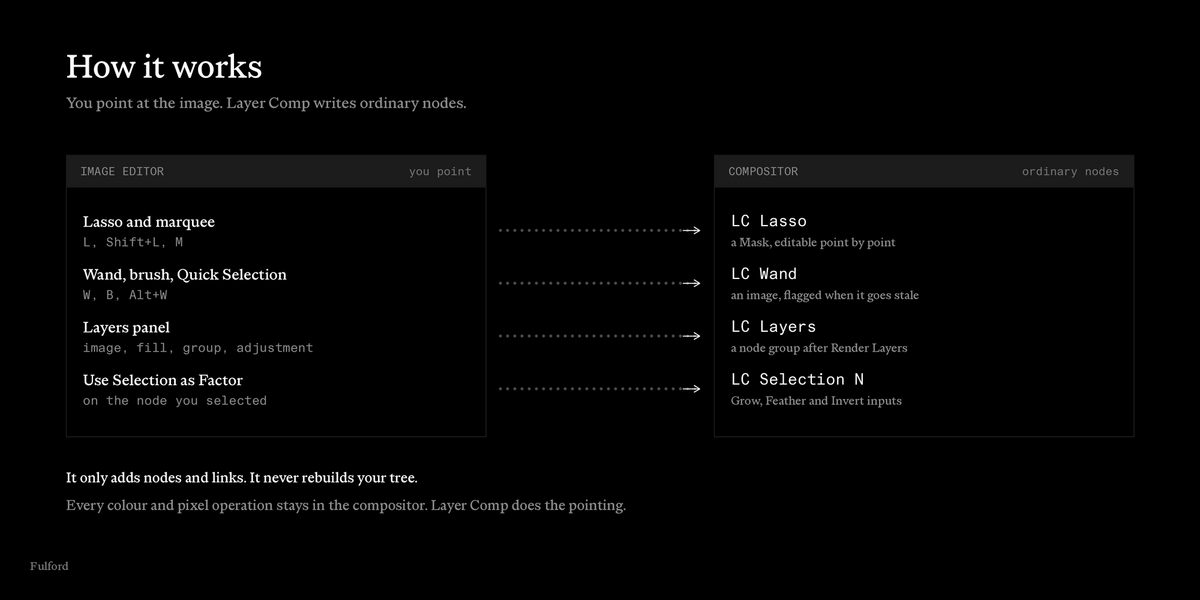
No. The compositor still does every colour and pixel operation. Layer Comp handles the part node editors are bad at: pointing at the image. It only adds nodes and links, and never rebuilds your tree.
Where do my selections go?
Into two nodes the add-on creates in the compositor: LC Lasso (a Mask, for lasso and marquee shapes) and LC Wand (an image, for wand, brush and quick-select pixels). They are never linked for you. The quickest way to use one is Use Selection as Factor with a node selected.
Can I edit a lasso after I've drawn it?
Yes. Switch the Image Editor to Mask mode and drag the points. Feather works there too.
Can I turn a wand selection into editable shapes?
Yes: Pixels to Shapes, under Refine Edge in the Select panel. Holes become subtracting shapes.
My wand selection says it's out of date. What happened?
The image under it changed: a compositor edit, a new frame, a re-render. Click Re-evaluate and the add-on redoes your clicks on the new pixels, at the same spots and settings. Auto Re-evaluate does it for you.
Will a selection follow a moving plate through an animation?
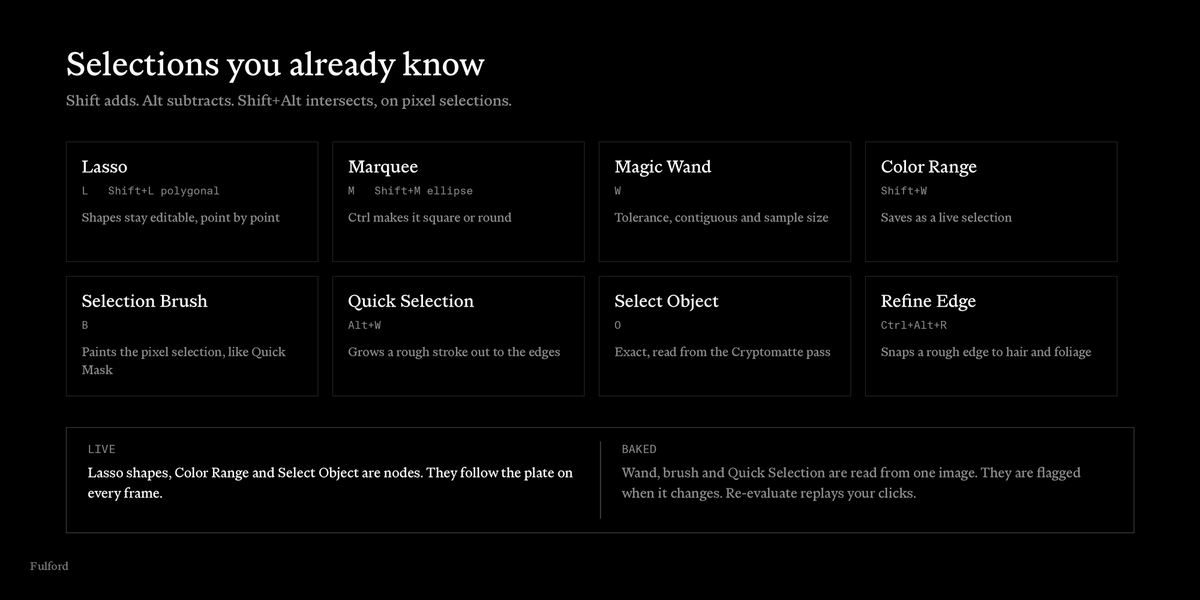
Lasso shapes, Color Range selections and Select Object selections do: they're live nodes. Wand, brush and quick-select selections are baked from one image, so use one of the live kinds for a moving plate.
How do I select one object from the render exactly?
Click Enable Passes, render, then press O and click the object. It reads the Cryptomatte pass, so the edge is exact.
Does Quick Selection work on hair?
It gets you close. Follow it with Refine Edge (Ctrl+Alt+R), which is made for hair and foliage.
Where do layers go in my compositor?
Into a LC Layers node group placed right after the Render Layers node, with the render as the bottom layer. Insert After puts it after another node instead, and Take Out removes it cleanly.
Can I add my own nodes to a layer?
Yes. Add Nodes gives a layer its own node group, applied to its pixels before its mask and placement. The add-on never touches what you put in it.
How does a cutout know how big to be?
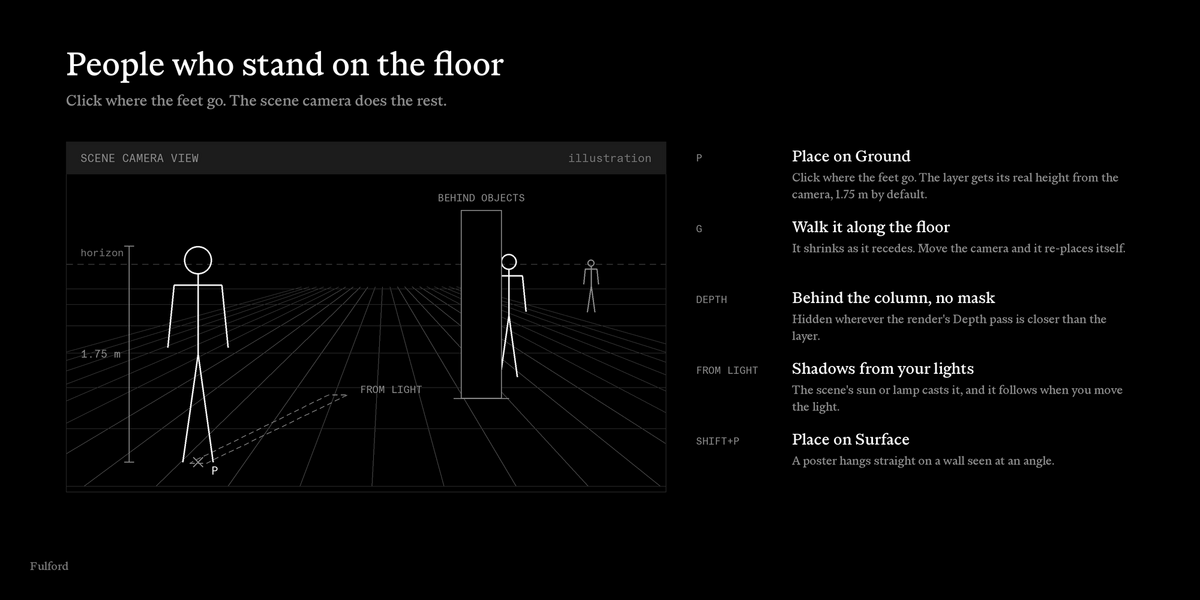
Place on Ground (P): click where the feet go. The layer is given its real height, 1.75 m by default, and sized and leaned by the scene camera. Move the camera and it re-places itself.
Can a person walk behind a column without a mask?
Yes. Turn on Behind Objects. The layer is hidden wherever the render's Depth pass is closer than the layer.
Do the shadows match my lights?
With From Light, yes: the shadow falls the way the scene's sun, point, spot or area light casts it, and follows when you move the light.
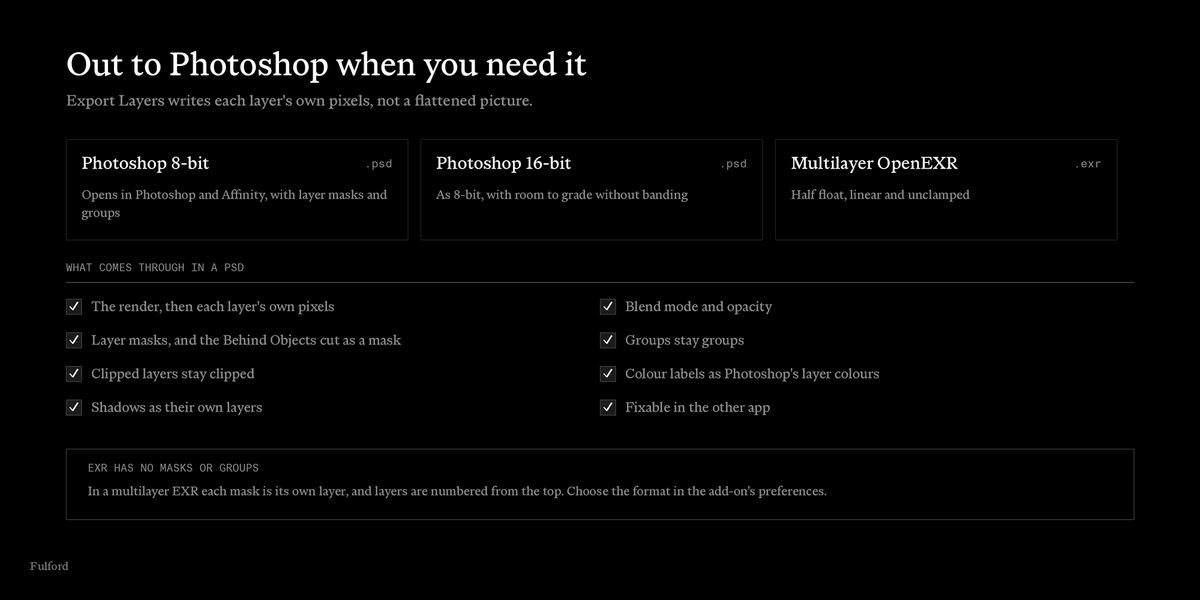
Can I get the layers out to Photoshop or Affinity?
Yes. Export Layers writes a PSD (8- or 16-bit) or a multilayer EXR, with each layer's own pixels, blend mode and opacity. In a PSD, masks and groups come through as masks and groups.
Can I animate layers?
Placement, corners, shadow corners and opacity can be keyed, and the render follows the keys. Depth of Field's Focus can be keyed to pull focus.
Does it work across several cameras?
Copy Layers to Scenes copies the stack to other scenes, such as other camera views. Images and layer nodes are shared, so a grade changed once applies everywhere.
Pressing L, W or B does nothing.
The Image Editor needs to show an image, with the mouse over it. Hotkeys don't fire in UV mode, and in Mask mode Blender's own mask keys take over. You can turn the hotkeys off or rebind them in the add-on's preferences.
Select Object, Behind Objects or the Depth of Field layer warns about passes.
They read passes from the last render. Click Enable Passes, then render once.
My layers show in the Viewer but not in the final render.
Check that LC Layers sits on the path to your Composite or File Output node, not only to the Viewer.
How do I get help?
https://fulfordstudio.com/tools/layer-comp/support
Have questions about this product?
Login to message
| Blender Extension Compatible | Yes |
| Published | 11 days ago |
| Blender Version | 5.0 - 5.2 |
| Extension Type | Add-on |
| Render Engine Used | Cycles, Eevee |
| License | GPL |
