Lens Optics
 Kaiwan Shaban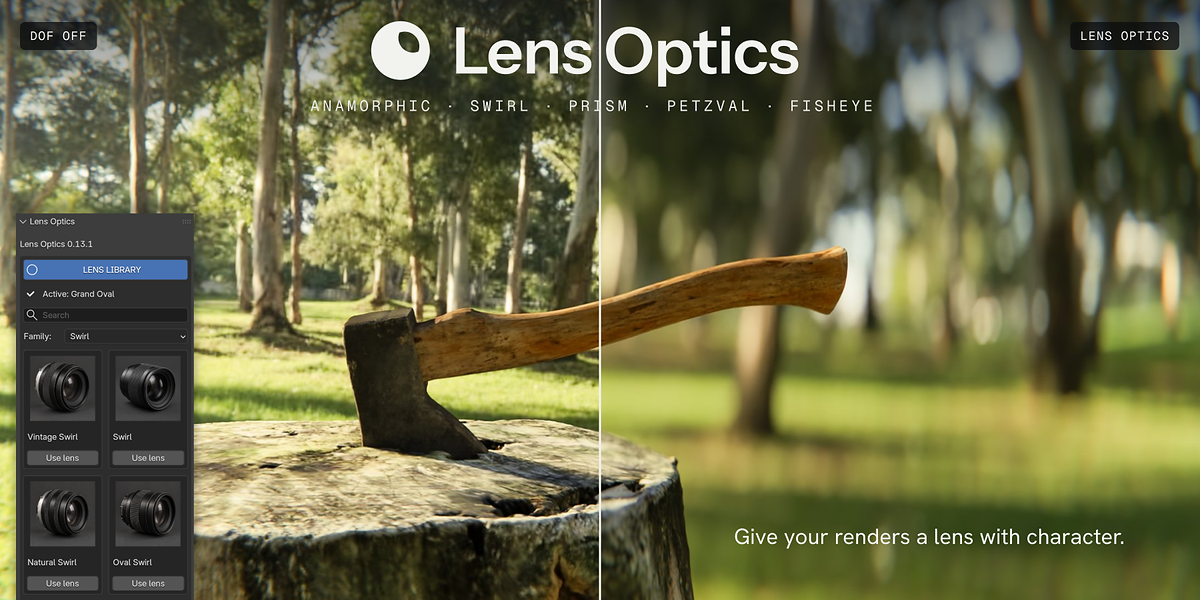


Lens Optics 1.0.0 — quick start
Requirements: Blender 5.2 and Cycles. Tested on CPU and NVIDIA OptiX. Use one edition at a time.
Install
- Download the ZIP for your edition; do not extract it.
- In Blender Preferences → Add-ons, choose Install from Disk, select the ZIP, and enable Lens Optics.
- If switching editions, disable Lite before enabling Pro.
- Open the 3D Viewport sidebar with N and choose Lens Optics.
Make your first look
- Choose a camera, or add one with + in the Camera panel. Set focal length, output dimensions and aperture.
- Open Lens Library, browse by family or search, and press Use lens.
- In Focus, choose Target: Click Surface and click the exact surface you want sharp in a 3D viewport. Clear the target with X to return to manual focus distance. Show Focus Plane helps position the focal plane.
- Use a rendered Cycles camera view to inspect the effect. A wide aperture and bright background details behind your subject make bokeh more visible.
- Open Lens Character to adjust the look. Lite exposes Swirl strength on Swirl and Anamorphic strength on Anamorphic Cinema; Pro exposes all character controls.
- Finishing starts off. Enable it when needed. Lite includes cinematic aberration from 0 to 2; Pro adds bloom, halation, streaks and film grain, with aberration up to 3.
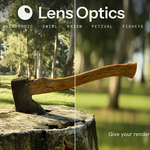
- Use Show Before/After below Finishing to compare. Lens looks belong to each camera; Finishing is scene-wide.
Save your looks — Pro
Use + in My Presets, name the look, and reuse it. Look only keeps the shot you are composing; Full camera setup restores the saved camera settings. Export and Import move the preset library as JSON. Applying a preset does not automatically enable Finishing.
Troubleshooting
- Little visible bokeh: open the aperture, focus on the subject, and increase its separation from the background.
- No visible lens effect: check the active camera, applied look, rendered Cycles view, and Before/After state.
- Focus distance will not behave manually: clear the focus target with X, then adjust the distance.
- Changing editions: enable only one edition and restart Blender if a previously loaded version remains active.
Support
Message the creator through Superhive. Include your Blender version, operating system, render engine/device, a screenshot and the steps needed to reproduce the issue.
Artistic lens looks, not measured replicas of manufactured lenses. One-time Pro purchase; all future Lens Optics Pro updates are included at no additional cost.
-
$0
10 lens looks, full camera and focus tools, selected character controls, and cinematic aberration. Free edition.
-
$29
All 63 lens looks, full lens character controls, all finishing effects, and custom presets. One-time purchase with all future Pro updates included.
 Included
Includes 12 months of
- Support from Kaiwan Shaban
- Product updates
Extend this product’s Support Period +12 months: 25% of product price
Have questions before purchasing?
Login to message
Discover more products like this
bokeh blender anamorphic addon depth of field cinematic prism lens Cycles camera