 Indivdual


Documentation
Getting Started
Download and unzip the file using 7-Zip or any standard extraction tool. Open the .blend file in Blender. The scene was built and tested in Blender 5.0 (Cycles render engine). It is compatible with version 5.0 and later.
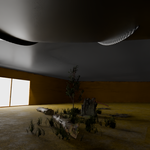
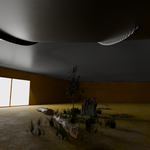
Once opened, the full Level 0 environment is ready to render. Set your camera angle and press F12.
File Structure
All textures are packed inside the .blend file. No external dependencies are required.
Key Features
Over 20,000 hand-placed lights, each independently controllable. All materials are fully node-based and customizable through the Shader Editor. Modifier stacks (Array, Mirror, etc.) are preserved.
To adjust the overall lighting atmosphere, select the Lighting collection in the Outliner and tweak the emission strength or color temperature. To modify wall or floor materials, locate the material in the Shader Editor and adjust the node parameters.
System Recommendations
Minimum 8GB VRAM recommended for smooth viewport navigation in Rendered Preview. For large-scale rendering, 16GB or more is recommended. A CPU with strong single-core performance is recommended for faster shader compilation when opening the file for the first time.
Have questions about this product?
Login to message
| Dev Fund Contributor | |
| Published | 5 months ago |
| Blender Version | 4.5 - 5.1 |
| Render Engine Used | Cycles, Eevee |
| Misc Data | Uvs-Unwrapped, Normal-Mapped, Textured |
| License | Royalty Free |
Discover more products like this
game ready Horror Environment liminal space cycles render backrooms blender-scene level-0 hand built