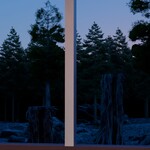
 Indivdual


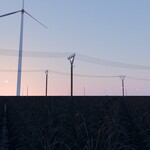
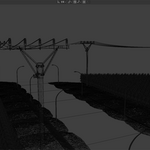
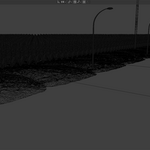
1. Unzip the downloaded folder to your local drive before opening. Do NOT open the .blend file directly from the zip archive, or you may encounter permission errors and be unable to save.
2. Open the .blend file. The scene is render-ready.
## What's Included
- `Endless_Wheat_Field.blend` – The main project file.
- All textures are packed inside the .blend file (no external dependencies).
## Scene Structure
The project is organized into logical collections for easy navigation:
- `Wheat_Field` – The vast wheat field (high-density instancing).
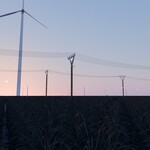
- `Windmill` – The central windmill asset.
- `Power_Lines` – Utility poles and wires along the dirt road.
- `Road_and_Fence` – The dirt road and surrounding fences.
- `Lighting` – Sun light and atmospheric lighting.
- `Camera` – The render-ready camera setup.
## Technical Specifications
- Software: Blender 5.0 or later
- Render Engine: Cycles (Eevee compatible with minor adjustments)
- Polycount: Approx. 440,000 faces
- Objects: Over 1,000,000 instances (optimized instancing)
- UV Mapped: Yes
- Textures: PBR, packed inside .blend
## Performance Notes
This scene uses a large number of object instances to create a vast, immersive field. As a result, it is demanding on your CPU when navigating the viewport.
For the best experience, we recommend:
- CPU with strong single-core performance
- 32GB or more of system RAM
- GPU with at least 8GB of VRAM
Performance Tip: If you experience lag while moving around, temporarily hide the `Wheat_Field` collection in the Outliner. You can re-enable it for final rendering.
## How to Customize
- Adjust Lighting: Select the sun light and modify its Strength or Color in the Object Properties.
- Replace Textures: All materials use standard PBR setups. Replace the Image Texture nodes in the Shader Editor with your own textures.
- Extend the Field: Duplicate the wheat field segments and snap them together to create an even larger landscape.
- Add Props: Import or model additional objects and parent them to the relevant collection.
## Camera Settings
The scene includes a pre-configured camera. If the viewport feels clipped, select the camera, go to Object Data Properties (green camera icon), and increase the Clip End value under Lens.
## Support
If you encounter any issues, please contact me via the Superhive inbox.
Have questions about this product?
Login to message
| Dev Fund Contributor | |
| Published | 5 months ago |
| Blender Version | 4.5 - 5.1 |
| Render Engine Used | Cycles, Eevee |
| Misc Data | Normal-Mapped, Textured |
| License | Royalty Free |
Discover more products like this
power-lines Endless wheat field scene for Blender. Vast atmospheric and dirt road. game-ready. Includes farmhouse