 Indivdual



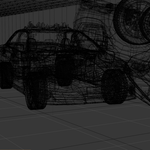
Backrooms Level ! Environment — Complete Blender Scene
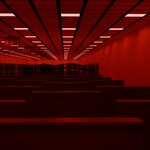
A complete Blender scene inspired by the iconic Backrooms Level !. Step into the endless red hallway. RUN. DON'T LOOK BACK.
What Is This Product?
This is a **complete Blender scene**, not a modular asset pack. Everything is already built, lit, and placed for you—open the file, hit render, and get the exact result you see in the preview images. No assembly required. You don't need to piece anything together; the scene is ready to drop into your project as a finished environment.
That said, the scene is fully editable. All objects use clean English naming and are logically organized into collections, so you can easily modify materials, adjust lighting, add or remove props, or customize the scene to fit your specific needs.
Features
- Complete Level ! corridor scene with iconic red lighting and oppressive atmosphere
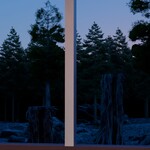
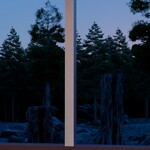
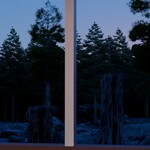
- Surreal window views: peaceful picnic on one side, blinding white void on the other
- Fully textured with PBR materials
- All textures packed inside the .blend file (no external dependencies)
- Clean English naming for all objects and materials
- Render-ready: open the file, press F12, and see the exact result from the preview images
What's Included
- `Level_Run.blend` — The main Blender scene file
- All textures packed inside the .blend file
- Everything you need to render the scene immediately
Technical Specifications
- Software: Blender 4.5.5 or later (tested up to 5.1)
- Render Engine: Cycles (Eevee compatible with minor adjustments)
- Polycount: Approx. 4.6 million faces
- Objects: All assets logically organized into collections for easy navigation
Usage & Important Notes
⚠️ **Important: Unzip the downloaded folder to your local drive before opening.** Do NOT open the .blend file directly from the zip archive, or you may encounter permission errors and be unable to save your work.
- After unzipping, open the .blend file. The scene is render-ready.
- All assets are fully editable. Feel free to duplicate, extend, or modify to fit your project.
Performance Notes
This scene contains a high polycount (approx. 4.6 million faces) and detailed materials. If you experience lag or CUDA errors when rendering:
1. Before rendering, disable the `Vegetation` collection in the Outliner.
2. Start the render (F12). Once it has stabilized, you can re-enable the `Vegetation` collection.
3. If issues persist, switch the render device from OptiX to CUDA in Preferences → System → Cycles Render Devices.
For lower-spec hardware, consider reducing the Volumetric Fog density in the Shader Editor.
License
This product is sold under the **Standard Royalty Free** license. You may use it in personal and commercial projects. You may NOT resell, redistribute, or share the original files.