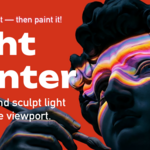
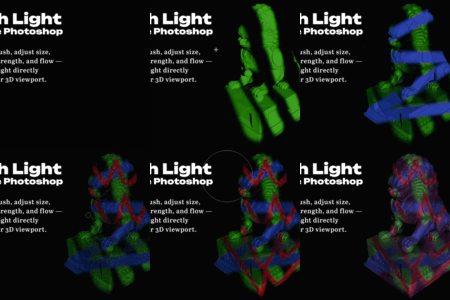
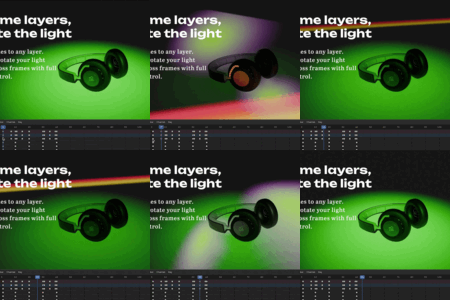
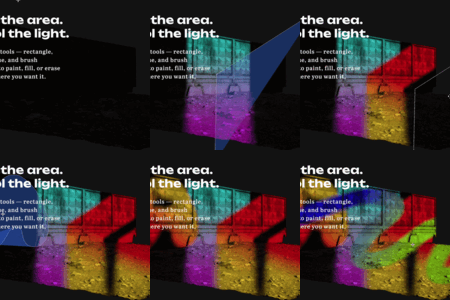
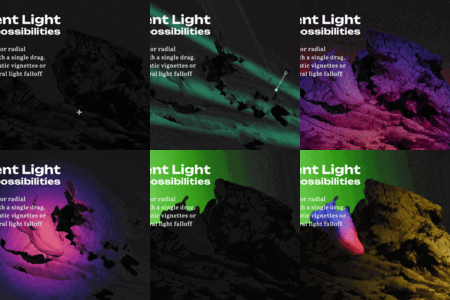
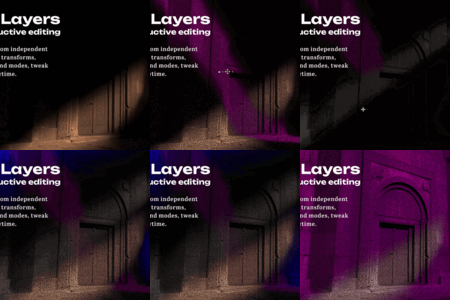

LightPainter

ShaderError in Rendering


Item Rating

This item has an average rating of 5 from 14 ratings by the community.

72%
22%
8%
0%
0%

Purchase this item to leave a review!

  • Yasutaka Fukuda
    6 months ago

    Thanks for the great add-on! It's really fun.

    I have one question:

    When I use this add-on, I can't use GOBOS LIGHT TEXTURES. I can use it if I uncheck the "Enable" box, but if there's a way to fix this, please let me know!

    • ShaderError

      6 months ago

      Hi Yasutaka, thanks for the review and glad you're enjoying it!

      So, the add-on works by driving gobos on your lights, and it takes control of the light's node graph to handle Layer System. That's why you can't run both on the same light at the same time — it's not a bug, just how the add-on operates.

      If you want to use your own custom texture, the easiest way is to load it directly onto the add-on's layer as a texture — that works perfectly alongside it. If you need your own full node-based setup instead, you'll need to keep the add-on disabled, since the two will conflict by design.

      Hope that clears things up! Feel free to reach out if anything else comes up.

  • B
    6 months ago

    Interesting addon but here's what I didn't like, hope the Dev will be able to address that:

    - tools often don't pick up edges of an object. for example if it's a beveled cube, brush or gradient doesn't pick up on that bevel, especially if it's at glancing angle from the camera, no matter if it's camera or light space

    - For my use case brush needs straight line mode and/or gradient tool could use eraser mode, also wider falloff airbrush would be nice

    - can crash randomly on adding layer or just fiddling with opacity slider

    • ShaderError

      6 months ago

      Hey, thanks for the detailed feedback — really appreciate it!

      On the edges issue — could you send me a short video? In Light Space mode, painting follows the light rather than the geometry, so if an area isn't being painted it's likely because it's either in a shadowed area or outside the light frustum. But it could also be something else entirely, so I'd really need to see it in action to understand what's going on.

      On the straight line brush — great point, I'll add it to the roadmap as a future feature!

      On the falloff — there's actually a Gamma parameter for that already! It controls how wide and smooth the falloff is — try setting it between 0.2 and 0.5. Just keep in mind that in Camera Space mode it requires more computation, so it may be a bit heavier.

      On the crashes — this is actually the first time I'm hearing about this one, so I'd really love to fix it. Could you send me the crash report from Blender? It's usually generated automatically after a crash. 🙏

  • Nick Havas
    6 months ago

    Great tool but MAJOR issue: with this addon enabled, CTRL+Z makes my viewport switch to Rendered mode and I can't find a way to disable this behavior

    • ShaderError

      6 months ago

      Hey, just to confirm — are you on version 1.0.7? As this issue should already be fixed in that update

  • Valentine
    6 months ago

    Needs more intuitive interface

    • ShaderError

      6 months ago

      Thanks for the feedback! Since I started building this addon I've been using it myself and constantly refining the interface based on that experience. Since the beta launched 4 months ago I've also been actively collecting user feedback to improve it.
      I'd love to know specifically what feels less intuitive to you — feel free to reach out and I'll do my best to address it in the next update! I'm also working on a full tutorial that will cover every aspect of the addon, which I think will make things a lot easier. Even Photoshop can feel frustrating at first — it just takes a little time to get familiar with it 😊

  • Limited functionality, upgrade to full version at any time

    $4.90 $7
  • for individuals

    $28 $40
  • up to 10 people

    $175 $250
$4.90

Support Period Included

Includes 12 months of

Extend this product’s Support Period +12 months: 25% of product price

Have questions before purchasing?
Login to message

Details
Blender Extension Compatible Yes
Sales 2300+
Rating
14 ratings
Dev Fund Contributor
Published 10 months ago
Blender Version 3.6 - 5.2
Extension Type Add-on
Render Engine Used Cycles
License GPL