Lightning Arc
 ArtbyTymi


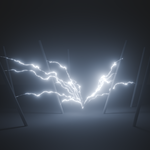
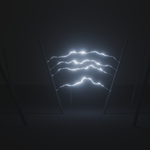
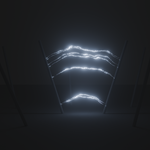

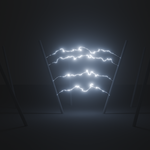
How to use Procedural Electric Arcs
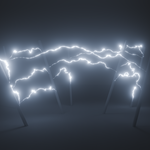
Procedural Electric Arcs is a Geometry Node-based setup designed for creating dynamic, customizable electrical effects. You can adjust the following parameters in the modifier tab:
On/Off Switch: Used to start or stop the creation of new lightning bolts.
Attach Collection: This is the collection of objects where lightning bolts can spawn.
Object in Collection: An additional object can be added to the collection or used instead of the collection itself.
Object Out Collection: An additional object where lightning bolts can spawn.
The "Fix Obj" button can be used to set lightning bolts to always spawn on this object.
Fix Obj: When not selected, lightning bolts spawn on all objects in the collection as well as on the two additional objects, depending on the objects distance from the origin.
if Fix Obj is selected and you have a object in the "Object Out Collection", lightning bolts are fixed to that object, they will always arc from this object to the other selected objects.
if Fix Obj is selected and you don`t have a object in the "Object Out
Collection", lightning bolts are fixed to the origin, they will always
arc from the origin to the other selected objects.
Delete Probability: This determines how many lightning flashes occur; 0 means all lightning flashes occur, 1 means no lightning flashes occur.
Z speed: determines how fast lightning rises
noise scale: determines how jagged the lightning is; higher values = more jaggedness
size: determines how thick the lightning is
area: affects how far away the selected objects can be; 0 = only the nearest objects spawn lightning; 10 = lightning spawns on all objects within a 10 m radius
min age: minimum number of frames a lightning bolt exists for
max age: maximum number of frames a lightning bolt exists for
If you have any questions, just write to me, I'm happy to help!
Have questions about this product?
Login to message
| Published | 7 months ago |
| Blender Version | 4.2 - 5.0 |
| Render Engine Used | Cycles, Eevee |
| License | Royalty Free |
Discover more products like this
VFX arc geometrynodes procedural industrial electric-arc Lightning electricity sci fi Generator