 Hugu's Works


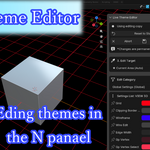
Limited Launch Offer!
Be one of the first 50 buyers to grab the Live Theme Editor for the special price of $2!
The price will return to the regular $3 after the first 50 copies are sold. Don't miss out on this launch discount!
-------------
Live Theme Editor: Product Page Description
🌟 Live Theme Editor: The Safe & Fast Way to Customize Your Blender Theme
Bilingual Installation Note (English/Japanese):
The Live Theme Editor package contains two versions of the add-on, each optimized for different language environments:
File with _EG in the name: Recommended for English Blender environments.
File without _EG in the name: Recommended for Japanese Blender environments.
Please choose the file that matches your primary Blender interface language for the best experience. Both versions are fully functional.
-------------
Stop fearing theme edits. Start creating. The Live Theme Editor is the essential utility add-on that brings a safety net and unparalleled efficiency to your Blender theme customization workflow.
Blender's theming system is powerful, but manually editing and reverting changes can be stressful and irreversible. Our tool solves this by providing a real-time editing sandbox with instant, guaranteed recovery.
🔥 Core Features That Save Your Sanity
1. The Safety Net: Snapshot & Instant Revert
Theme editing should be an experiment, not a risk.
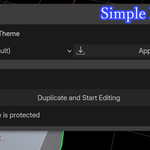
1-Click Snapshot: When you hit the "Start Editing Mode" button, the add-on automatically saves your current theme settings as a dedicated XML snapshot—your "safe point."
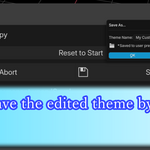
Total Revert: If you make irreversible mistakes, the "Abort and Revert" button instantly loads the original snapshot, restoring your theme to the starting state in a second.
Reset Sandbox: Need to undo a series of bad changes without aborting? The "Reset to Start of Editing" button loads the snapshot to clear recent edits while keeping you in editing mode.
2. 🎯 Pinpoint Undo (Unique & Powerful)
This feature alone is worth the price.
Selective Reset: Each color and property has a dedicated Reset button right next to it.
Isolate Corrections: Click the button to revert only that specific property (e.g., Text Color) back to the original snapshot value, leaving all your other changes untouched. Never lose hours of work over one bad color pick again.
3. Optimized Workflow & UI
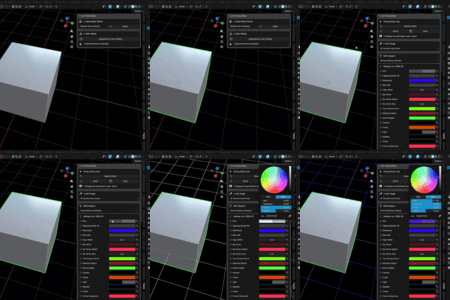
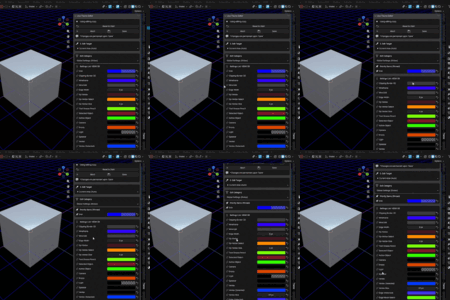
Live Editing: Changes made in the UI panel are reflected in Blender instantly.
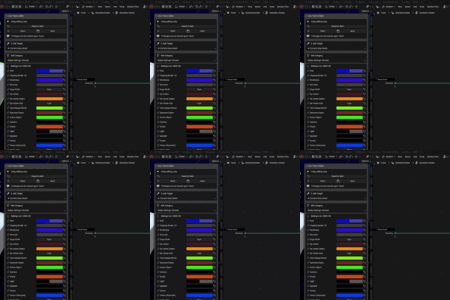
Target Area Selector: Easily switch between common areas like 3D Viewport, Graph Editor, and Outliner—or select "Current Area (Auto)" to follow your mouse.
Property Pinning: Mark your favorite or most frequently edited properties as "Pinned" to have them appear in a priority list at the top of the panel, eliminating endless scrolling.
Sub-Category Access: Quickly jump to specific settings like Widget Colors (wcol_regular), Gradients, or Bone Color Sets.
⚙️ How It Works (Quick Guide)
Select Base: Choose a theme from the list, or just use your current one.
Start Editing: Click "Start Editing Mode" to create your safe snapshot.
Customize: Select your target area (e.g., VIEW_3D) and start adjusting colors and properties in the panel.
-
Save or Revert:
Save: Click "Save As..." to permanently save your new theme (this exits editing mode).
Revert: Click "Abort and Revert" to instantly undo everything and restore your original theme.
📥 Technical Details
Blender Version: Requires Blender 4.0 or later.
Add-on Version: 1.0.1
License: GPL (General Public License)
Installation: Install from the provided ZIP file in Blender Preferences.
💸 Pricing & Limited Offer
[Highlight this section brightly!]
Limited Launch Offer!
Be one of the first 50 buyers to grab the Live Theme Editor for the special price of
3 after the first 50 copies are sold. Don't miss out on this launch discount!