 h7.lab


How do I install and use the Loop Master addon?
To get started, check out the tutorial video on the addon’s main page. It walks you through the installation and demonstrates all the key features.
I duplicated an object and it’s also animating — how can I stop that?
When you duplicate an object, it may carry over the Loopmaster modifiers and their drivers. To remove them, open the N-Panel and go to Item → Transform. If you see any drivers active, simply right-click on them and choose Delete Drivers. This will stop the duplicated object from animating.
Why did my object’s position, rotation, or scale change after adding a Loopmaster modifier?
This usually happens if your object isn’t at its default transform values. For example, if you moved the default cube from (0, 0, 0) to (1, 1, 1), Loopmaster still assumes the starting point is (0, 0, 0). To fix this, copy your object’s current transform values into the Offset fields of the modifier. This tells Loopmaster where your animation should begin.
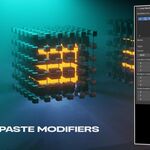
💡 Pro tip: You can do this quickly with a shortcut — hover over the transform values and press Ctrl + Alt + C to copy them, then hover over the Loopmaster modifier field you want to update and press Ctrl + Alt + V to paste.
I don't see the Loop Master modifier settings anymore in the N-Panel of the shader editor (materials) or Geometry Nodes?
This issue occurs because you may be selecting a node in a different material or Geometry Nodes (GN) setup than the one used to create the Loop Master modifier.
To access the settings of a Loop Master modifier, you must select the original material or GN setup where the node was created. Once you do this, the settings should reappear in the N-Panel.
For example, if you added a Loop Master node in the first material and are now reusing that node in a second material, you need to return to the first material and select the node there to change values like BPM, curves, etc.
Have questions about this product?
Login to message
Discover more products like this
animation character animation motion graphics loops bpm audio visual music animation vjloops mograph Animation Loops Music seamless loop