 Brock Creative



Looping animations in one click. No keyframes. Ever.
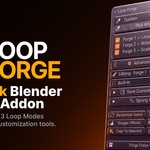
Blender has no equivalent to this. Loop Forge drives any property with procedural, perfectly-looping motion — no keyframes, no graph editor, no maths.
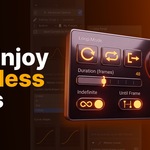
Select an object. Click a preset. Press play. It loops forever.
What it actually does
Pick something you want to move. Click Jump, Hover, Spin, Wobble or Vibrate. That's the whole workflow. The motion loops seamlessly, forever, with no keyframes anywhere in your scene.
Then make it yours:
🌀 Spring Physics Real damped-spring overshoot on a single slider. Drag Springiness up and your motion swings past the target and settles naturally, like actual physics. Drag Decay to control how long it keeps ringing. This isn't a fake elastic curve — it's a real oscillator.
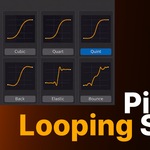
📈 Visual Curve Picker 31 easing curves, every one shown as an actual graph you can see before you pick it. Choose a direction (In / Out / In-Out), then pick the shape by looking at it — not by decoding a name like "Quint In/Out."
✏️ Draw Your Own Curve Not happy with any preset? Draw the exact motion curve by hand with Blender's native curve widget. It overrides the presets instantly, and you can go back any time.
🌊 Falloff — animate 40 objects by moving one Empty Drop an Empty into your scene and motion ripples outward from it like a wave. Or fade motion off with distance so your hero product stays still while everything around it comes alive. One click wires it to an entire selection.
👁 Live Motion Graph See exactly what your object will do — waveform, easing and spring all combined — before you scrub a single frame.
🎯 Ping Pong Goes out and comes home. Mathematically guaranteed to land exactly where it started, every cycle. No drift, ever.
Forge (almost) anything
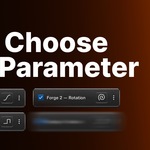
Location · Rotation · Scale · Bones · Shape Keys · Light power & colour · Material values (roughness, metallic, emission, alpha, IOR) · Modifier values · Geometry Node inputs · Curve bevel · Constraint influence · World background & mist
Or just right-click any property in Blender and choose Add Motion Forge.
Yes — that includes character rigs. Forge a neck bone to headbang to music, or a tail to sway, in about ten seconds.
Built for people who don't want to animate
8 waveforms — Sine, Noise, Triangle, Saw, Square, Pulse, Bounce, Spin. Each one explains what it does and when to use it, right in the panel.
8 one-click light presets — Candle, Neon Glitch, Strobe, Emergency, and more.
Save your own presets — build a motion you love, reuse it in every project forever.
Stagger & Collection Forge — instant domino effects across many objects.
BPM sync — lock any motion to a tempo.
Bake to keyframes — hand off to a client, export to game engines, or take manual control. One click, fully reversible.
Motion blur works properly — sub-frame evaluation is built in, so your renders blur correctly.
Why not just use keyframes?
Because a perfect loop is genuinely hard to keyframe by hand. Matching your first and last frame exactly, keeping the timing even, and doing it across 40 objects — that's an afternoon. Loop Forge is one click, and it's mathematicallyseamless rather than eyeballed.
And when you're done, you can bake it to real keyframes anyway.
Requirements
Blender 4.2 or newer (tested through 5.1)
Works on Windows, macOS and Linux
No dependencies, no account, no internet connection needed
