 loviz
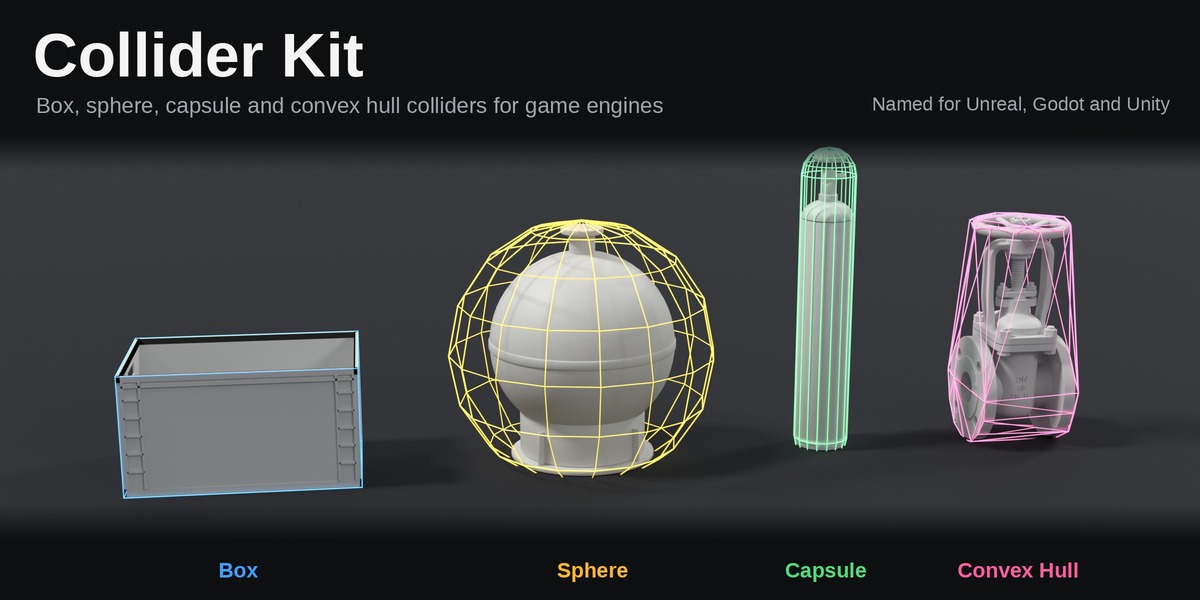
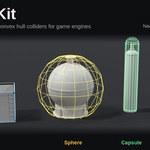
Box, sphere, capsule and convex hull colliders for a whole selection in one click, named for Unreal, Godot and Unity.
Collider Kit gives mesh objects simple collision shapes for game engines. Select the objects or pick a collection, choose a shape and a naming template, and every object gets a collider that holds the whole model. The colliders are children of their objects, sit in one collection and carry the names the importers of Unreal and Godot read. One panel, and a report for every run.
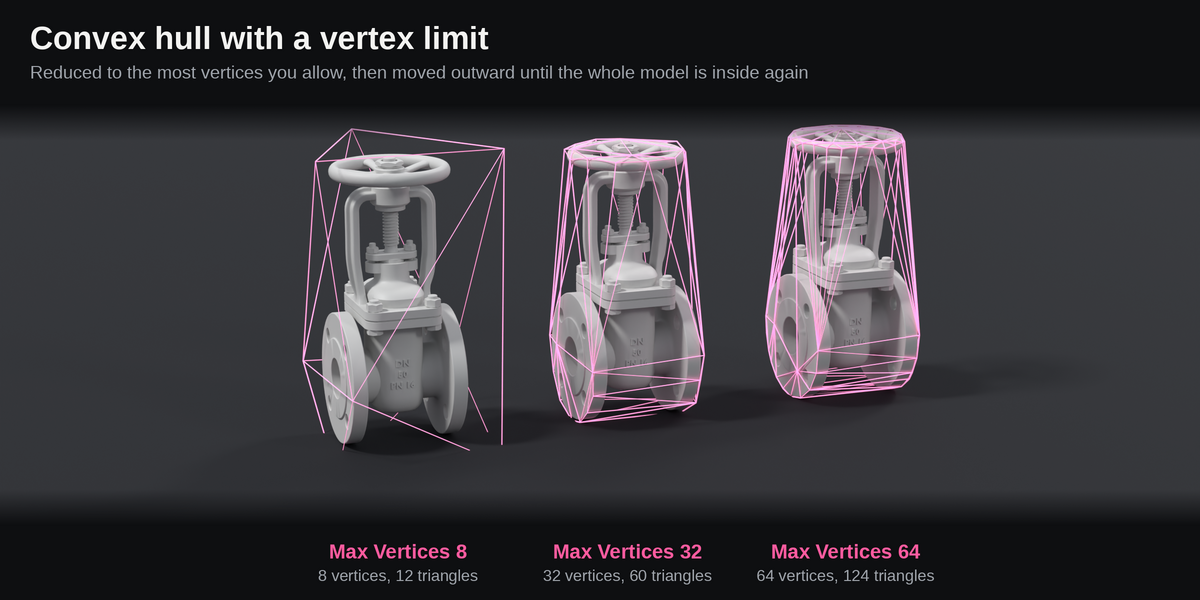
A convex hull with a vertex limit
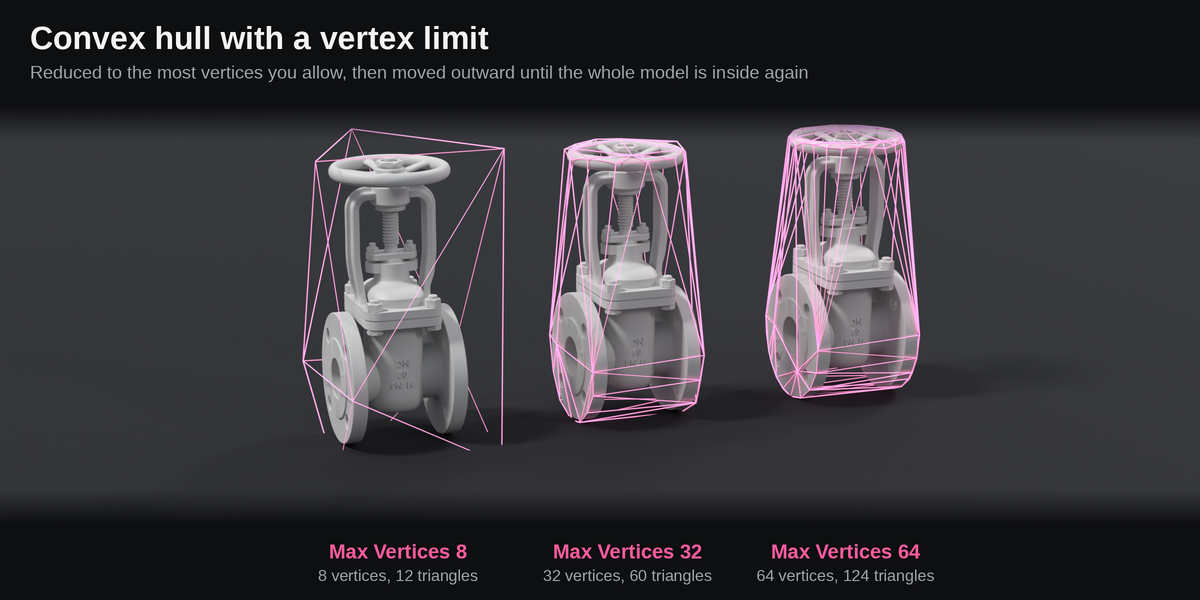
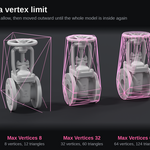
Set the most vertices the hull may have, from 8 to 255 (default 32). Leaving out vertices makes a hull smaller, so a plain reduced hull would cut into the model. Collider Kit keeps the vertices that shape the hull most and then moves the faces outward until every point of the model is inside again. Fewer vertices make the hull cheaper in the engine and a little larger.
A hull with V vertices has at most 2 V - 4 triangles. Up to 129 vertices it always stays within the 255 triangles a convex MeshCollider in Unity takes. Above that the panel says so, and the run warns about every hull that does pass 255.
Four shapes
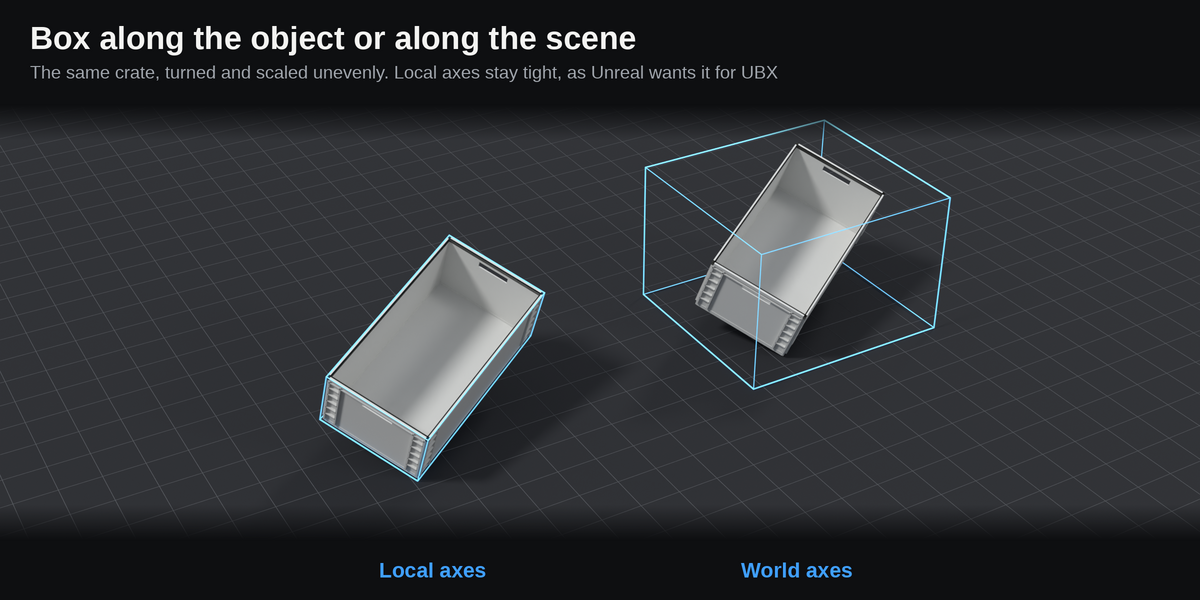
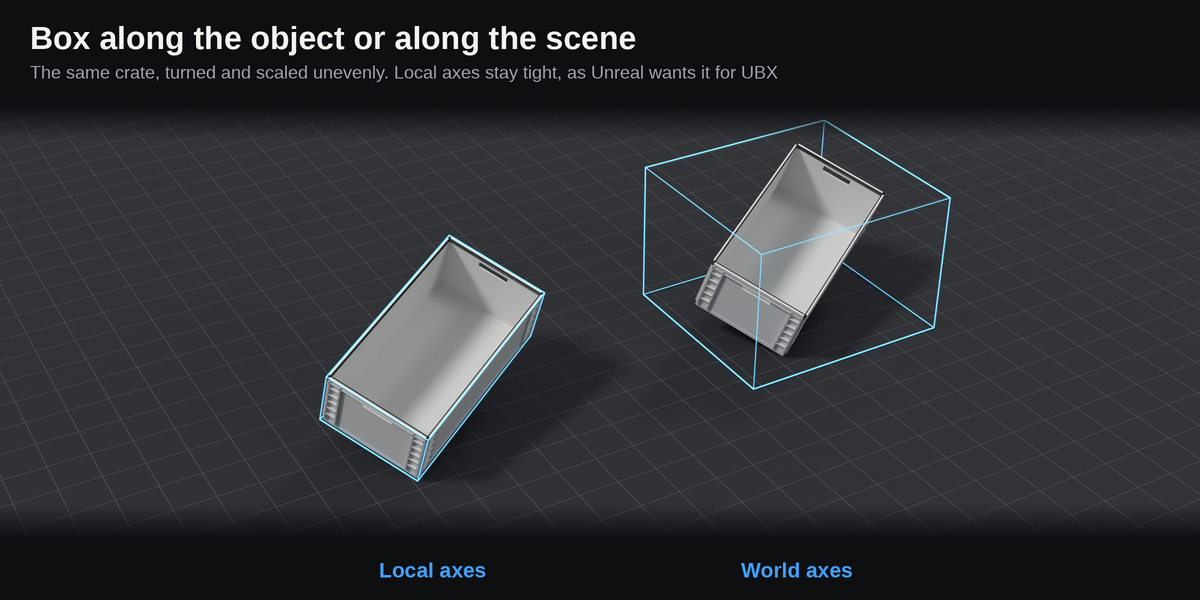
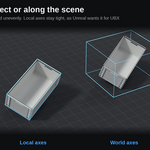
- Box: 8 vertices, 6 quads. "Local" runs along the axes of the object and stays tight on turned objects. That is a true box in the space of the object, which is what Unreal wants for UBX. "World" is the bounding box along the scene axes.
- Sphere: a UV sphere, 16 segments and 8 rings by default.
- Capsule: a closed mesh with two round ends along the longest or a chosen local axis, 16 segments and 4 rings per end by default.
- Convex Hull: 32 vertices at most by default, from 8 to 255.
The flat faces of sphere and capsule lie outside the round shape, so the mesh never cuts into the model. More segments bring it closer to the exact shape.
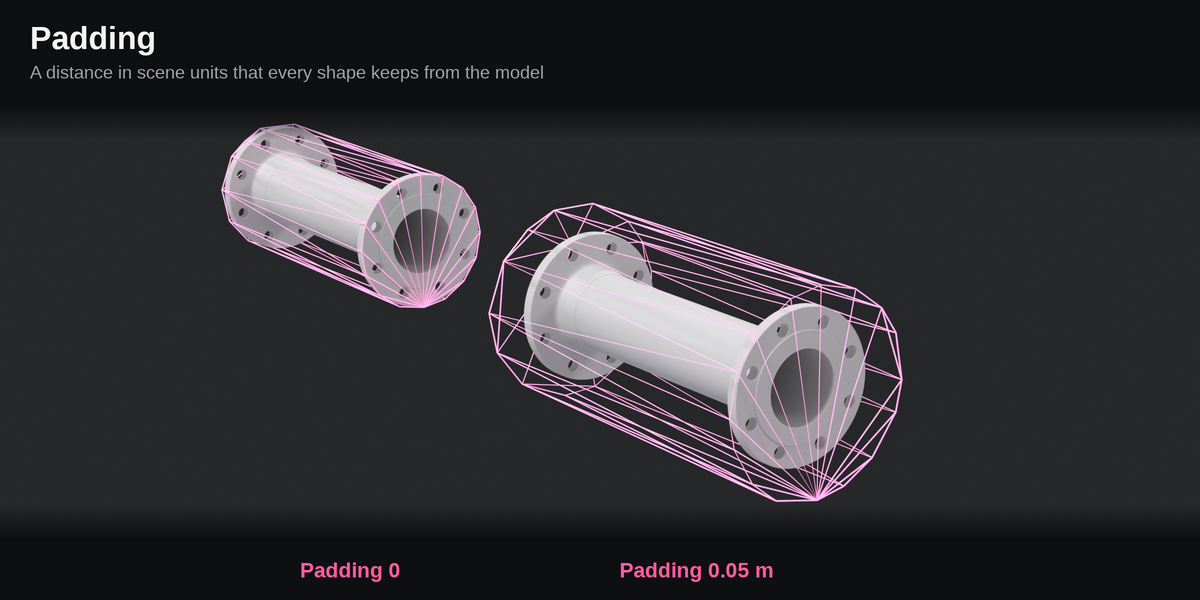
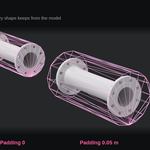
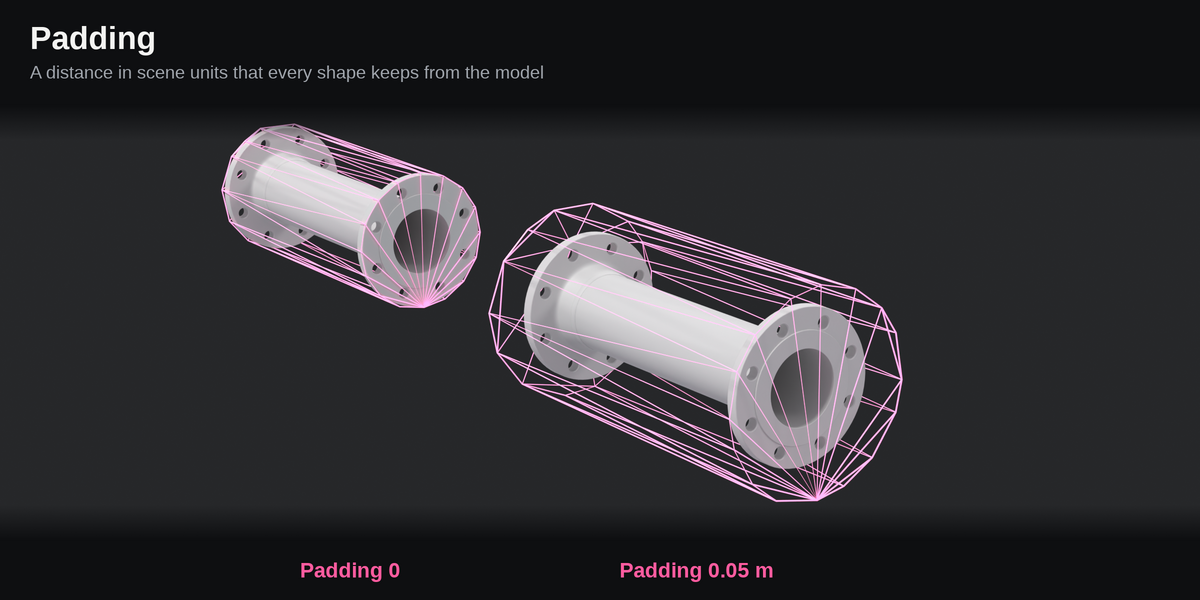
Padding is a distance in scene units that every shape keeps from the model.
Named for Unreal, Godot and Unity
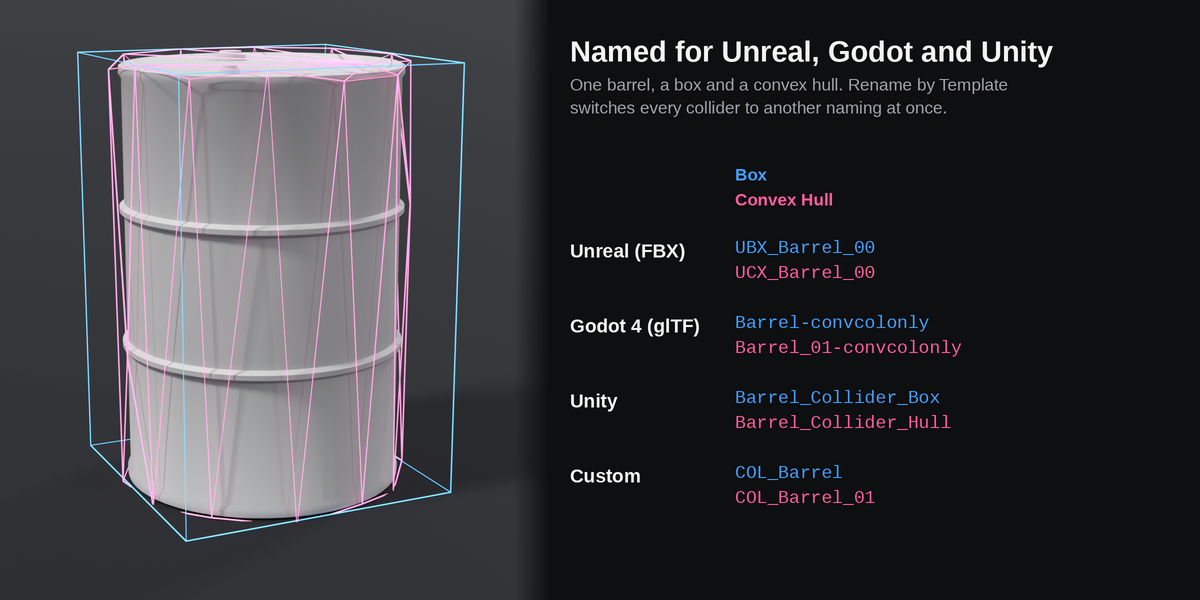
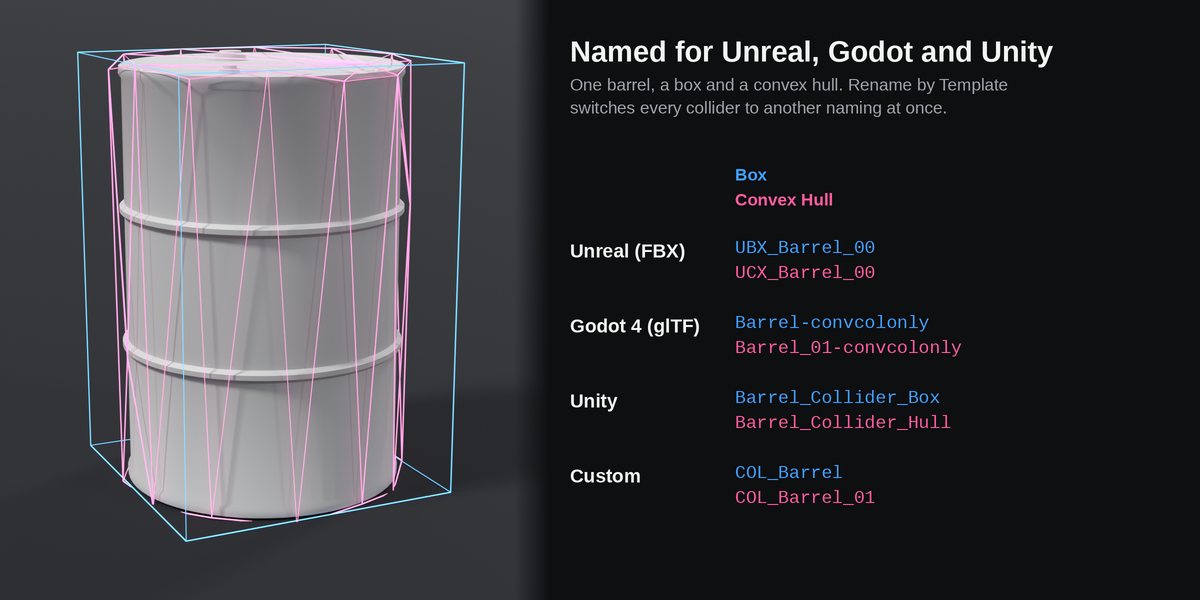
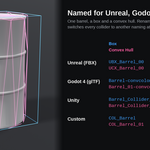
Unreal Engine (FBX). The colliders are named UBX_Name_00 (box), USP_Name_00 (sphere), UCP_Name_00 (capsule) and UCX_Name_00 (convex hull), further ones _01, _02. That is the naming the FBX static mesh import of Unreal reads as collision when the colliders are in the same file as the mesh.
Godot 4 (glTF). The colliders are named Name-convcolonly, further ones Name_01-convcolonly. On import Godot turns such a node into a StaticBody3D with a convex collision shape. This goes for all four shapes: a box, sphere or capsule arrives as a convex shape with the vertices of its mesh, not as a primitive shape.
Unity. Unity has no naming rule that turns meshes into colliders on import. The Unity template names the colliders Name_Collider_Box, Name_Collider_Sphere, Name_Collider_Capsule and Name_Collider_Hull, so they are easy to find and to pick up with an import script of your own. Collider Kit does not ship such a script.
Custom. Your own prefix and suffix around the name of the object, COL_Name by default.
A name that is taken is passed over, so Blender never adds .001. "Rename by Template" switches every collider of the selected objects to another naming at once.
I test the export from Blender: FBX and glTF files with the colliders, their names and parents, and that every collider still holds its model after reading the files back. The engine side follows the import rules as the engines document them.
A whole selection or collection in one run
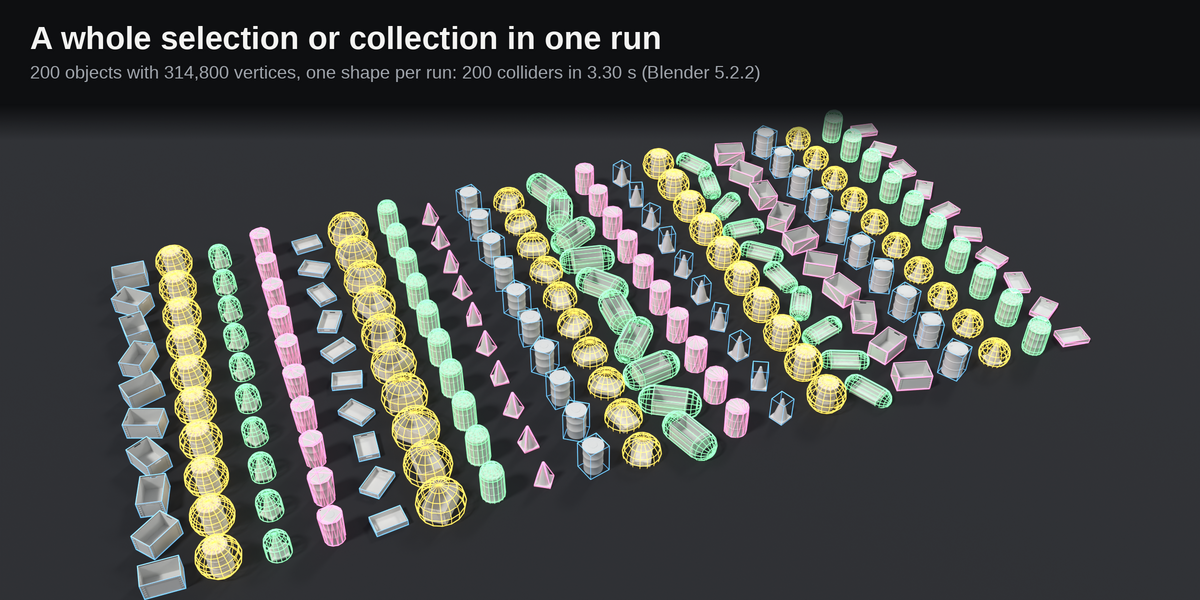
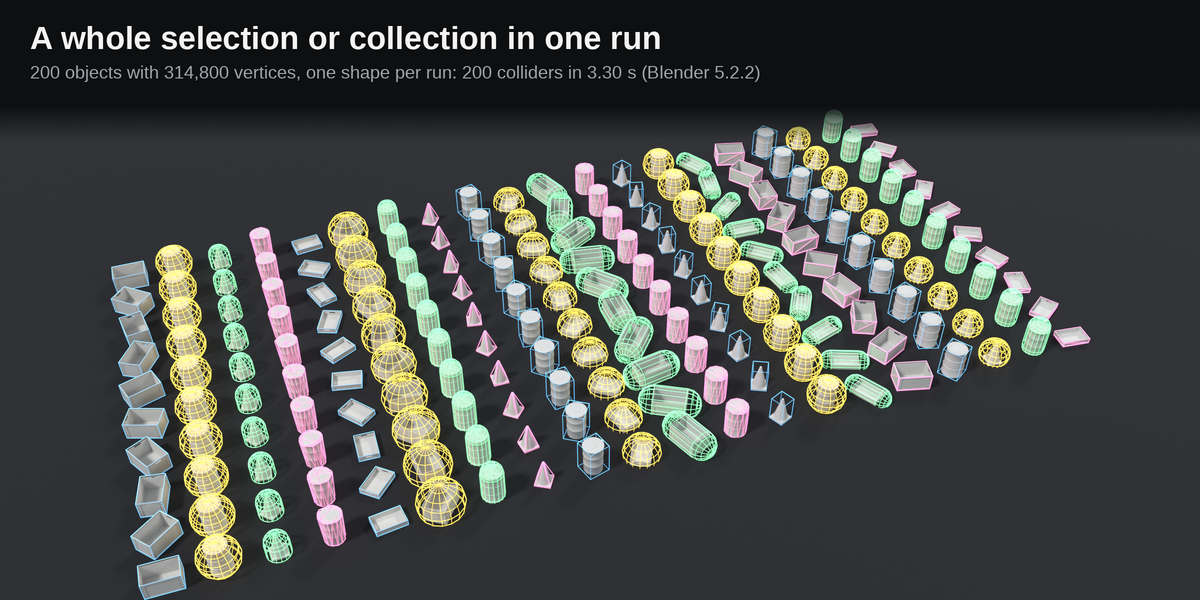
One run works through everything selected, or through a collection and the collections inside it. Objects that share one mesh each get a collider of their own.
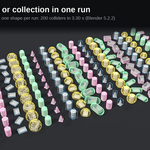
In my test 200 objects with 45,000 vertices in all, 50 of each shape, took 0.98 s on Blender 4.5.12 and 1.29 s on Blender 5.2.2. The 200 objects in the picture above are heavier, 314,800 vertices in all, and took 3.30 s on Blender 5.2.2.
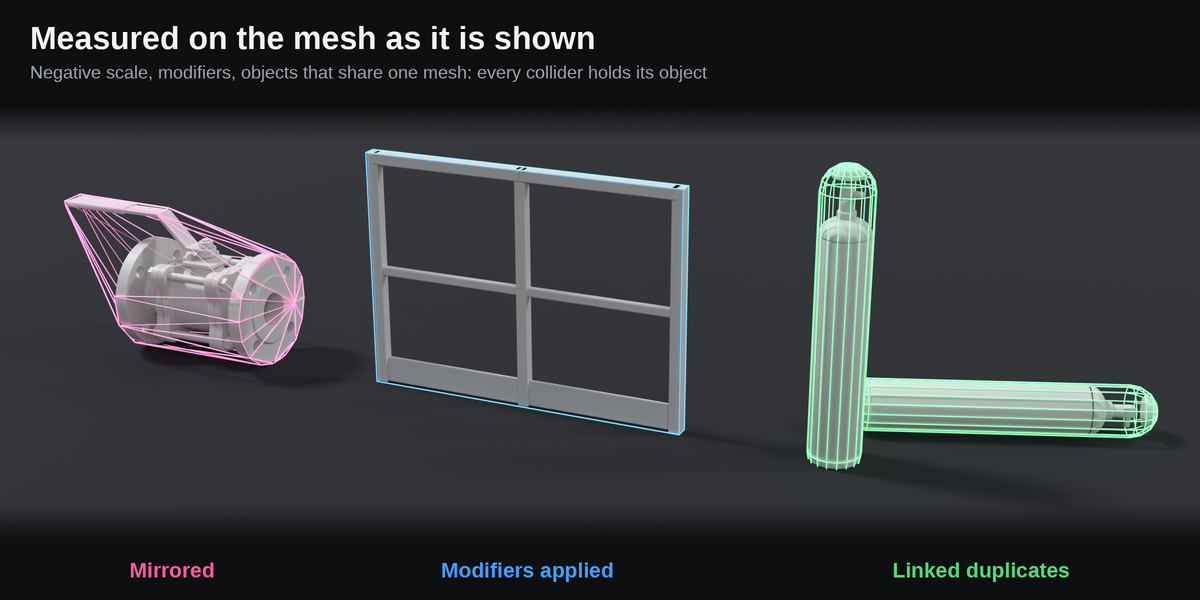
Measured on the mesh as it is shown
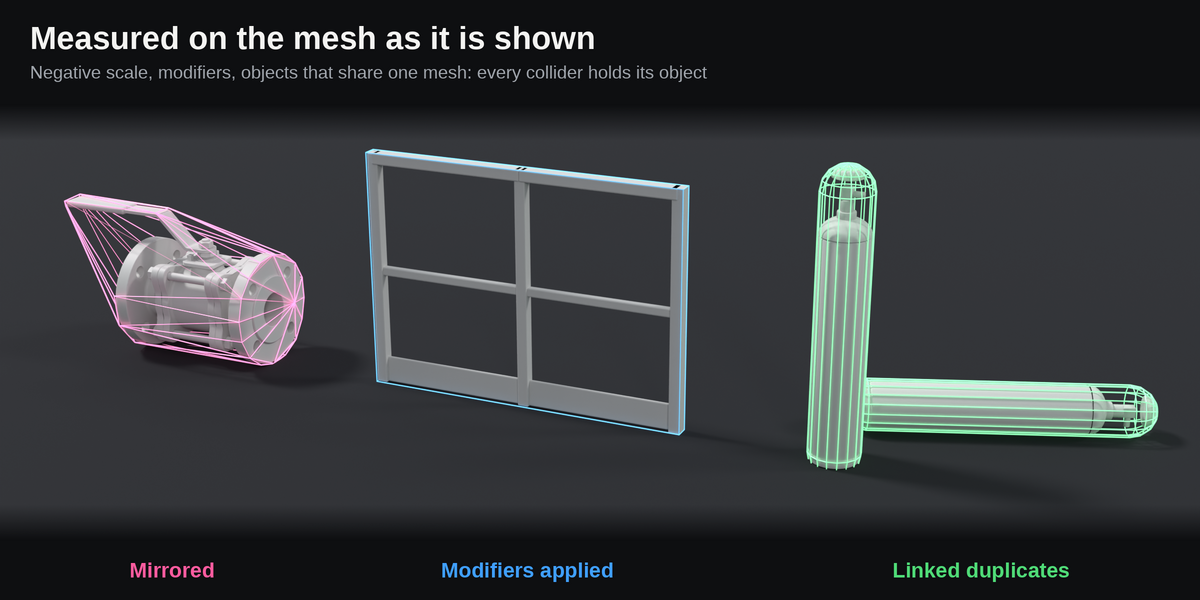
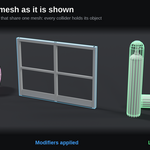
Every collider is worked out on the mesh as the viewport shows it, modifiers applied, and holds every vertex of it. Turned, unevenly scaled and mirrored objects come out right. The shapes are worked out in the scene and stored in the space of the object, so collider and object export with the same transform.
A tidy scene
- Each collider is a child of its object and moves with it.
- All colliders sit in one collection, "Colliders". They are drawn as wire, have no material and stay out of renders. Each shape has its own object colour (box blue, sphere orange, capsule green, hull pink); set Wire Color to "Object" in the viewport shading to see it.
- "Replace Existing" is on by default: a second run swaps the colliders of the same shape instead of piling up new ones.
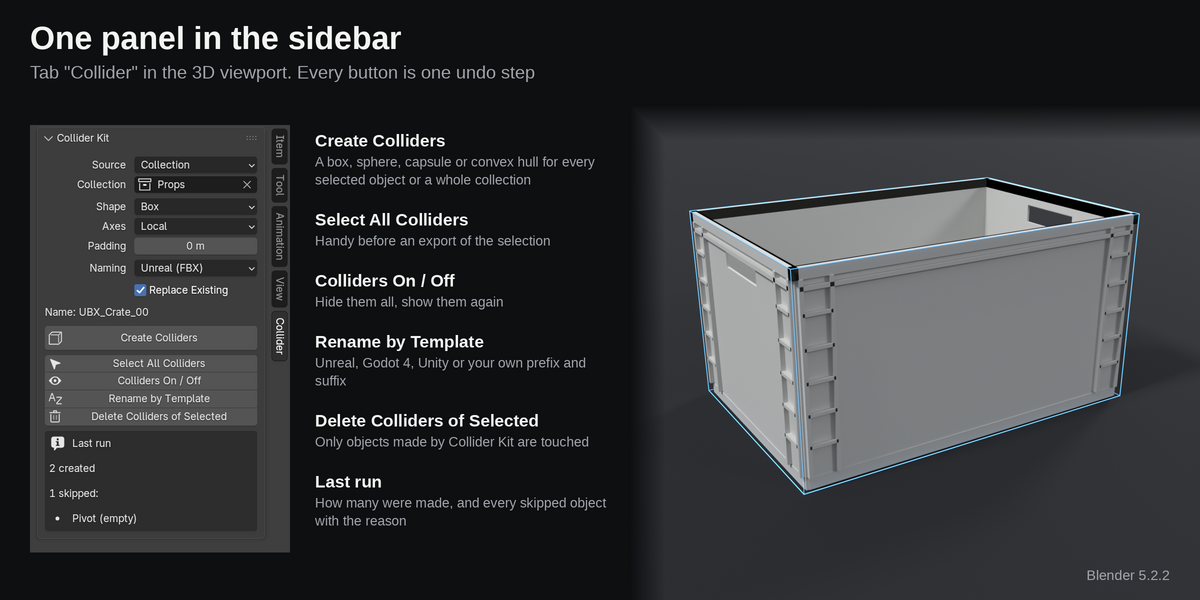
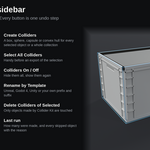
- Select all colliders, switch them on or off, rename them, delete the colliders of the selected objects. Only objects made by Collider Kit are touched, never an object of your own that just has a matching name.
One panel, one report
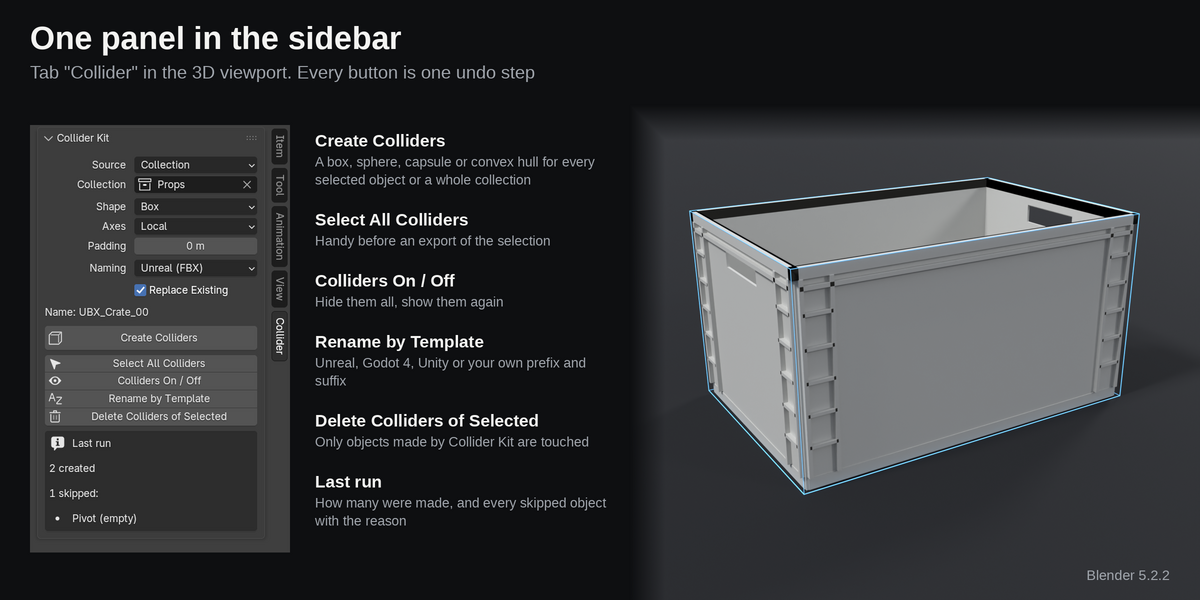
The panel sits in the sidebar of the 3D viewport, tab "Collider", and shows the name the active object would get. Every run ends with a line in the status bar: how many colliders were made, and every skipped object with the reason. The last report stays in the panel. Every setting can be changed after the run in the redo panel, and Ctrl Z takes a run back.
What it is not
- It does not cut a concave model into several convex parts. One object gets one collider per run. Split such a mesh into separate objects first.
- It does not export. You export with the FBX or glTF exporter of Blender as usual, colliders included.
- Colliders do not follow later changes of the mesh. Run it again and the new colliders replace the old.
Requirements
- Blender 4.5 LTS or newer (extension format). Tested on Blender 4.5.12 LTS and 5.2.2.
- Pure Python, no compiled parts. No other add-on and no internet access needed. I test on Linux.
- License: GPL-3.0-or-later.