 loviz
Installation
- Download the file
loviz_collider_kit-1.0.0.zip. Do not unpack it. - In Blender open Edit > Preferences > Get Extensions.
- Click the arrow at the top right and choose "Install from Disk", then pick the file. Dragging the file into the Blender window works too.
- The panel is in the sidebar of the 3D viewport (key N), tab "Collider".
Updates install the same way over the old version.
Create colliders
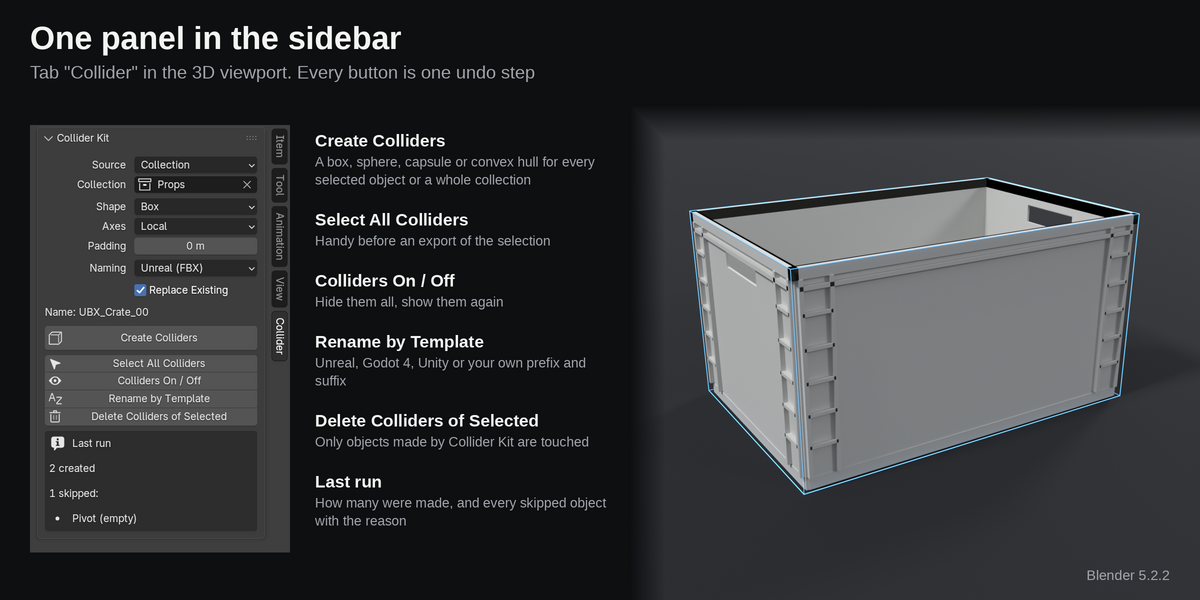
- Work in Object Mode. Select mesh objects, or set Source to "Collection" and pick one. The collections inside it are worked through as well.
- Pick a shape, set its options and the padding.
- Pick a naming template. The panel shows the name the active object would get.
- "Create Colliders". The status bar shows how many were made and which objects were skipped and why. The panel keeps the same line under "Last run".
- Change any setting in the redo panel at the bottom left of the viewport (or F9) and the run is done again with it. Ctrl Z takes a run back.
| Shape | Mesh | Settings |
|---|---|---|
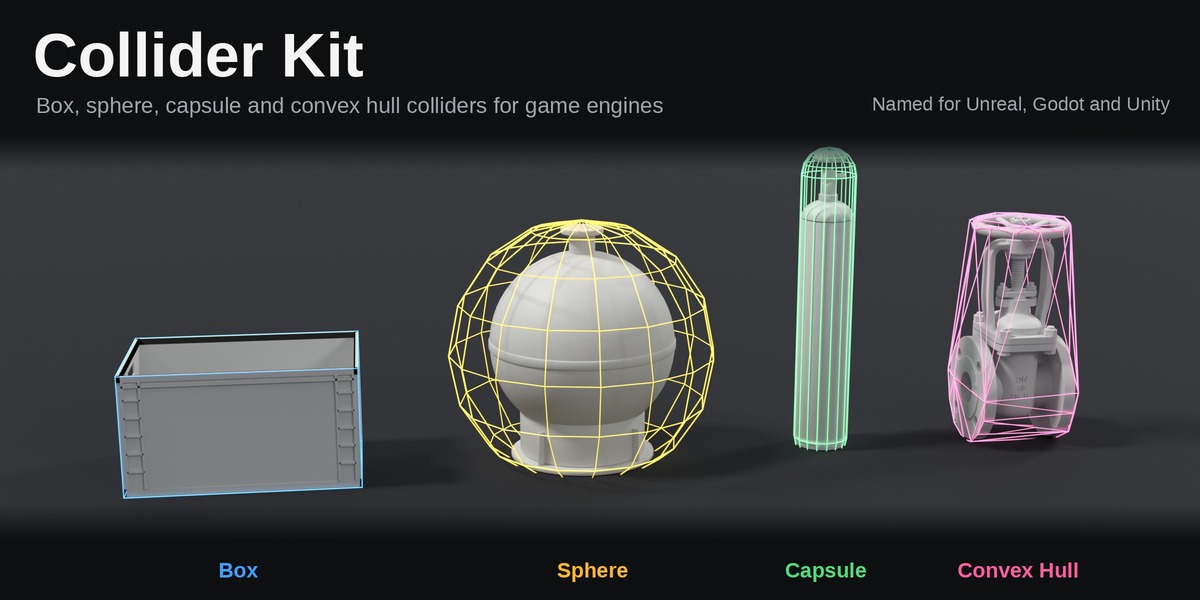
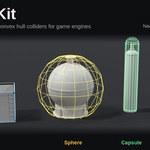
| Box | 8 vertices, 6 quads | Axes: Local or World |
| Sphere | UV sphere, 16 segments and 8 rings by default | Segments (4 to 64), Rings (2 to 32) |
| Capsule | Closed mesh with two round ends, 16 segments and 4 rings per end by default | Axis (Longest, X, Y, Z), Segments (4 to 64), Cap Rings (1 to 16) |
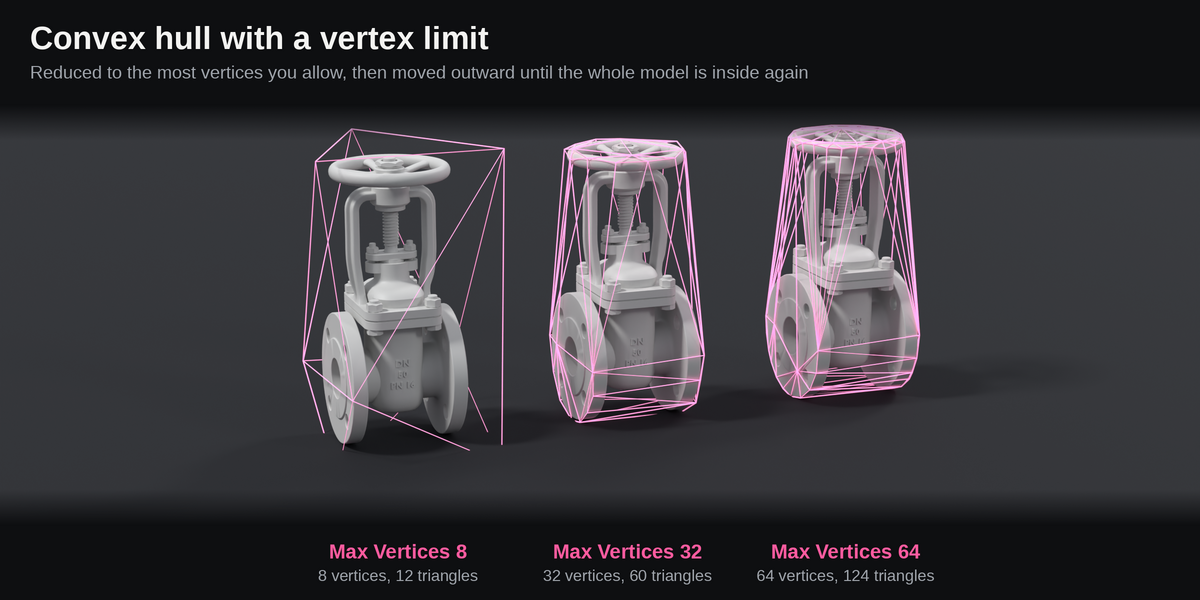
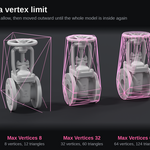
| Convex Hull | Convex mesh, 32 vertices at most by default | Max Vertices (8 to 255) |
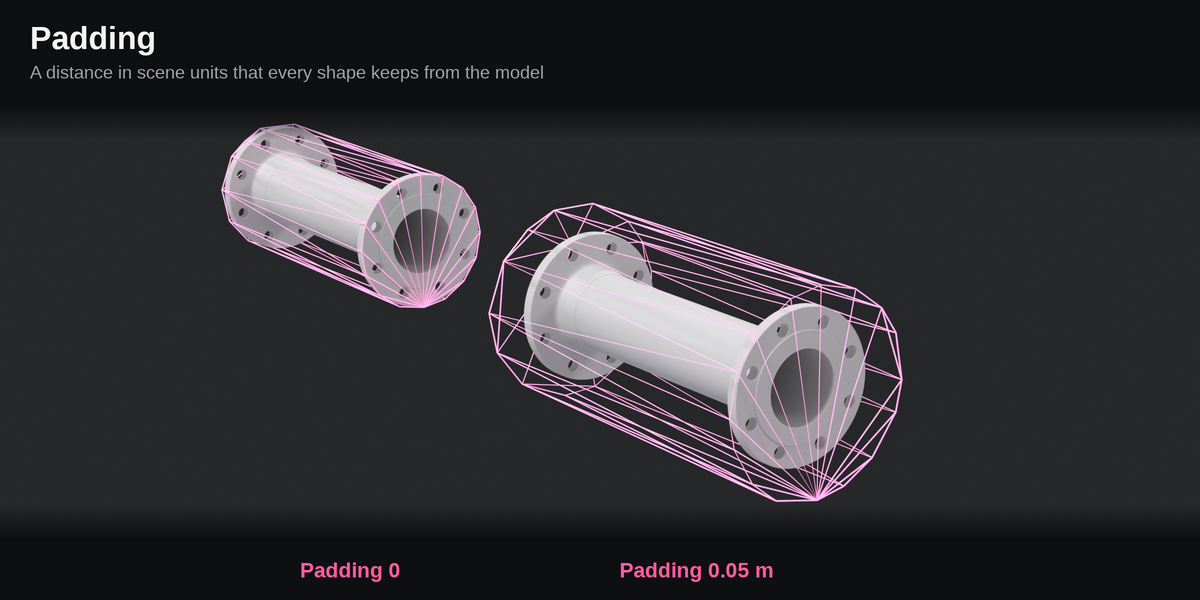
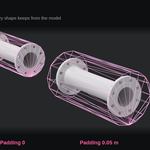
- Padding (default 0) is the distance every shape keeps from the object, in scene units.
- Replace Existing (on by default): a new run takes the place of the colliders of the same shape the object already has. Colliders of other shapes stay. With it off, a run adds another collider and counts the name up.
Notes on the shapes
-
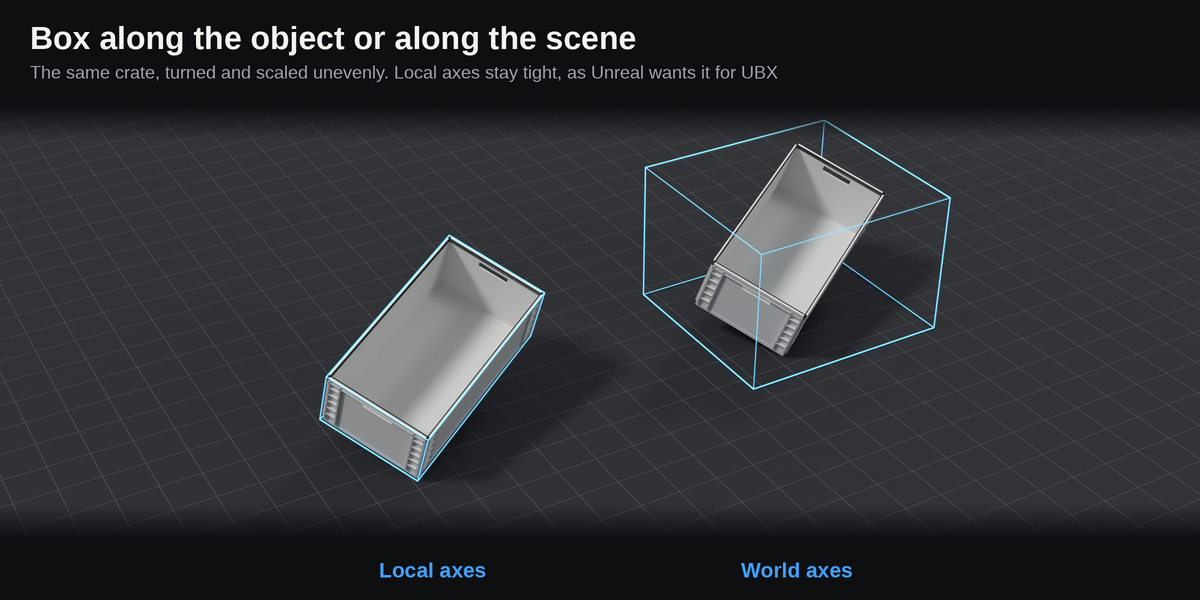
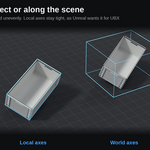
Box. "Local" is tight on turned objects and is a true box in the space of the object, which is what Unreal wants for
UBX. "World" is the bounding box along the scene axes. - Sphere and capsule. The flat faces of the mesh lie outside the round shape, so the mesh never cuts into the object. That makes the mesh a little wider than the exact sphere: 3.9 % at 16 x 8. More segments and rings bring it closer.
- Sphere and capsule on unevenly scaled objects. They are round in the scene. In the mesh data of an object with uneven scale they are stretched the other way, so that the scale of the object makes them round again. If your engine fits a round primitive to the mesh data, apply the scale of the object first (Ctrl A > Scale).
- Convex Hull. Collider Kit keeps the vertices that shape the hull most and then moves the faces outward until every point of the object is inside again. With fewer vertices the hull gets cheaper and a little larger. A hull with V vertices has at most 2 V - 4 triangles: up to 129 vertices it always stays within the 255 triangles a convex MeshCollider in Unity takes. Above that the panel says so, and the run warns about every hull that does pass 255.
- Flat objects such as a floor plane or a leaf card get colliders a thousandth of their size thick, so that every collider has volume.
Naming
| Template | First collider | Further ones |
|---|---|---|
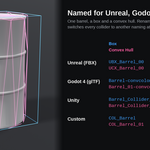
| Unreal |
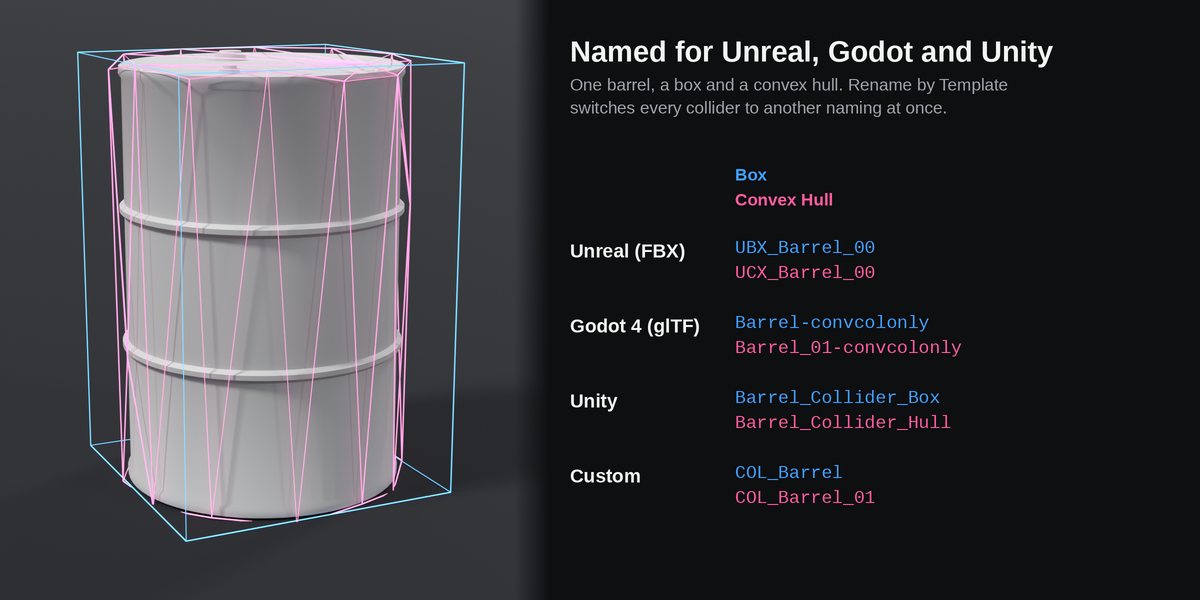
UBX_Name_00, USP_Name_00, UCP_Name_00, UCX_Name_00
|
UCX_Name_01, UCX_Name_02
|
| Godot 4 | Name-convcolonly |
Name_01-convcolonly, Name_02-convcolonly
|
| Unity |
Name_Collider_Box, _Sphere, _Capsule, _Hull
|
Name_Collider_Hull_01 |
| Custom | Prefix + Name + Suffix (default COL_Name) |
COL_Name_01 |
A name that is taken is passed over, so Blender never adds .001. Blender 4.5 cuts object names after 63 characters, Blender 5 after 255. The report says "name too long for Blender" when a collider name was cut. If you rename an object later, "Rename by Template" brings its colliders in line.
The other buttons
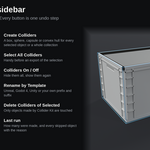
- Select All Colliders selects every collider in the scene. "Extend" in the redo panel keeps what was selected, which is handy before an export of the selection.
- Colliders On / Off hides all colliders if one is visible, and shows them otherwise.
- Rename by Template renames the colliders of the selected objects by the template set in the panel.
- Delete Colliders of Selected deletes the colliders of the selected objects, and selected colliders themselves. The redo panel can limit it to one shape.
Only objects made by Collider Kit count as colliders. They carry the custom property collider_kit_shape; a name alone is never trusted. An object of your own called UCX_Crate_00 is not touched by Delete, Rename, Select or On / Off.
Where the colliders go
- Each collider is a child of its object, with no transform of its own. The mesh is stored in the space of the object, so both move together and export with the same transform.
- All colliders sit in one collection, "Colliders". Switch it off in the Outliner or use "Colliders On / Off".
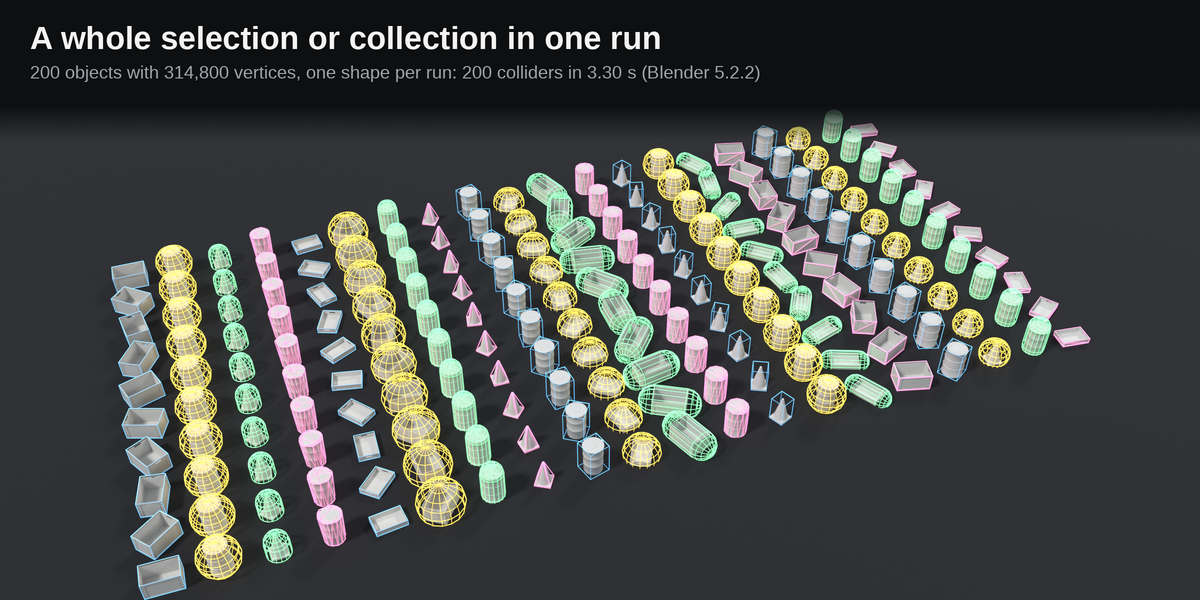
- They are drawn as wire, are left out of renders and have no material. Each shape has its own object colour (box blue, sphere orange, capsule green, hull pink). Set Wire Color to "Object" in the shading popover of the viewport to see the colours.
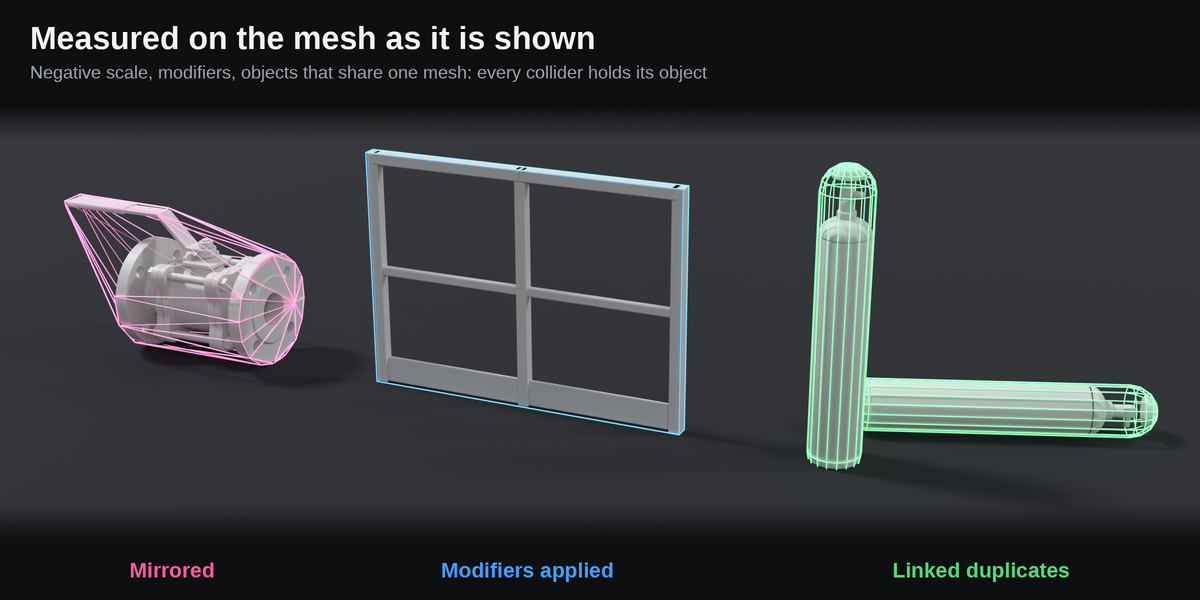
- Objects that share one mesh each get a collider of their own.
What is skipped
Skipped objects are named in the report with the reason:
- curves, empties, lights and every other object that is not a mesh
- meshes without faces
- objects with a scale of zero on one axis
- objects of a collection that are not in the current view layer
Colliders themselves are never used as a source.
Export
The colliders must be part of the export. With "Selected Objects" select the models and their colliders: select the models, then "Select All Colliders" with "Extend". "Visible Objects" leaves out colliders that are switched off. "Active Collection" leaves them out because they sit in "Colliders". The glTF option "Renderable Objects" leaves them out because they do not render.
Unreal Engine (FBX). Use the Unreal template. The static mesh import reads meshes named UBX_, USP_, UCP_ and UCX_ plus the name of the render mesh plus _00, _01 as the collision of that mesh, when they are in the same FBX file. Use the box with Local axes. The object name in Blender must be the mesh name Unreal sees, so rename objects before the run or use "Rename by Template" after it.
Godot 4 (glTF). Use the Godot template. On import Godot replaces every node whose name ends in -convcolonly with a StaticBody3D and a convex collision shape. All four shapes get this suffix, so a box, sphere or capsule arrives as a convex shape with the vertices of its mesh, not as a BoxShape3D, SphereShape3D or CapsuleShape3D.
Unity (FBX). Unity has no naming rule that turns meshes into colliders on import. The Unity template names the colliders Name_Collider_Box and so on, so that they are easy to find and to pick up with an import script of your own; Collider Kit does not ship one. By hand: add a MeshCollider with "Convex" ticked and give it the hull mesh, then switch off the MeshRenderer of the collider object. A convex MeshCollider takes up to 255 triangles.
I test the export from Blender (FBX and glTF, names, parents, and that the colliders still hold the models after reading the files back). The engine side follows the import rules of the engines as documented by them.
Limits
- One collider per object and run. Collider Kit does not cut a concave object into several convex parts. Split such a mesh into separate objects first; each of them gets its own collider.
- Colliders do not follow later changes of the mesh. Run "Create Colliders" again; with "Replace Existing" on, the new ones take the place of the old.
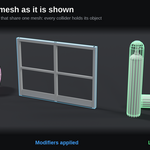
- The mesh is read as the viewport shows it at the current frame: modifiers in their viewport setting, shape keys and armatures in their current pose.
- Instances made by Geometry Nodes or by collection instances are not part of the mesh that is read. Realize them first if the collider has to hold them.
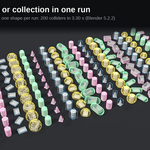
- Pure Python. In my test 200 objects with 45,000 vertices in all, 50 of each shape, took 0.98 s on Blender 4.5.12 and 1.29 s on Blender 5.2.2. The 200 objects in the picture above are heavier, 314,800 vertices in all, and took 3.30 s on Blender 5.2.2. A hull with 255 vertices around a ball of 642 vertices took 0.41 s on Blender 5.2.2 and 0.43 s on 4.5.12.
Questions
Does it work on rotated, scaled or mirrored objects?
Yes. The shapes are worked out in the scene and stored in the space of the object, so collider and object export with the same transform. Uneven scale, negative scale and sheared objects are part of my tests.
Will it delete or rename objects I made myself?
No. Collider Kit marks its colliders with a custom property and only touches objects that carry it. An object of your own with a name like UCX_Crate_00 stays as it is.
Can I take a run back?
Yes. Every button is one undo step, and the redo panel lets you change the settings of the last run.
Does it make primitive shapes in Godot?
No. Godot reads -convcolonly as a convex shape, so every shape arrives as a convex collision shape with the vertices of its mesh.
How do I get help?
Write to me through the contact button on the product page. Please add your Blender version and the line from the status bar, it tells me most of what I need.
Have questions about this product?
Login to message
| Blender Extension Compatible | Yes |
| Published | about 3 hours ago |
| Blender Version | 4.5 - 5.2 |
| Extension Type | Add-on |
| License | GPL |
Discover more products like this
physics ucx Game Engine collision unreal collider game assets convex hull Export fbx unity godot