Loviz Dispatch Bay : Warehouse Furnishings
 loviz
in Game Ready
loviz
in Game Ready


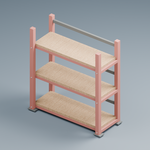
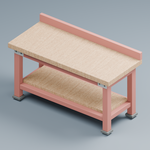


1. Import the BLEND, FBX, or GLB asset into the target project. 2. Use the GLB files with suffixes _lod0, _lod1, or _lod2 according to scene distance. 3. Assign the supplied basecolor.png, normal.png, orm.png, roughness.png, and metallic.png textures. The ORM texture uses R for ambient occlusion, G for roughness, and B for metallic. 4. Use the supplied collision GLB files for approximate static collision. These collisions are intended for static props and may simplify gaps and internal details. 5. Place the rack and cabinet with their usable openings facing -Y. The crate fits on the supplied pallet or inside a rack bay. 6. Use the included Godot 4 dispatch-corner demo as a scene reference. Blender source files were tested with Blender 5.2 LTS; older Blender versions, Unity, and Unreal are not validated.
Have questions about this product?
Login to message
| Published | 2 days ago |
| Blender Version | 5.2 |
| Render Engine Used | Cycles |
| Misc Data | Uvs-Unwrapped, Low-High-Resolution, Normal-Mapped, Textured |
| License | Royalty Free |