 MeshMind


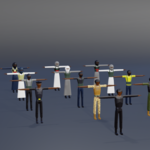
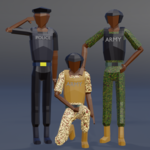
Low Poly Combat Character Pack — Documentation
1. What's in this pack
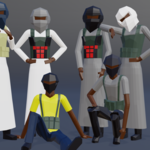
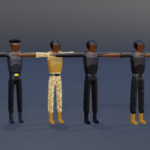
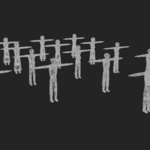
Lowpoly Character pack.blend      -> Master Blender file, all 17 characters
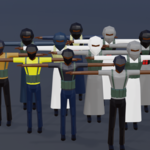
Low Poly Characters.fbx           -> Combined export, full roster in one file
Indevidual FBX Export/            -> Each character as a standalone FBX
    Army_Desert.fbx
    Army_Forest.fbx
    Police_Black.fbx
    Police_Blue.fbx
    Special_Force1.fbx
    Special_Force2.fbx
    Enemie1.fbx ... Enemie11.fbx
Textures/
    Charater color map.png
    Uniform Textures.png
Renders/
    Render1.png ... Render6.png
2. Quick start — using the FBX files
- Pick the character(s) you need from
Individual FBX Export/, or useLow Poly Characters.fbxif you want the full roster in one import. - Import into your engine of choice:
-
Unity: drag the
.fbxfile directly into yourAssetsfolder. - Unreal Engine: File → Import to Level (or drag into the Content Browser), select the FBX.
-
Godot: drag the
.fbxinto the FileSystem panel; Godot will auto-import it.
-
Unity: drag the
- Assign the included textures (
Uniform Textures.png,Charater color map.png) to the character's material slot if they don't link automatically on import — this depends on your engine's FBX material handling. - Scale/orient check: confirm the character's scale and forward-axis match your project's convention after import, since export scale can vary slightly between engines.
3. Editing in Blender
- Open
Lowpoly Character pack.blend. - All 17 characters are organized in the outliner — select the character you want to edit.
- Recoloring: swap or edit the material referencing
Uniform Textures.pngorCharater color map.pngto create new uniform variants. - Re-export: select the character(s) you've modified → File → Export → FBX, with only the selected objects enabled, to produce a clean single-character FBX matching the pack's existing naming convention.
4. Naming reference
| In-file name | Role |
|---|---|
| Army_Desert | Army — desert camo |
| Army_Forest | Army — forest camo |
| Police_Black | Police — black uniform |
| Police_Blue | Police — blue uniform |
| Special_Force1 | Special Forces — loadout 1 |
| Special_Force2 | Special Forces — loadout 2 |
| Enemie1–Enemie11 | Enemy soldiers — 11 unique variants |
5. Tips
- Use the 11 Enemy variants for crowd/wave variety so repeated NPCs don't look identical on screen.
- Police Black/Blue and Army Desert/Forest pairs are useful for simple faction color-coding without extra retexturing work.
- If your engine needs a shared skeleton across all 17 characters for animation retargeting, check bone naming consistency in the source
.blendbefore batch-importing — this is the one step worth verifying case-by-case.
6. Support
For questions, custom variants, or additional character requests, reach out via the Meshmind storefront contact ([email protected]).
 Included
Includes 12 months of
- Support from MeshMind
- Product updates
Extend this product’s Support Period +12 months: 50% of product price
Have questions before purchasing?
Login to message
| Published | 3 months ago |
| Blender Version | 4.2 - 5.2 |
| Render Engine Used | Cycles, Eevee |
| Misc Data | Uvs-Unwrapped, Rigged, Textured |
| License | Royalty Free |

Discover more products like this
militarycharacter IndieGameDev npc soldier lowpoly enemy-characters army characterpack gameasset