 CG Cookie


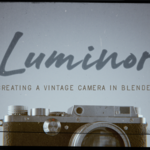
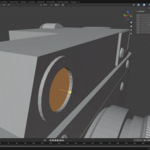
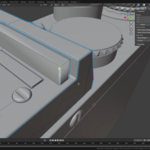
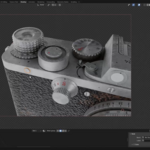
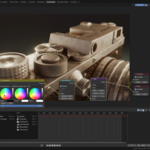
Elevate your Blender hard-surface modelling, texturing and rendering skills with a vintage camera project.
❤️ CG Cookie, a project of Autotroph , contributes to Blender development through Autotroph’s Corporate Gold sponsorship of the Blender Development Fund. Your support of CG Cookie helps make this possible!
What you will learn
In this comprehensive, project-driven course you’ll walk through the entire pipeline of creating a stylized vintage camera asset in Blender — from block-out to final render.
You’ll apply real-world techniques in modeling, materials, lighting, and rendering for high-quality output that stands out in your portfolio or production workflow. This is the type of quality and detail only a talented human like yourself could produce. Take that AI!
Key skills you will develop include:
Precise hard-surface modeling of camera components: body, lens mount, shutter, viewfinder, knobs, textured leather trims, etc.
Efficient topology, modifier workflows (booleans, bevels, edge-flow) and clean geometry for production-ready assets.
Procedural and image-based texturing workflows: realistic metals, anondised finishes, leather or fabric textures, glass and lens coatings.
Setting up realistic materials in Blender’s rendering engine (Cycles/Eevee) including shaders for metal, glass, fabric, and plastic components.
Lighting and HDRI setups to showcase your model: product-style renders, stylized studio lighting, vignette moods.
Rendering, compositing and presentation: final stills, turn-tables, material breakdowns, asset-pack export considerations.
Bonus workflows: asset optimisation for real-time, exporting for game engines or AR/VR use-cases, thumbnail and showcase render tips.
Course curriculum
Introduction & Project Setup – Overview of the camera asset, references, Blender workspace, modeling plan and workflow.
Blocking the Body – Establishing the camera’s base form, major features and component placement.
Refining Details – Modeling buttons, dials, lens mount, knobs, viewfinder and smaller hard-surface elements with precision.
Texturing & Materials – Creating realistic surfaces: brushed metal, anodized aluminum, leather grips, glass lens elements and decals.
Lighting & Rendering – Setup studio lighting, HDRIs, camera angles, depth of field, material render passes and compositing.
Finalising the Asset & Export – Preparing renders for portfolio/showcase, optimizing mesh for real-time engines, packaging the asset for distribution.
What Next? – Guidance on integrating this workflow into your toolbox, how to adapt this project to other props, and tips for building your 3D portfolio.
About the Instructor

Ewa Wierbik-Ziąbka
Hi! I'm a self-taught professional 3D artist specializing in modeling and texturing high-quality assets for various applications. I also enjoy creating photorealistic scenes with atmospheric lighting. Check out my ArtStation portfolio for work examples.
Who this course is for
This course is ideal for 3D artists, prop modelers, and Blender users who already have a foundational understanding of Blender’s interface (navigation, modeling basics) and want to level up into hard-surface modeling, realistic texturing, and professional-style rendering.
FAQ
What version of Blender is used?
This course uses Blender 4.x for modeling, texturing and rendering.
Are project files included?
Yes. You’ll receive the Blender .blend files, texture files, reference images, and materials setup so you can follow along and modify as needed.
Can I use this asset in commercial projects?
Yes — upon completion you are free to use your own version of the asset in personal or commercial work. (Check licensing details for distribution or re-selling.)
Do I need other software?
No, everything is completed in Blender (with optional use of external tools if you prefer).
What if my workflow is for games/real-time engines?
We cover toggling mesh density and exporting to real-time–friendly formats, so the model can serve as a game asset or AR/VR prop.
Can I contact the instructor or community?
Sort of. This course is part of the CG Cookie learning platform, where you can interact with the instructor and other students, share your progress, and ask questions.
If you would like to convert this purchase to a CG Cookie subscription in order to unlock exercise feedback from Wayne and access our community for questions and support, you can contact us at [email protected] , include your Superhive order ID and we will generate a coupon code to apply your purchase to a CG Cookie subscription.
Why this course matters
Vintage cameras offer an ideal project to refine core 3D-asset skills: they combine multiple materials (metal, glass, leather), complex geometry (knobs, buttons, screws, mounts), and require thoughtful lighting and presentation to showcase. By completing the LUMINOR project, you’ll not only build a strong portfolio piece — you’ll also invest in transferable workflows for any hard-surface modeling challenge.