 rfarencibia




Machete Toolkit for Blender
A comprehensive mesh editing toolkit that enhances Blender's workflow with smart geometry tools, interactive placement systems, and streamlined selection management.
🚀 Key Features
Smart Geometry Tools
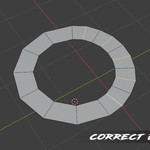
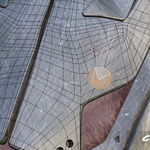
- Edge Flow Correction - Automatically adjusts selected edges to flow naturally with surrounding geometry
- Circularize - Transforms selected vertices into perfect circles while preserving 3D orientation
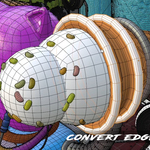
- Edge to Curve Converter - Interactive tool that converts selected edges to curves with real-time bevel control
- Straighten Edge Loops - Two modes: J-method for topology changes or axis-based for position adjustments
Intelligent Placement System
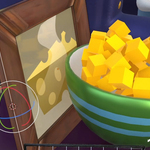
- AutoFit Lattice - Creates minimum-volume lattices perfectly aligned to your selection's longest dimensions
- Grab & Place Tool - Interactive object placement with automatic ground offset and face snapping
- Face Align - Visual alignment tool for precisely matching face orientations between objects
- Align Pivot - Smart cursor positioning based on selected geometry with automatic transform orientation
Selection Management
- Selection Saver - Store and recall up to 20 different selections (configurable) across edit and object modes
- Quick Slots - One-click save/restore with visual indicators for filled slots
- Cross-Mode Support - Seamlessly handles vertex, edge, face, and object selections
Workflow Enhancers
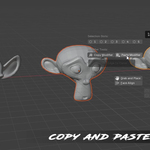
- Modifier Copy/Paste - Selective modifier copying with dialog-based selection
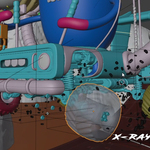
- X-Ray Toggle - Instant transparent material swapping for selection visibility
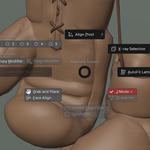
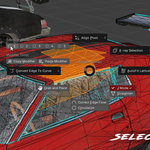
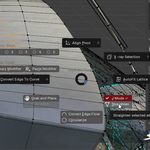
- Customizable Pie Menu - Quick access to all tools with configurable hotkeys (default: Shift+E)
💡 Smart Design Philosophy
Machete Toolkit focuses on solving real workflow pain points with intelligent automation:
- Context-Aware: Tools adapt behavior based on your current selection and mode
- Visual Feedback: Interactive tools provide real-time visual guides and previews
- Non-Destructive: Most operations can be easily undone or modified
- Workflow Integration: Seamlessly integrates with Blender's existing tools and shortcuts
🎯 Perfect For
- Hard Surface Modeling - Edge flow correction and precise alignment tools
- Organic Modeling - Circularization and smooth geometry adjustments
- Asset Placement - Interactive positioning with automatic ground alignment
- Complex Selections - Managing intricate selection patterns across modeling sessions
- Retopology Work - Edge loop management and flow optimization
📍 Access Methods
- Pie Menu: Shift+E (customizable) for instant access to all tools
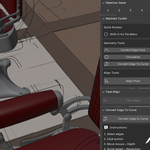
- Sidebar Panels: Organized panels in the 3D Viewport's N-panel
- Tool Integration: Grab & Place available as a workspace tool
- Direct Operators: All functions accessible via search (F3)
Transform your Blender modeling workflow with tools that think ahead and adapt to your needs.
