 Anvil Interactive Solutions
Show how you made it.
Let anyone check the record.
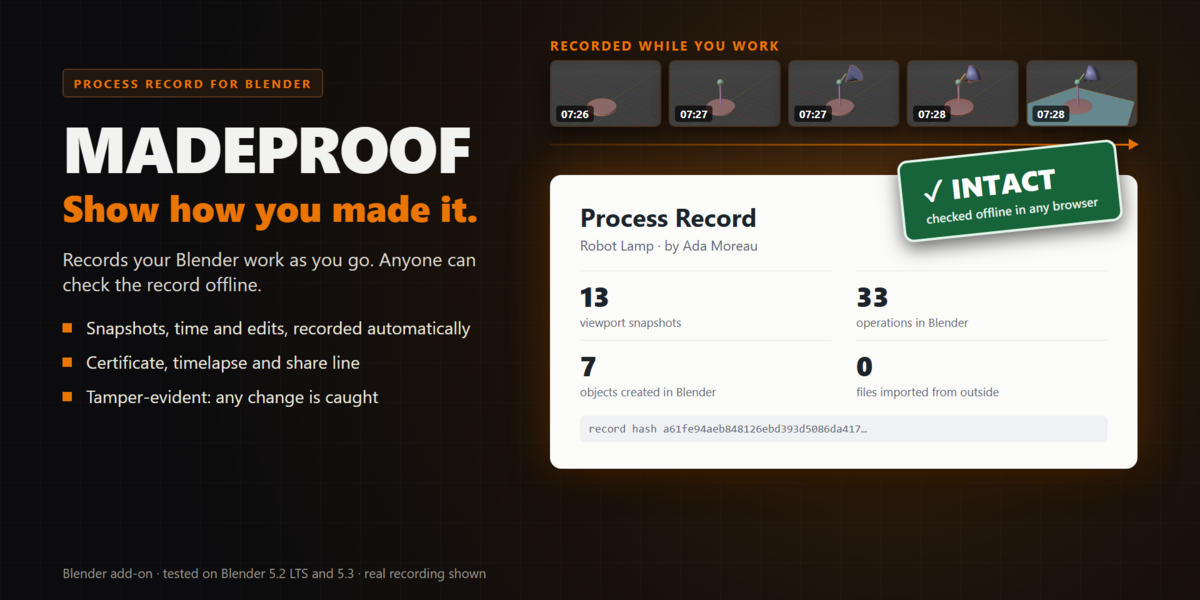
MadeProof quietly records how your Blender project develops, then exports a certificate, a timelapse video and an offline verifier that reports whether the record was altered. It documents your process; it is not a verdict and it does not detect AI.
Record. Export.
Anyone can verify.
Contests, clients and productions increasingly ask how a piece was made. Screenshots and saved versions are easy to fake and hard to check. MadeProof gives them a record they can test themselves.
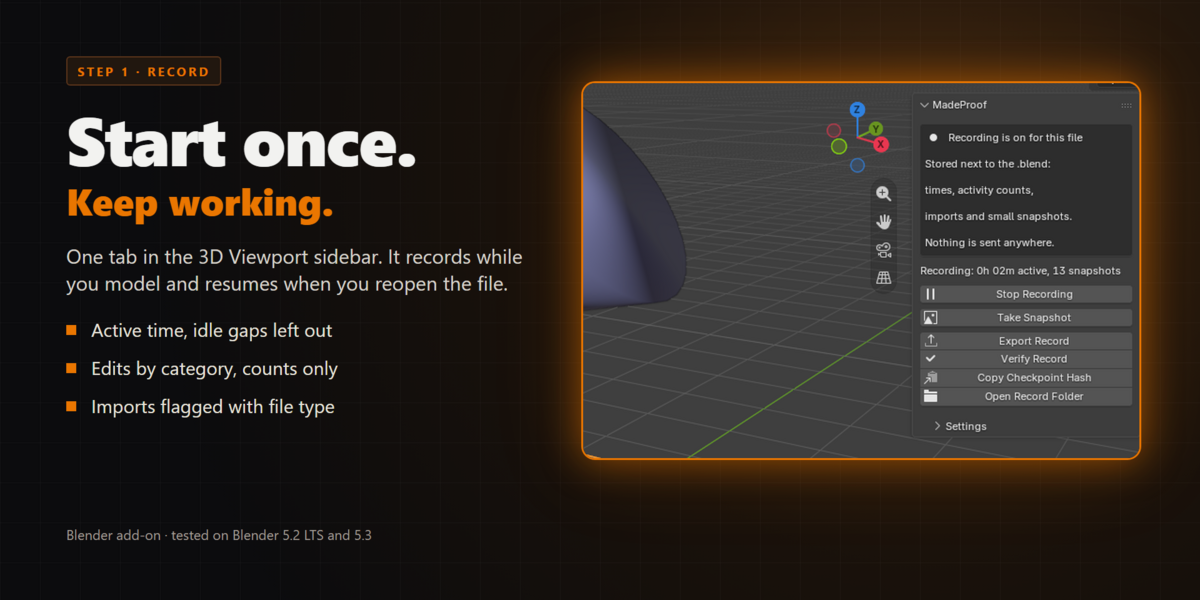
| 01 · RECORD Start once per file Click Start Recording in the sidebar and keep working. It resumes by itself whenever you reopen the file, and survives crashes. | 02 · EXPORT Choose what to share Preview the certificate, pick snapshots, PDF and video, and export one folder plus a share line with the record hash. | 03 · VERIFY Intact or Altered The checker drops the folder on one HTML file in any browser, offline, and sees Intact or Altered with exactly where it breaks. |
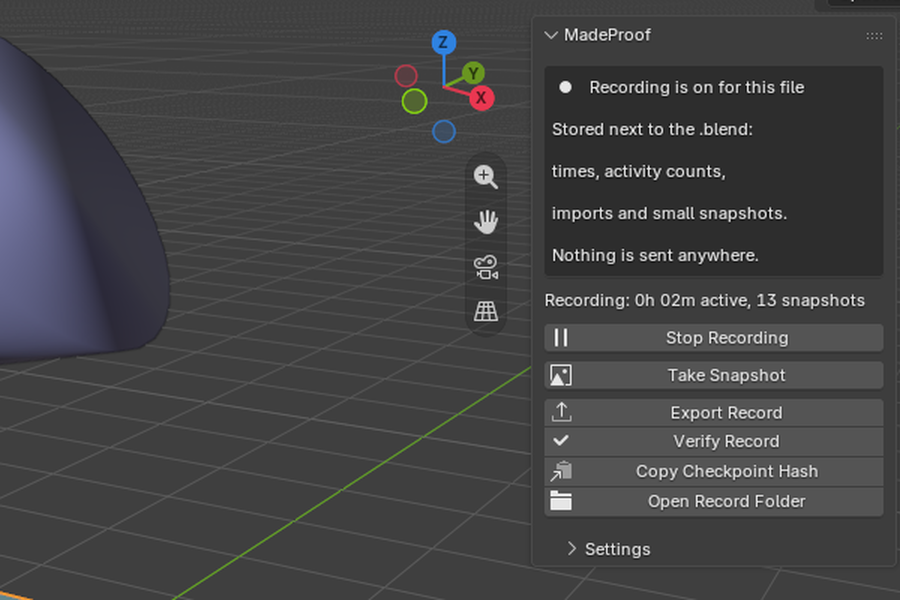
One tab in the 3D Viewport sidebar. Recording stays on for this file until you stop it.
The shape of the work, never the work itself.
Counts and times only. No keystrokes, no file contents, no object names, no geometry, nothing outside Blender's 3D Viewport.
| Sessions & active time Session start and end, saves and autosaves, and active working time with idle gaps over 120 seconds left out. | Activity by category Operations and edits for modelling, sculpting, shading, animation, lighting and rendering, plus objects created, edited and deleted. |
| Content from outside Imported files with type and time, appended or linked .blend data, loaded images and pasted objects. Script-added objects are listed separately. | Viewport snapshots Small snapshots about once a minute while you work, taken when the viewport is still, with a storage cap you set. |
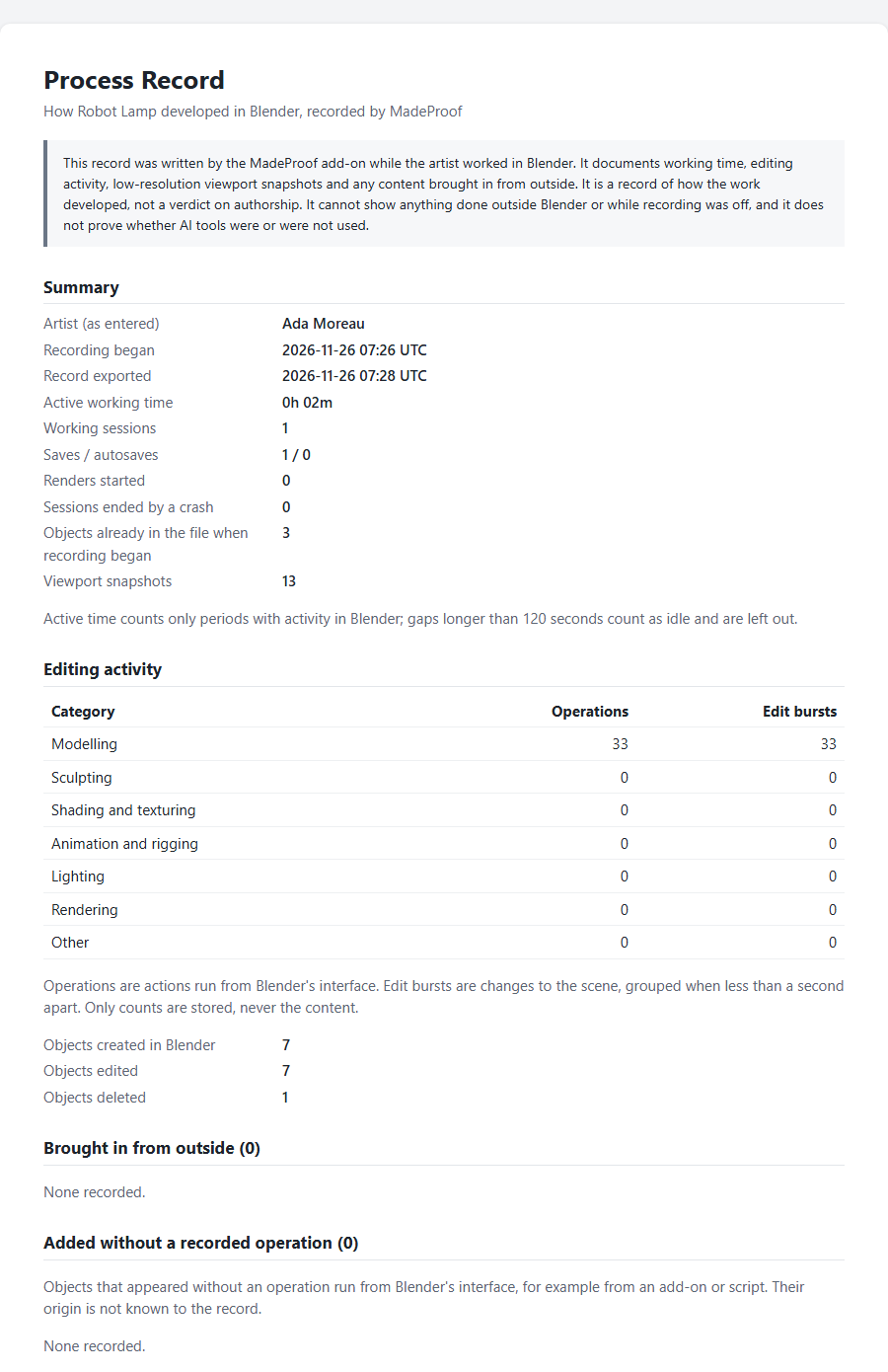
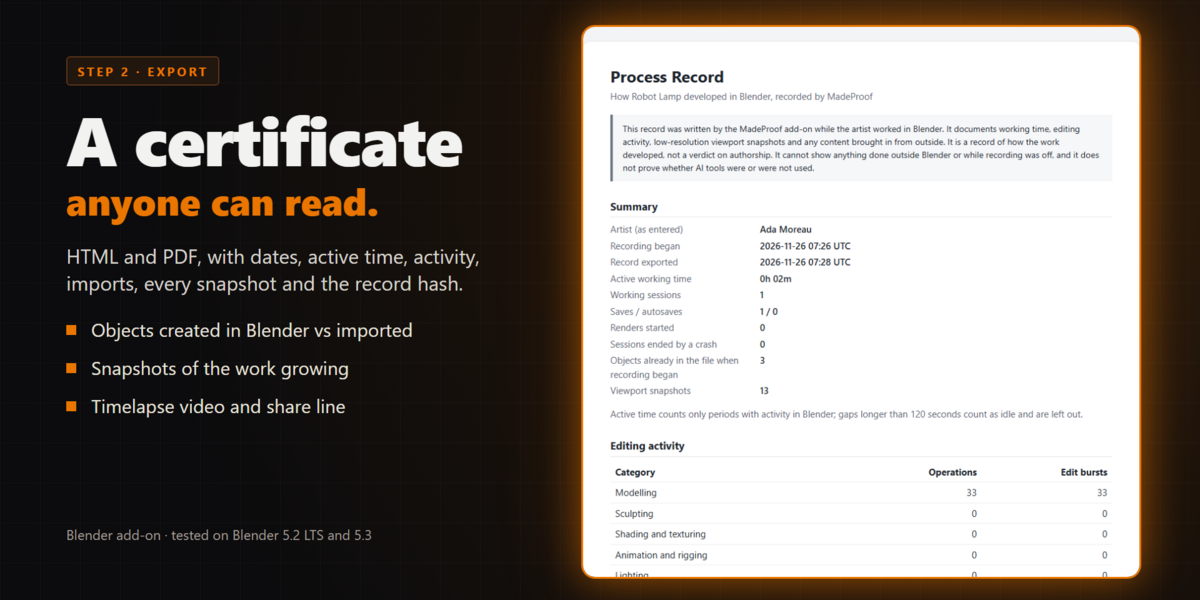
Certificate summary: active time, sessions, activity by category and everything brought in from outside.
Change one entry.
The chain breaks there.
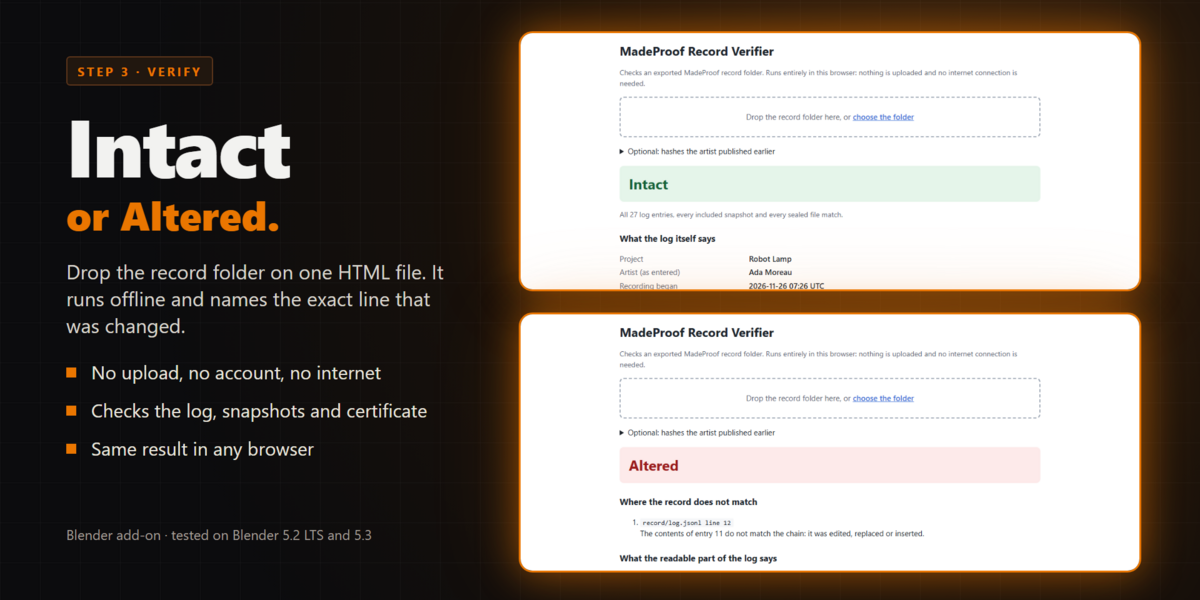
Every log entry carries a SHA-256 hash of the one before it and of the snapshot it refers to. Editing, deleting, reordering or inserting anything breaks the chain at that line, and the verifier names the line.
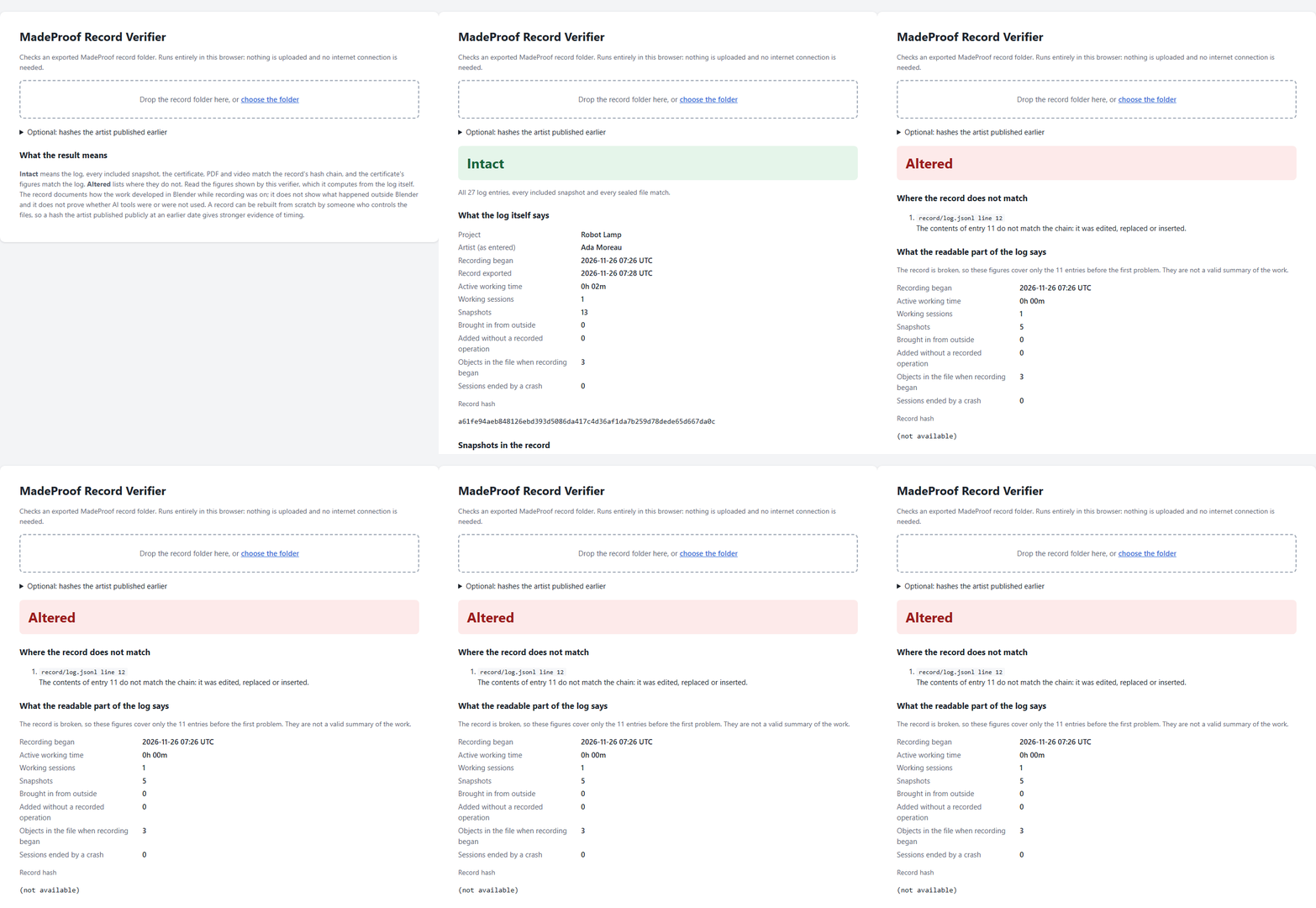
First the untouched record, then the same record with one hour added to a single entry. The verifier names the line.
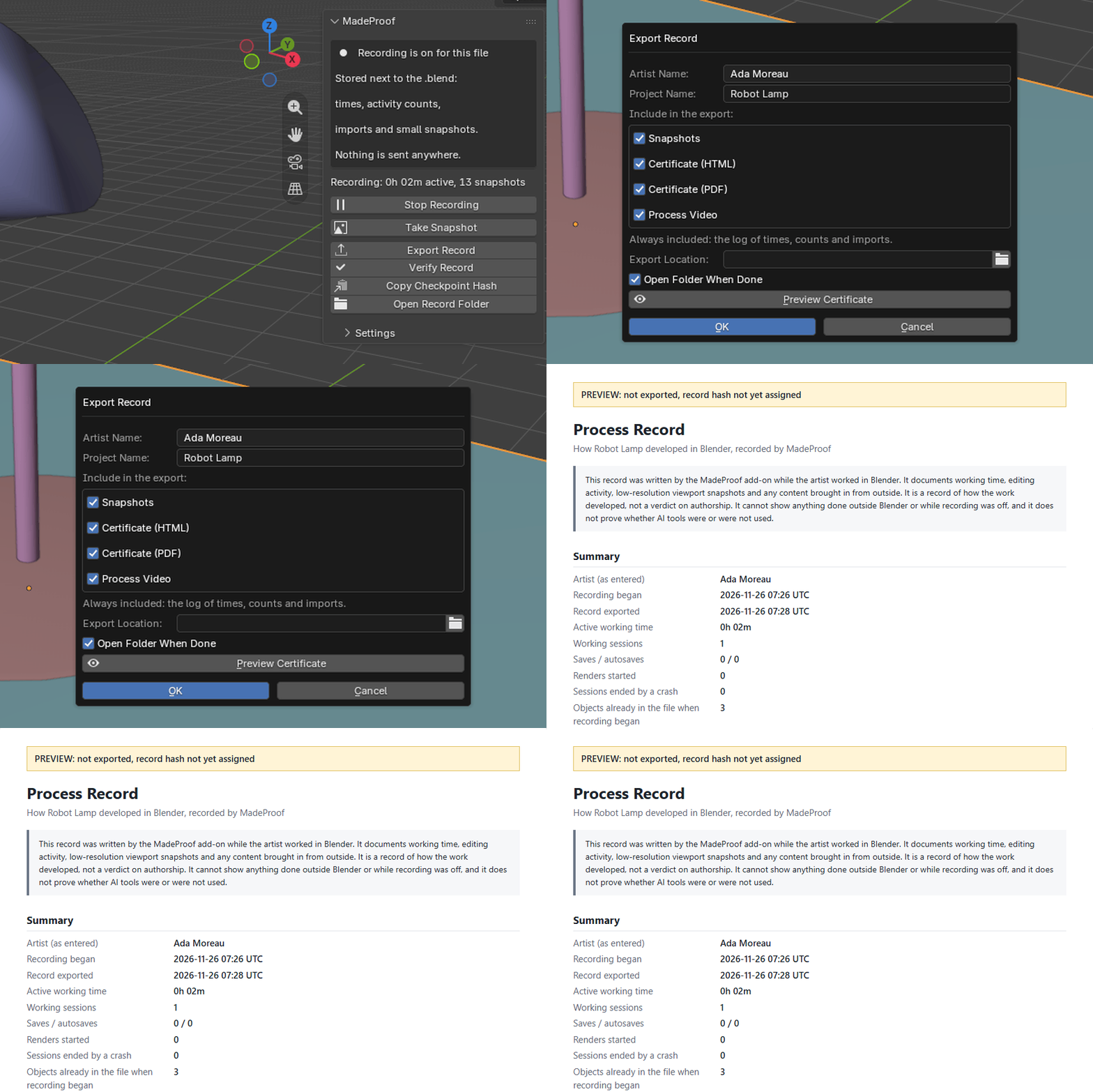
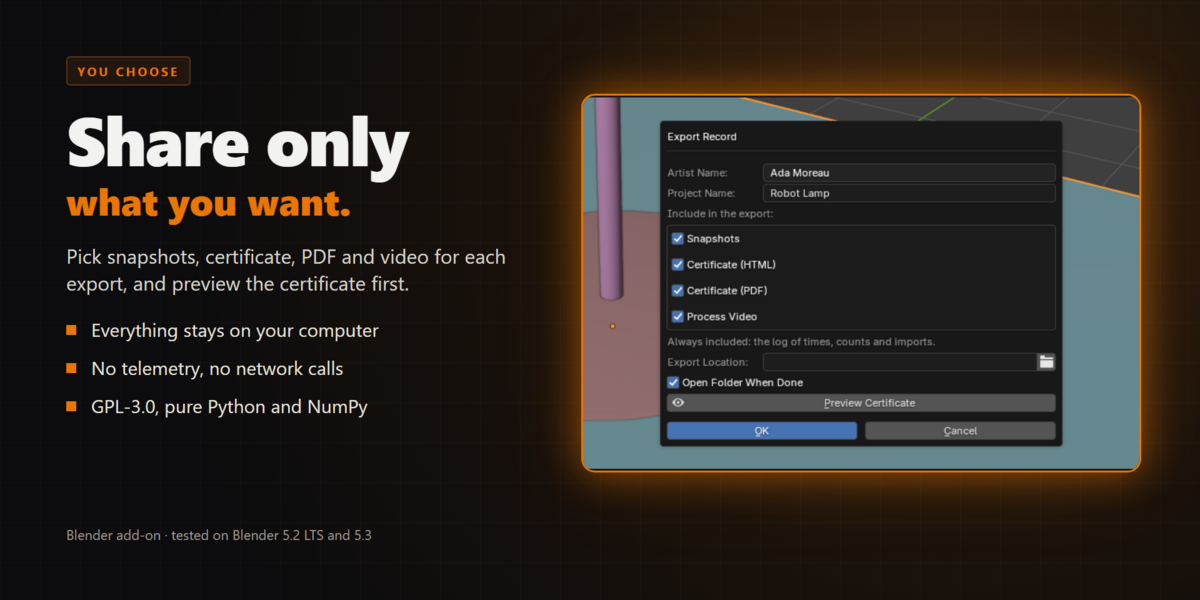
You choose what goes into each export, and can preview the certificate first.
| Certificate, HTML and PDF Project, artist name, dates, active time, sessions, activity breakdown, imports, a snapshot grid and the record hash. | Process video Your snapshots as an MP4 timelapse with time and activity overlays, made by Blender's own encoder. |
| Share line & checkpoints Post the record hash publicly, at export or during the work, to tie your record to a date. | Offline verifier One HTML file using only browser built-ins. No upload, no account, no internet. Also available as Verify Record inside Blender. |
Test results.
Windows 11, Intel i7-8750H, GTX 1050 Ti, Blender 5.2.0 LTS and 5.3.0 beta.
| Altered records caught at the right line (436 altered copies, 19 kinds of tampering) | 436 of 436 |
| False alarms on untouched records | 0 of 24 |
| Record intact after Blender was force-killed mid-session | 40 of 40 |
| Viewport frame time added (2M-face mesh, 1.3M-face sculpt, 310-node geometry nodes) | 0% to 1.6% |
| Snapshots taken while the viewport was moving (realistic move-and-pause test) | 0 of 24 |
| Storage per hour at default settings | under 5 MB |
| Exporting a 3-hour record with video | about 17 s |
| Active time and activity counts versus scripted sessions up to 3 hours | exact |
Everything stays on your computer.
| No network, ever No uploads, no telemetry, no licence checks. The record is a folder next to your .blend file. | You choose what is shared Snapshots, certificate, PDF and video are each optional, with a preview first. A plain notice shows whenever recording is on. |
MadeProof documents how a project developed inside Blender while recording was on. It cannot show work done in other software or with recording off, and it does not prove whether AI tools were or were not used. A downloaded or generated model shows up as an import, which is the honest information a checker needs.
Someone who controls the files could build a fake record from scratch. Posting checkpoint hashes or your share line publicly is what ties your record to a date. The full list of limits ships with the add-on.
Frequently asked.
| Does this prove my work is not AI?No. It documents how your project developed in Blender: time, kinds of edits, imports and snapshots. That is evidence a contest or client can weigh, not a verdict. |
| What does a checker need?A web browser. They open the verifier, drop your export folder on it and read Intact or Altered. |
| I use kitbash parts and scanned assets. Will that look bad?They are listed as imports with file type and time, which is accurate. The record shows what you did with them. |
| What if Blender crashes?The record survives. When you reopen the file, the crash is noted and a new session starts. |
