 Hisoka852



Mat-Assign — Instant Material Eyedropper & Pasting
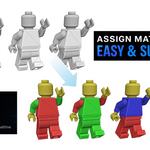
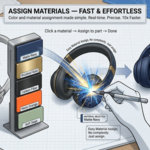
Mat-Assign lets you copy and paste materials directly in the 3D Viewport right under your mouse cursor.
🚀 Key Features
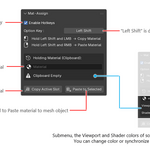
Hover Copy & Paste: Hover your mouse and press a hotkey to copy (LMB) or paste (RMB) materials.
No prior object selection is required!
Smart Auto-Generation: If an object lacks materials, it automatically creates a new Principled BSDF while preserving its original viewport color.
One-Click Color Sync: Easily push or pull colors between Viewport Display and Shader Base Color right from the UI panel.
Custom Hotkeys: Change your modifier key instantly using the interactive "Capture Key" feature.
🛠️ Quick Start
Hold Shift (or your custom modifier).
Left-Click over any mesh to Copy.
Right-Click over any mesh to Paste. Speeds up scene layout instantly!