 Jooapa


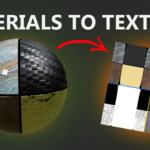
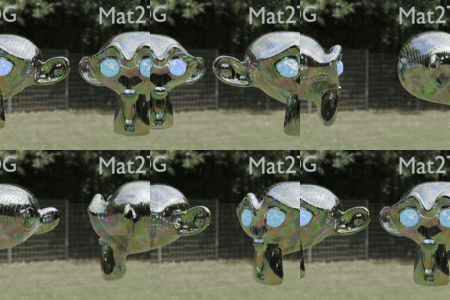
Materials To Textures (Mat2Tex)
Fast, zero-friction material baker for Blender. Export clean, PBR-ready texture maps with minimal setup.
About
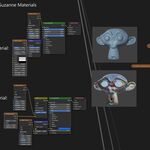
Mat2Tex is a fast material baker for Blender artists, game developers and artists. PBR-ready texture maps without building complex bake setups every time. Select your mesh, choose the maps you want, click Export—done. It intelligently pulls data from Principled BSDF materials (or generic node trees) and produces consistent exports with optional (Metallic/Roughness/Alpha) channel packing.
Mat2Tex focuses on outputs for real-time engines (Unity, Unreal, Godot) and texture iteration workflows.
Highlights
- Bake Channels: Base Color, Roughness, Metallic, Normal (tangent), Alpha, Emission
- MRA Packing: Metallic (R), Roughness (G), Alpha (B)
- Modes: First Material / Each Material / Combined
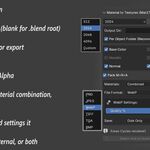
- Output Control: Save Modes (Disk & Blend, Blend Only, Disk Only)
- Optional per-object subfolder + custom base output path
- Image Formats + Settings: PNG (compression, 8/16 bit), JPEG/WebP (quality), TIFF (compression), TGA, BMP
- Safe Cleanup: Temporary emission nodes restored after bake
Quick Start
- Install the addon:
Edit > Preferences > Add-ons > Install...(select the ZIP) - Enable it: Search for "Materials To Textures (Mat2Tex)" in the Add-ons list
- Select a mesh object with at least one material
- Open the Mat2Tex panel (Side panel)
- Choose: Channel Maps, Resolution, Format + settings, Multi-material mode, (Optional) MRA packing
- Click Export
- Output appears in:
//mat2tex_textures/(optionally in subfolder)
Troubleshooting
| Issue | Cause | Fix |
|---|---|---|
| Exported texture is white in parts where it should not be | You probably don't have a shader node connected like (Emission, Principled BSDF) | Ensure your material has the relevant nodes connected. Mat2Tex doesn't support baking with just a Color or Float output. |
License
GPL 3.0. See LICENSE.txt.