MatCap 9000
 Hlopes


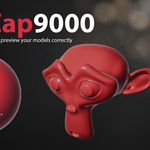



Installation
- In Blender, go to Edit > Preferences > Add-ons > Install, and select the downloaded zip file.
- Enable "MatCap9000" in the add-ons list.
- Open the 3D Viewport sidebar (press N) and find the "9000 Toolkit" tab.
Usage
- Pick a starting look from the Base Presets dropdown, or start from scratch.
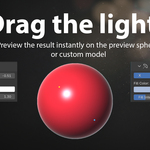
- Drag the key, fill, and rim light handles directly on the preview sphere to shape the lighting in real time.
- Toggle "Preview on Model" to see the result on your own selected object instead of the sphere.
- When you're happy with the look, export it as a matcap image ready to use anywhere in Blender.
Requirements
Blender 4.2 or newer. Tested up to Blender 5.1.
Have questions about this product?
Login to message
| Published | about 2 months ago |
| Blender Version | 4.2 - 5.1 |
| Extension Type | N/A |
| License | GPL |
Discover more products like this
Live Preview viewport shading Lighting sphere widget material preview tool addon matcap Studio Lighting