 Sergey Boiko


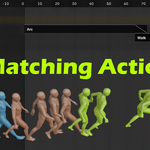
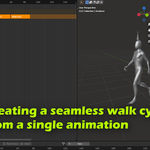
Matching Actions — Seamless Animation Clip Alignment for Blender
Blender is powerful, but one feature I often miss from other software is true animation blending—when the end of one animation matches perfectly with the start of the next. In Unreal Engine, you can blend clips in Sequencer and align them using a reference bone for clean transitions. Matching Actions brings a similar workflow to Blender.
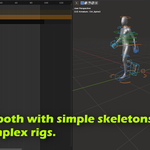
This addon offsets and aligns Action 2 so it starts exactly where Action 1 ends—based on the bones you choose. The result is a much more seamless NLA blend, especially for Mixamo and mocap-style clips.
Features
Match and align one Action to another for smoother transitions
Choose a reference bone for alignment (e.g., planted foot for best results)
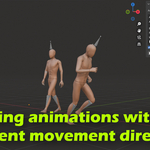
Optional Z rotation matching (position only vs position + facing direction)
Fast workflow: select rig → choose actions → pick bones → click Match
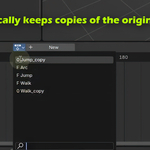
Automatic backup: a copy of the original Action 2 is saved
Match and align one Action to another for smoother transitions
Choose a reference bone for alignment (e.g., planted foot for best results)
Optional Z rotation matching (position only vs position + facing direction)
Fast workflow: select rig → choose actions → pick bones → click Match
Automatic backup: a copy of the original Action 2 is saved
Quick workflow
Install the addon from a ZIP (standard Blender method)
Open the panel in the N sidebar
Select your armature
Set Action 1 and Action 2
Choose the parent/root bone (Hip/root motion bone) and the alignment bone
Press Match Actions
Install the addon from a ZIP (standard Blender method)
Open the panel in the N sidebar
Select your armature
Set Action 1 and Action 2
Choose the parent/root bone (Hip/root motion bone) and the alignment bone
Press Match Actions
Limitations / notes
- The addon overwrites keyframes in Action 2 to apply the offset.
-
A backup is created automatically with the same name + copy suffix.For multiple walk-cycle steps, you’ll usually duplicate Actions, place them sequentially, and run matching per pair. Delete unused Actions afterward to keep things clean.
- This version works with Blender 5 and higher.
Pricing / support
Matching Actions is available here on SuperhiveMarket for anyone who wants to support the add-on’s development and say thanks.
If you’d rather try it first, a free Gumroad mirror is available—please use the link in the video description.
