Matching Actions
 Sergey Boiko


Documentation — Matching Actions
Overview
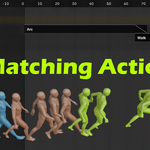
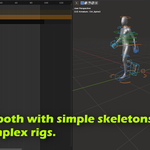
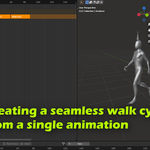
Matching Actions is a Blender add-on that helps create seamless transitions between two animation Actions by aligning the start of Action 2 to the end of Action 1 using a chosen reference bone. It is designed to improve NLA blending results for mocap/Mixamo-style clips and similar workflows.
Installation
Download the add-on as a ZIP file.
In Blender: Edit → Preferences → Add-ons → Install…
Select the ZIP file and confirm installation.
Enable the add-on in the Add-ons list.
Open the add-on panel in the 3D Viewport → N Sidebar.
Basic workflow (step-by-step)
Import or create your character/rig and make sure you have at least two Actions you want to connect (Action 1 → Action 2).
Select the armature (skeleton) in the scene.
-
In the add-on panel:
Set Action 1 (the first clip).
Set Action 2 (the next clip that should start where Action 1 ends).
-
Choose bones:
-
Parent / Root bone: the bone that represents the character’s overall/root transform.
Typical rigs: use Hip (or the rig’s main root).
Root-motion rigs: use the root motion bone (true root).
-
Align bone: the bone used as the reference for matching.
Best practice: choose a bone that is “planted” at the transition moment (often a foot).
-
-
Optionally enable Match Z Rotation:
Enabled: matches both position and facing direction.
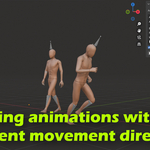
Disabled: matches position only, while preserving the original heading/direction of Action 2.
Click Match Actions.
In the NLA Editor, place strips for Action 1 and Action 2 and blend them—Action 2 should now align much more cleanly at the transition.
Tips for best results
Use an align bone that is stable at the transition (e.g., the foot that is on the ground at the end of Action 1 and the start of Action 2).
When working with root motion, always set the correct root bone as Parent/Root to avoid unexpected offsets.
Keep action names clear (e.g., “Walk_End”, “Walk_Start”, “Idle_To_Walk”) so selecting pairs is quick.
What the add-on changes (important)
Matching Actions modifies Action 2 by offsetting its transforms so the animation begins at the end point of Action 1.
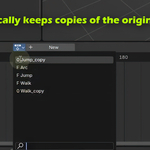
Because Action 2 gets modified, a backup copy is automatically created (same name with a “copy” suffix). Use the copy if you need the original, unmodified version again.
Walk cycles & longer sequences
For multiple forward steps or repeating cycles:
Duplicate the Action as needed (you’ll typically need several copies).
Place the Actions sequentially.
Run Matching Actions for each adjacent pair (Action A → Action B, then B → C, etc.).
After assembling the final sequence, delete unused/extra Actions to keep the file tidy.
Compatibility
- This version works with Blender 5 and higher.
Pricing / support
This add-on is offered on SuperhiveMarket for users who want to support development and thank the creator.
A free Gumroad mirror is available for “try-first” use; the link is provided in the video description.
Have questions about this product?
Login to message
| Blender Extension Compatible | Yes |
| Sales | 20+ |
| Published | 9 months ago |
| Blender Version | 5.0 - 5.2 |
| Extension Type | Add-on |
| License | Mit |

Discover more products like this
blend animaitons together animation blender blender addon mixamo-to-blender Animation-Alignment NLA editor motion capture