 To The Grid Studio


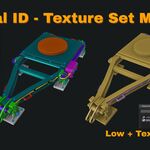
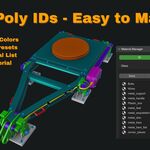
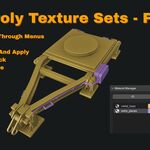

MATERIAL ID & TEXTURE SET MANAGER
STREAMLINE YOUR GAME ASSET WORKFLOW
High poly ready for baking? Texture sets organized? Material IDs color-coded for masks?
If you're a game artist, you know the pipeline: assign Material IDs on high poly, export for baking, import low poly, organize texture sets, send to texturing software.
Material ID & Texture Set Manager handles the entire material workflow from one sidebar panel.
DUAL MODE WORKFLOW
Material ID Mode (High Poly Phase): Set up your high poly mesh for baking. Use built-in presets (Wood, Metal, Glass, etc.), random colors for instant separation, or create custom ID lists. Everything color-coded and ready for your baking tool of choice.
Texture Set Mode (Low Poly Phase): Switch modes and organize your low poly by texture sets. Assign materials ready for any texturing software. Clean naming, visual organization, production-ready.
KEY FEATURES
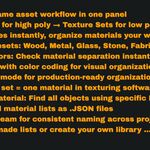
8 Built-in Presets Wood, Metal, Fabric, Plastic, Stone, Glass, Leather, Ceramic - one-click assignment for common materials.
Random Color Assignment Batch assign unique colors to selected objects. Perfect for checking UV seams and material separation. Seed control for reproducible results.
Custom Lists Create unlimited custom Material IDs or Texture Sets. Name them, color-code them, organize your way.
Save & Load Export your material lists as JSON. Share with your team, use across projects, maintain consistency.
Select by Material Find all objects using a specific material instantly. No more hunting through outliner.
Smart Cleanup Remove all unused materials with one click. Keep your .blend files clean and optimized.
Color Sync Viewport colors automatically sync with shader colors. Visual organization that actually works.
Team-Ready Export/import lists for consistent naming across your studio. Everyone uses the same material organization.
REAL WORKFLOW EXAMPLE
Environment Asset Pipeline:
- Model your modular building pieces in high poly
- Switch to Material ID mode
- Assign IDs using presets or random colors (walls, trim, roof, details)
- Export for baking in Marmoset Toolbag
- Import baked low poly
- Switch to Texture Set mode
- Organize by texture sets (TS_Building_01, TS_Details, etc.)
- Export to Substance Painter with clean material organization
- Texture with proper ID masks and texture set separation
The entire material workflow from one panel.
BUILT FOR PRODUCTION
Game Studios: Consistent material naming across team members
Freelancers: Organized workflow for client delivery
Environment Artists: Fast iteration on modular asset sets
Character Artists: Clean texture set organization for bodies, clothing, accessories
Prop Artists: Quick material separation for baking and texturing
PERFECT FOR
✓ Modular environment creation
✓ Character asset production
✓ Weapon and prop modeling
✓ Any asset going through bake → texture pipeline
✓ Teams needing consistent material organization
TECHNICAL SPECS
Blender Version: 4.5 (Blender 5.0 support coming) Platform: Windows, Mac, Linux Category: Material Management Location: View3D > Sidebar > MatManager tab License: GPL v3