3Dsmax Library / Importer - Maxasset

BlendR6 in Interface


BlendR6BLENDER 4.2+VERSION 2.0.10
MAX ASSETS
IN BLENDER
Direct .MAX & .MAT Import · Asset Browser · Cycles & Blender V-Ray

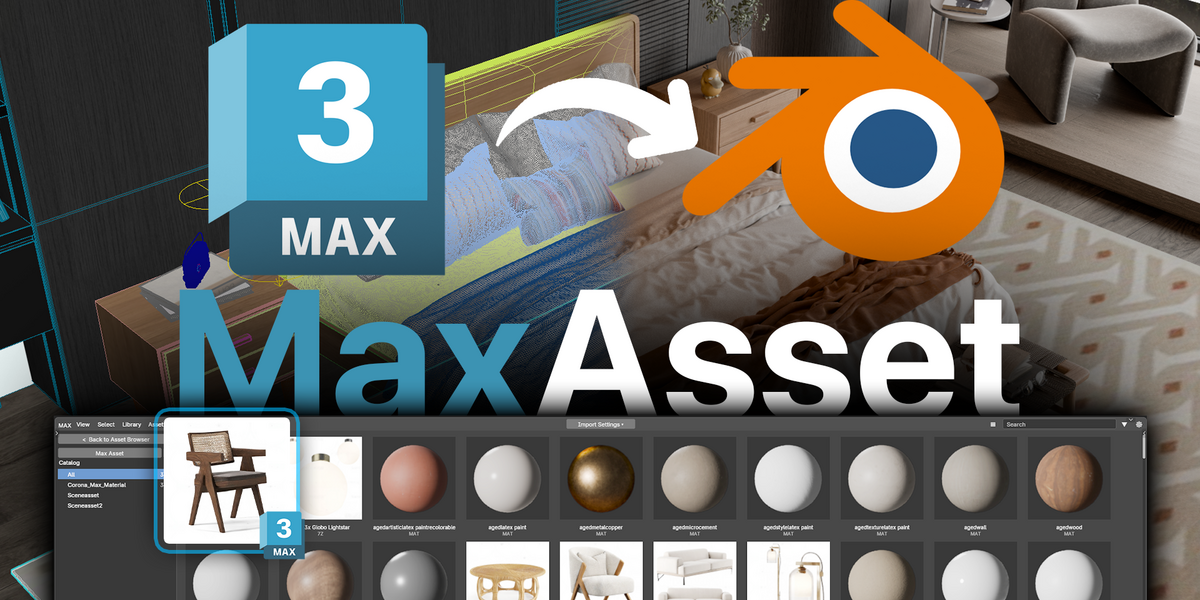
Bring your existing 3ds Max models and material libraries directly into Blender. Browse .MAX, .MAT, ZIP, RAR and 7Z assets, restore geometry and modifier stacks, rebuild V-Ray and Corona materials for Cycles/Eevee, or create native Blender V-Ray graphs when V-Ray for Blender is active.MaxAsset direct 3ds Max import in Blender

.MAX + .MAT
MODELS & MATERIALS
2.0
ASSET BROWSER
CYCLES / V-RAY
RENDER-AWARE CONVERSION
ZIP · RAR · 7Z
ARCHIVE WORKFLOW
THE COMPLETE BRIDGE FOR EXISTING ASSET LIBRARIES

Stop converting every asset by hand

Built for archviz artists, interior designers, freelancers, and studios with large 3ds Max collections. MaxAsset reads scene data directly and converts it into editable Blender geometry, materials, textures, transforms, cameras, lights and complete modifier workflows—eliminating repetitive FBX or OBJ export work.

NEW IN MAXASSET 2.0.0

A larger bridge between 3ds Max and Blender

Version 2.0 expands the importer beyond basic scene conversion with material-library assets, renderer-aware output, a substantially broader modifier pipeline, safer background jobs, and a faster visual browser.

Native Blender V-Ray
When Blender V-Ray is installed and active, MAX, V-Ray and Corona materials are rebuilt with native V-Ray BRDF, texture, light, camera and environment data instead of passing through Principled first.
.MAT material assets
Import standalone 3ds Max material libraries, browse individual entries inside multi-material .MAT files, generate previews, and assign the selected material to Blender objects.
Expanded modifier stacks
TurboSmooth and FFD Geometry Nodes, Edit Poly/Mesh replay, native Blender modifiers, exact point deformation and deterministic stack baking preserve production asset geometry from base mesh to final result.
Browser & import optimization
Faster indexing and preview caching, background parsing, safer temporary storage, continuous middle-mouse panning, context actions, and stable scroll position while resizing previews.
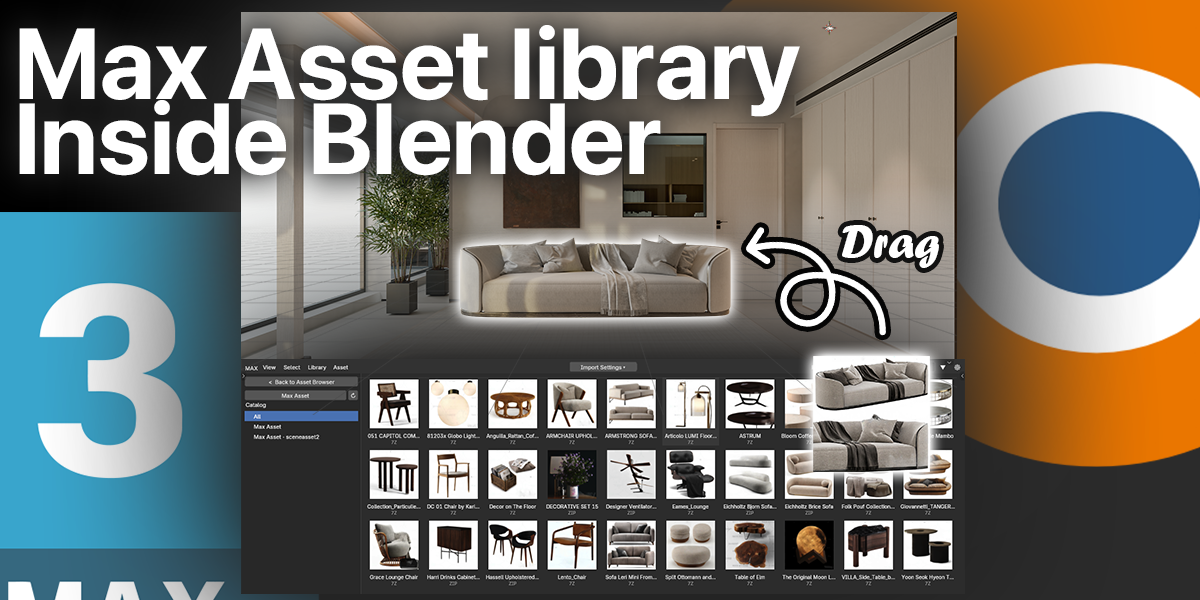
MAX Asset Library inside Blender
01 — MAX ASSET BROWSER

Your MAX library, inside Blender

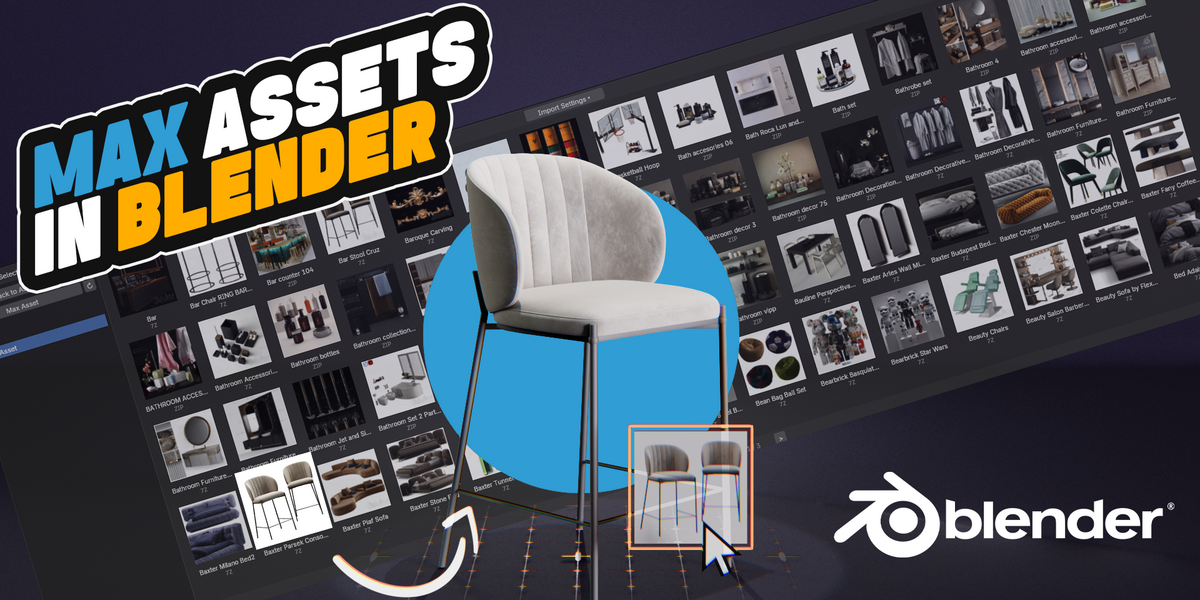
Add one or more asset folders, include subfolders, and scan .MAX models, .MAT material libraries, ZIP, RAR and 7Z archives into a dedicated visual browser. Search large collections, filter catalog folders, resize previews without losing your position, and import without leaving Blender.

Fast visual browsing
Uses sidecar images, embedded MAX thumbnails or locally baked previews, with bounded background loading and persistent caching for smoother browsing.
Navigate large libraries
Manage multiple roots, recursive folders and catalog filters; scroll with the wheel or hold the middle mouse button for continuous edge-independent panning.
Right-click asset actions
Import Selected, Show in Explorer, Bake/Rebake Preview Image and Delete Baked Image are available directly from the asset context menu.
Preview tools include Bake/Rebake All, Rebake Selected, Delete Selected and a confirmed Delete All workflow. Optional Blender Asset Library integration lets configured MAX folders appear in Blender's library list and open through the included MAX browser.
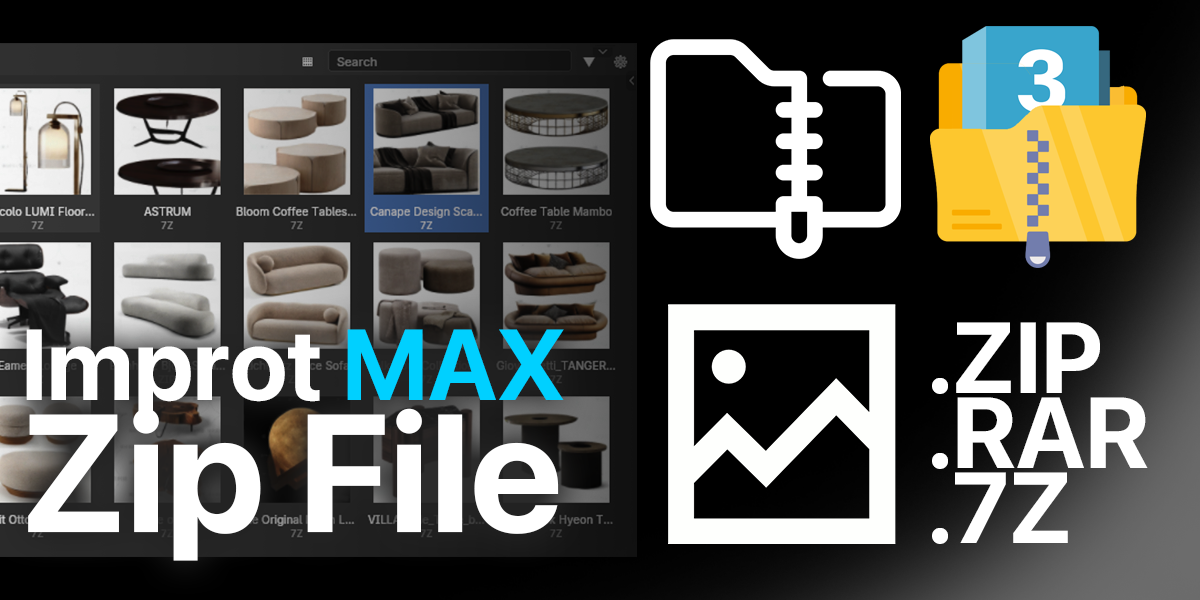
Import MAX archive files in Blender
02 — DIRECT FILE & ARCHIVE IMPORT

Import models, materials and archives directly

Import individual .MAX scenes, standalone .MAT libraries, or packaged asset downloads. When an archive contains several models or materials, choose exactly which entries to import while keeping related textures available.

.MAX
Direct single or multi-file import
.MAT
Material-library entries and assignment
.ZIP / .MAXZIP
Built-in archive extraction
.7Z / .RAR
Supported through a local 7-Zip installation
✓ Multi-asset archive selection
Review and select MAX scenes or MAT material libraries found inside an archive before importing.
✓ Archive-aware texture handling
Search the complete extraction root so textures are not limited to the MAX file's immediate folder.
✓ Safer background workflow
Validated extraction, bounded temporary storage, reusable caching, optional packing and automatic cleanup reduce UI stalls and runaway temporary jobs.
✓ Paste from Windows Explorer
Copy MAX, MAT or archive files in Explorer, then paste and import them from Blender.
Optional original quad topology: enable Preserve Original Quad Topology from the import options or add-on preferences when you need the saved Editable Poly cage. It is disabled by default for the safest evaluated-result import.
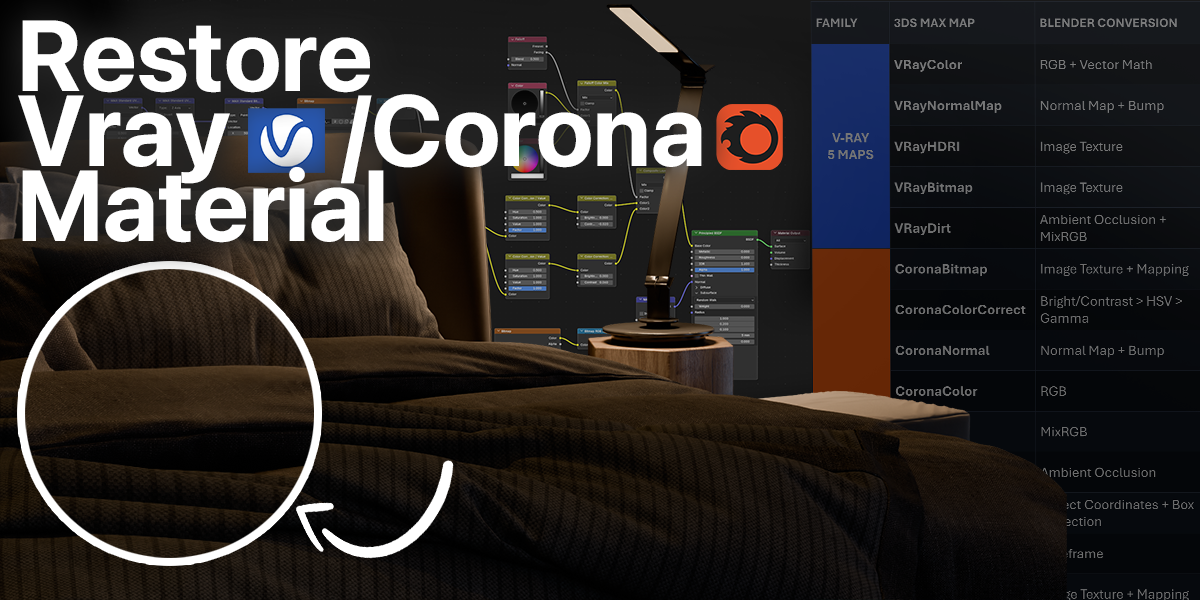
Restore V-Ray and Corona materials in Blender
03 — MATERIAL & MAP CONVERSION

Renderer-aware V-Ray, Corona and MAX materials

3ds Max, V-Ray and Corona material data is rebuilt for the active Blender renderer. Cycles and Eevee receive editable Blender shader nodes; when the official Blender V-Ray add-on is installed and V-Ray is active, MaxAsset builds native V-Ray BRDF and texture nodes directly.

3ds Max materials
Standard, Physical, Standard Surface, Arch & Design, Raytrace, Double-Sided, Blend/Layer structures and legacy material graphs.
V-Ray materials
VRayMtl, Blend, Wrapper, Override and 2Sided structures, plus Color, Bitmap/HDRI, CompTex, Dirt, Normal and shared MAX maps.
Corona materials
Legacy, Physical, Layered, Light, RaySwitch and Skin/Hair structures, plus Corona Bitmap, ColorCorrect, Normal, AO, Triplanar, Mix and utility maps.
Expanded texture graph conversion
9 V-Ray Texmaps · 10 Corona Texmap families · 18 common 3ds Max Texmaps · 7 program-generated procedural map types. Mapping, gamma, output curves, channel inversion, map amount, masks and semantic color-space handling are retained through the reconstructed graph. See the expanded 2.0 technical matrix below.
Standalone .MAT workflow
Browse individual material entries, bake or rebake previews, import only the selected entry, assign it to the active object, and search adjacent folders or archive roots for referenced textures.
Renderer-aware output: MaxAsset automatically selects the Cycles/Eevee or native Blender V-Ray graph path, preserving material intent with renderer-specific nodes, mapping, color processing, bump, normal, displacement, opacity and layered-material logic.
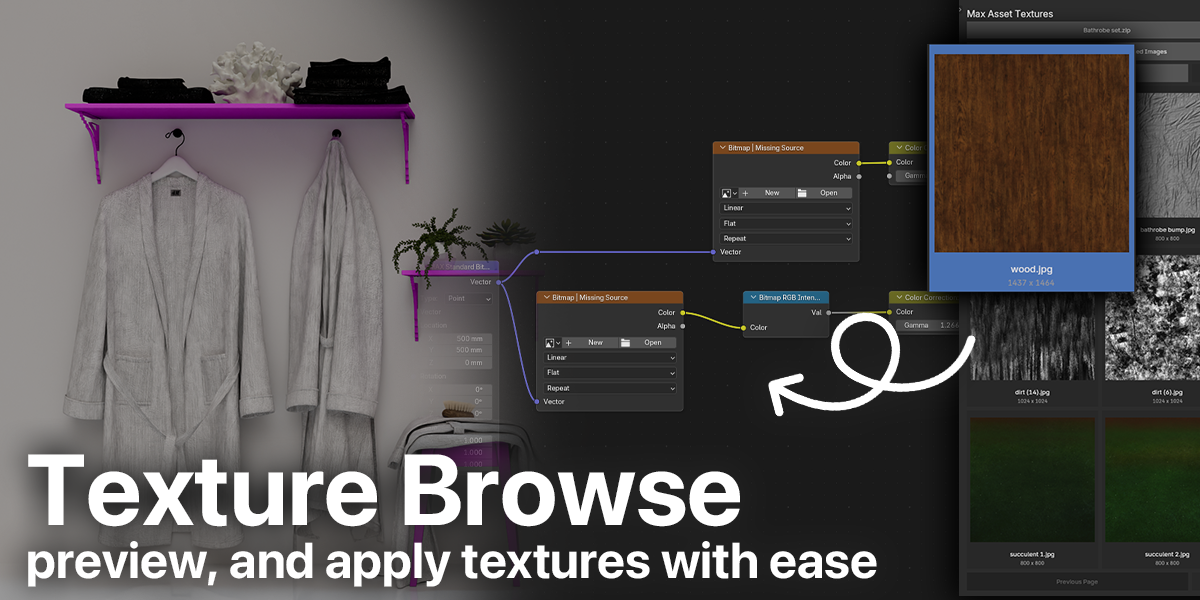
Texture Browser for MAX archives in Blender
04 — ARCHIVE TEXTURE BROWSER

Preview and apply textures with ease

Every image found beside a MAX/MAT source or inside an imported archive can be catalogued in a dedicated texture browser. Filter by source, search by name, inspect previews, and assign images to Blender Image Texture nodes without digging through extracted folders.

Browse visually
Adjustable previews, search, archive filters, paging, and a separate full-window browser.
Assign instantly
Assign the selected image to an Image Texture node or drag it onto a node in the supported Windows workflow.
Relink and recover
Search texture folders, relink missing MAX images, and recover archive-backed images when possible.
Keep projects clean
Pack archive images and IES profiles before temporary extraction files are removed; delete unused catalogue images when finished.
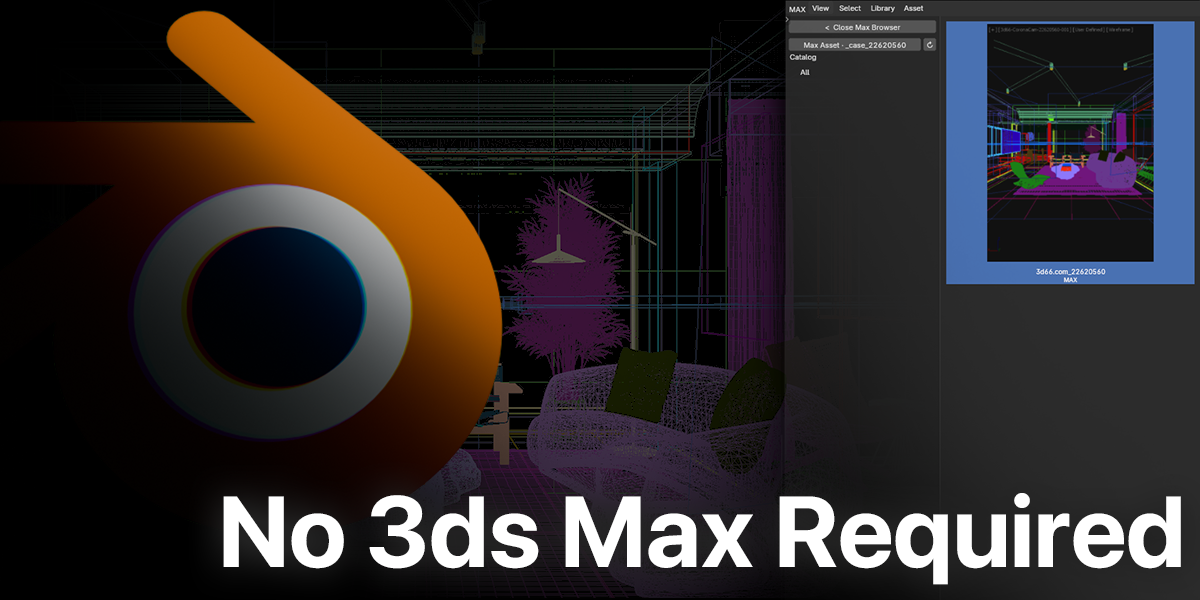
No 3ds Max required
05 — SELF-CONTAINED WORKFLOW

No 3ds Max installation required

The add-on reads MAX and MAT data directly. It does not launch Autodesk 3ds Max in the background. Cycles/Eevee conversion does not require V-Ray or Corona to be installed; the native V-Ray destination uses the official Blender V-Ray add-on already installed by the user.

Background import keeps Blender responsive
MAX files can be parsed through a separate Blender process, allowing the current window to remain usable while heavier assets are processed. Bounded stream decompression, progress reporting, job cancellation and temporary cleanup improve reliability on Windows, macOS and Linux.
NATIVE BLENDER RESULTS

Geometry, transforms, UVs, and complete modifier workflows

The importer focuses on converting reusable asset data into standard Blender objects and node systems that can be edited after import.

MESH DATA
Editable Mesh & Editable Poly
Editable Mesh, Editable Poly, and PolyMesh data, including UV maps, material IDs, smoothing information, transforms, and hierarchy.
PRIMITIVES & SHAPES
Common asset geometry
Boxes, spheres, cylinders, torus, cones, planes, plus Line, Rectangle, Spline, Ellipse, and Circle shape stacks.
MODIFIER CONVERSION
Live, replayed and baked stacks
Expanded support for TurboSmooth, MeshSmooth, Chamfer, FFD, Edit Poly/Mesh, Boolean, Array, deformation, optimization, UV and spline-based stacks using the most suitable Blender representation.
CAMERAS, LIGHTS & WORLD
Renderer-aware scene setup
Cameras, renderer lights, suns, IES data, dome lights and environment maps are translated into renderer-ready Blender scene data. Imported world data is staged and applied when you choose Restore World Environment.
CYCLES DISPLACEMENT
Adaptive true displacement
When Cycles is active, MAX displacement maps use true displacement with bump and adaptive subdivision for substantially richer surface detail. The feature is purpose-built for the Cycles render path.
3DS MAX MODIFIER STACK CONVERSION

More modifier data survives the trip

MaxAsset evaluates the saved stack from the base outward and automatically selects the strongest Blender representation. Each modifier remains live, becomes an editable Geometry Nodes setup, replays its stored topology operation, or uses deterministic baking to preserve the final stack result.

Live Blender modifiers
Shell, Boolean, Array, Displace, Mirror/Symmetry, Path Deform, Bend/Twist/Taper/Stretch, Weld, Weighted Normals, Wave/Ripple and other compatible stages stay editable where possible.
Geometry Nodes resources
TurboSmooth uses the bundled TurboSmooth node group with separate viewport/render levels. MeshSmooth NURMS shares the same kernel, while FFD 3x3x3 uses an editable Bernstein cage.
Topology replay & exact point data
Edit Poly operations, Edit Mesh vertex caches, FFD control points, smoothing groups, material IDs and UV channels are restored from serialized source data instead of being guessed from the final appearance.
Deterministic stack preservation
For topology-changing and interpolation-specific stages, MaxAsset records the evaluated result and continues processing every outer modifier in the correct stack order.
3DS MAX MODIFIER BLENDER RESULT METHOD
TurboSmooth Bundled TurboSmooth Geometry Nodes group; viewport/render iterations, edge and vertex crease, smooth result GEOMETRY NODES
MeshSmooth TurboSmooth Geometry Nodes for NURMS; Blender Subdivision conversion for Classic/Quad methods MIXED
FFD 2x2x2 / 3x3x3 / 4x4x4 Live linear Lattice / live Bernstein Geometry Nodes cage / exact Bernstein point bake LIVE + BAKED
Edit Poly Committed MNMesh operations and stored point deformations replayed in component order, with Blender Bevel reconstruction for compound chamfer stages REPLAY
Edit Mesh Serialized vertex deformation cache applied to the matching evaluated mesh REPLAY
Chamfer Profiled MAX component evaluation plus BMesh/Blender Bevel reconstruction with source width, segment and tension mapping DIRECT / REBUILT
Extrude / Bevel / Sweep / Lathe Spline profiles converted to Blender Curves or deterministic evaluated meshes, including Sweep profile alignment and offsets DIRECT
Shell / Cap Holes / Smooth Solidify, cap reconstruction and smoothing-group-aware face/normal handling DIRECT
UVW Map Planar, box, cylindrical, spherical and related gizmo projection into Blender UV layers DIRECT
Boolean / Boolean Modifier Live Blender Boolean stages with scene references or reconstructed hidden captured operands; evaluated seamlessly when an outer MAX stage needs the result LIVE / REBUILT
Symmetry / Mirror Blender Mirror with source-axis, slice/merge and helper transform handling LIVE
Bend / Twist / Taper / Stretch Profiled Bend evaluation and Blender Simple Deform reconstruction with mapped axis, limits and gizmo controls LIVE / REBUILT
Array Linear and grid distribution reconstructed with separate X, Y and Z Blender Array modifiers LIVE
Displace / Noise / Wave / Ripple Blender Displace and Wave modifiers with source texture, direction, amount, scale, phase and center data LIVE / REBUILT
Push / Relax / Spherify / Vertex Weld / Weighted Normals Native Blender modifiers with transferred limits, thresholds and weights LIVE
Path Deform Live Blender Curve modifier with path binding and transferred percent, stretch, rotation, twist, flip and offsets LIVE
Morpher Target channels restored as Blender Shape Keys with saved weights SHAPE KEYS
Optimize / ProOptimizer Planar Dissolve or target-aware mesh reduction through native acceleration and Blender Decimate reconstruction REBUILT / BAKED
XForm / Substitute Saved gizmo matrix baked into mesh coordinates / embedded substitute mesh restored as the stack base BAKED / DIRECT
Automatic stack strategy: MaxAsset reads saved parameters, component selections, topology and modifier order, then combines live Blender modifiers, Geometry Nodes, topology replay and deterministic evaluation to deliver the most complete editable result.
CONTROL THE RESULT

Production-friendly import settings

Automatic units
Read the MAX system unit and convert dimensions to Blender meters, with an additional scale control.
Transform options
Choose forward/up axes, apply MAX matrices, preserve hierarchy, or place imported top-level objects at the 3D Cursor.
Import filters
Control materials, UV maps, primitives, empties/helpers, lights, smoothing, collection creation and optional original quad topology.
Image search & relinking
Search subfolders and archive roots for associated images, then relink missing textures from a chosen folder when needed.
Material gamma control
Choose whether to preserve authored MAX Gamma 2.2 processing or use Blender's normal image color-management path.
Non-destructive World restore
Imported V-Ray Dome, Corona Sky or MAX environment data is staged first and replaces the current World only after you click Restore World Environment.
THREE-STEP WORKFLOW

From MAX library to Blender scene

01
Add your libraries
Install the add-on, add folders containing MAX, MAT or archive assets, enable subfolder scanning where needed, and refresh the index.
02
Browse or import
Choose a model, a material-library entry, an archive, or a Windows Explorer clipboard selection; then set the import options you need.
03
Continue in Blender
Edit imported geometry and modifier stacks, review the renderer-aware materials, restore the source environment when wanted, and continue in Cycles, Eevee or Blender V-Ray.
COMPATIBILITY & REQUIREMENTS

Built for modern Blender production

Blender
Blender 4.2 or later. Current add-on version 2.0.0, with version-aware node and modifier handling.
3ds Max
Not required. MAX models and MAT material libraries are read directly inside the MaxAsset workflow.
Render engines
Cycles and Eevee use Blender shader graphs. Native V-Ray output requires a compatible official V-Ray for Blender installation and V-Ray selected as the active engine.
7-Zip
Required only for .7z and .rar archives. .zip and .maxzip use built-in extraction.
Platforms & Windows integrations
Core direct import is designed for Windows, macOS and Linux. Explorer clipboard import, the optional Explorer right-click entry and cross-window drag placement are Windows-specific conveniences.
Designed for complete asset migration
MaxAsset brings geometry, materials, maps, modifier stacks, transforms, UVs, cameras, lights and environment data into a unified editable Blender workflow—including renderer-aware V-Ray and Corona conversion.
FREQUENTLY ASKED QUESTIONS

Good to know

Does the importer need Autodesk 3ds Max?
No. MAX and MAT data is read directly by the add-on.
Can I import standalone 3ds Max MAT libraries?
Yes. Version 2.0 inspects multi-entry MAT libraries, displays every material in the asset browser, rebuilds the material graph, and assigns the selected material directly to a Blender object.
How are V-Ray and Corona materials restored?
MaxAsset reconstructs the complete graph for the active render path, including colors, textures, mapping, gamma, masks, bump, normal, displacement, opacity, reflection, refraction, and layered-material logic. Blender V-Ray receives native V-Ray nodes; Cycles and Eevee receive editable Blender shader graphs.
How are MAX modifier stacks restored?
MaxAsset preserves stack order and automatically combines live Blender modifiers, editable Geometry Nodes, topology replay, exact point deformation and deterministic evaluation. TurboSmooth and FFD receive dedicated Blender-native solutions, while the full matrix above shows the representation used for every modifier family.
Does import overwrite my current Blender World?
No. MAX, V-Ray Dome and Corona environment data is staged during import. Click Restore World Environment when you want the source environment to replace the current World.
Can the importer preserve the original quad cage?
Enable Preserve Original Quad Topology in the import options or add-on preferences to receive the saved Editable Poly cage. Leave it off to import the fully evaluated MAX result.
Can archives contain more than one MAX file?
Yes. The archive chooser lets you select the MAX files you want to import.
Can I use this for complete production scenes?
Yes. MaxAsset imports complete production assets and scenes with geometry, materials, modifiers, hierarchy, cameras, lights and environment data, ready for continued work in Blender.
REUSE WHAT YOU ALREADY OWN
Turn your MAX collection into a Blender workflow

Browse faster, import MAX models and MAT materials directly, preserve complete modifier workflows, rebuild renderer data, and spend more time creating inside Blender.

MAX + MAT ASSET BROWSERMODIFIER CONVERSIONVERSION 2.0.0
TECHNICAL REFERENCE · VERSION 2.0.0 · REBUILT MATRIX

Complete Texture Node Support Matrix — 44 Entries

Rebuilt for MaxAsset 2.0, this matrix now covers 9 V-Ray Texmaps, 10 Corona Texmap families, 18 common 3ds Max maps, and 7 program-generated procedural map types. Every recognized row shows the Cycles/Eevee reconstruction together with its native Blender V-Ray destination.

9
V-RAY TEXMAPS
10
CORONA TEXMAPS
18
COMMON MAX TEXMAPS
7
PROGRAMMATIC 2K MAPS
NEW 2.0 COVERAGE: VRayMultiSubTex, VRayUVWRandomizer, VRayTriplanarTex, CoronaMultiMap, Corona Mapping Randomizer, Mask, RGB Tint, Checker and Normal Bump. The matrix now contains 44 conversion entries.
3DS MAX TEXMAP CYCLES / EEVEE → NATIVE BLENDER V-RAY STATUS
V-RAY · 9 RECOGNIZED TEXMAPS
V-Ray nodes are parsed from the MAX graph and mapped to Blender image, color, normal, or ambient-occlusion node chains.
VRayColor RGB / Vector Math → V-Ray TexAColorOp DIRECT
VRayNormalMap Normal Map + Bump → V-Ray TexNormalBump DIRECT
VRayHDRI Image Texture + Mapping / Gamma / Output → V-Ray Meta Image Texture MAPPED
VRayBitmap Image Texture + Mapping / Gamma / Output → V-Ray Meta Image Texture MAPPED
VRayCompTex Alpha-aware Mix / Math chain → V-Ray TexCompMax DIRECT
VRayDirt Ambient Occlusion + Mix → V-Ray TexDirt REBUILT
VRayMultiSubTex Object Info + weighted Mix chain → V-Ray TexMulti NATIVE
VRayUVWRandomizer Object Info + Mapping / Math randomization → V-Ray UVWGenRandomizer NATIVE
VRayTriplanarTex Geometry + three-axis Mapping / Mix → V-Ray TexTriPlanar NATIVE
CORONA · 10 RECOGNIZED TEXMAP FAMILIES
Corona maps are reconstructed as editable Blender or native V-Ray graphs, including AO, Triplanar and Wire workflows.
CoronaBitmap Image Texture + Mapping / Output → V-Ray Meta Image Texture DIRECT
CoronaColorCorrect Corona correction chain → V-Ray ColorCorrection / TexColorCorrect DIRECT
CoronaNormal Normal Map + Bump → V-Ray TexNormalBump DIRECT
CoronaColor RGB / Blackbody → V-Ray native color chain DIRECT
CoronaMix MixRGB / Mix → V-Ray TexMix DIRECT
CoronaAO Ambient Occlusion → V-Ray TexDirt REBUILT
CoronaMultiMap Object Info + weighted Mix chain → V-Ray TexMulti NATIVE
CoronaMappingRandomizer / CoronaUVWRandomizer Object Info + Mapping / Math randomization → V-Ray UVWGenRandomizer NATIVE
CoronaTriplanar Three-axis Mapping / Mix → V-Ray TexTriPlanar REBUILT
CoronaWire Wireframe → V-Ray TexEdges BASIC
COMMON 3DS MAX TEXMAPS · 18 RECOGNIZED SOURCES
These maps can be parsed recursively inside either V-Ray or Corona material graphs; they are not renderer-specific Texmaps.
Bitmap / Bitmaptexture Image Texture + Mapping / Output → V-Ray Meta Image Texture DIRECT
Color Correction MAX Color Correction chain → V-Ray ColorCorrection / TexColorCorrect DIRECT
Mask Mix + invert-aware mask chain → V-Ray TexInvert / Mix NATIVE
RGB Tint Separate Color + vector tint math → V-Ray TexAColorOp NATIVE
Checker Checker + Mapping / rotation → V-Ray TexChecker NATIVE
Normal Bump Normal Map + height Bump composition → V-Ray TexNormalBump NATIVE
Gradient Ramp Gradient + Color Ramp → V-Ray TexGradRamp REBUILT
Color Map Vector Math + Gamma remapping → V-Ray TexColorCorrect DIRECT
Mix MixRGB / Mix → V-Ray TexMix DIRECT
Vertex Color Vertex Color / Attribute → V-Ray TexUserColor DIRECT
Falloff Fresnel / Layer Weight + RGB Curve / Mix → V-Ray TexFalloff REBUILT
Composite Multi-layer Mix → V-Ray TexLayeredMax DIRECT
RGB Multiply Multiply chain → V-Ray TexAColorOp / TexMix DIRECT
Output Output curves / invert / amount → V-Ray TexOutput / TexRemap DIRECT
Gradient Gradient / Geometry + Color Ramp → V-Ray TexGradRamp REBUILT
Tiles Brick Texture + Mapping → V-Ray TexTiles REBUILT
Cellular Voronoi + Math / Mix → V-Ray TexCellular REBUILT
Noise Noise + Map Range / Mix → V-Ray TexNoiseMax REBUILT
PROGRAM-GENERATED PROCEDURAL MAPS · 7 TYPES
Marble, Dent, Smoke, Stucco, Speckle, Splat and Perlin Marble are generated deterministically at 2048 x 2048 during import, cached for reuse and packed with the imported Blender result—no bundled 8K image dependency.
Marble Deterministic 2048 x 2048 PNG; cached and packed into the imported .blend GENERATED
Dent Deterministic 2048 x 2048 PNG; cached and packed into the imported .blend GENERATED
Smoke Deterministic 2048 x 2048 PNG; cached and packed into the imported .blend GENERATED
Stucco Deterministic 2048 x 2048 PNG; cached and packed into the imported .blend GENERATED
Speckle Deterministic 2048 x 2048 PNG; cached and packed into the imported .blend GENERATED
Splat Deterministic 2048 x 2048 PNG; cached and packed into the imported .blend GENERATED
Perlin Marble Deterministic 2048 x 2048 PNG; cached and packed into the imported .blend GENERATED
Complete conversion system: This matrix focuses on Texmap and Texture Node conversion. The sections above cover material types, modifier stacks, geometry, UVs, transforms, cameras, lights, world environments, archive workflows and asset-browser tools included in MaxAsset 2.0.0.
Autodesk and 3ds Max are trademarks of Autodesk, Inc. V-Ray and Corona are trademarks of Chaos. This add-on is independently developed and is not affiliated with or endorsed by Autodesk or Chaos.

Discover more products like this

3dsmax-import corona-converter vray-converter 3dsmax-asset

$20

Have questions about this product?
Login to message

Details
Sales 50+
Published about 2 months ago
Blender Version 4.2 - 5.2
Extension Type N/A
Render Engine Used Cycles, Eevee
License GPL