 Phatarian
MaxBlend Object Transfer
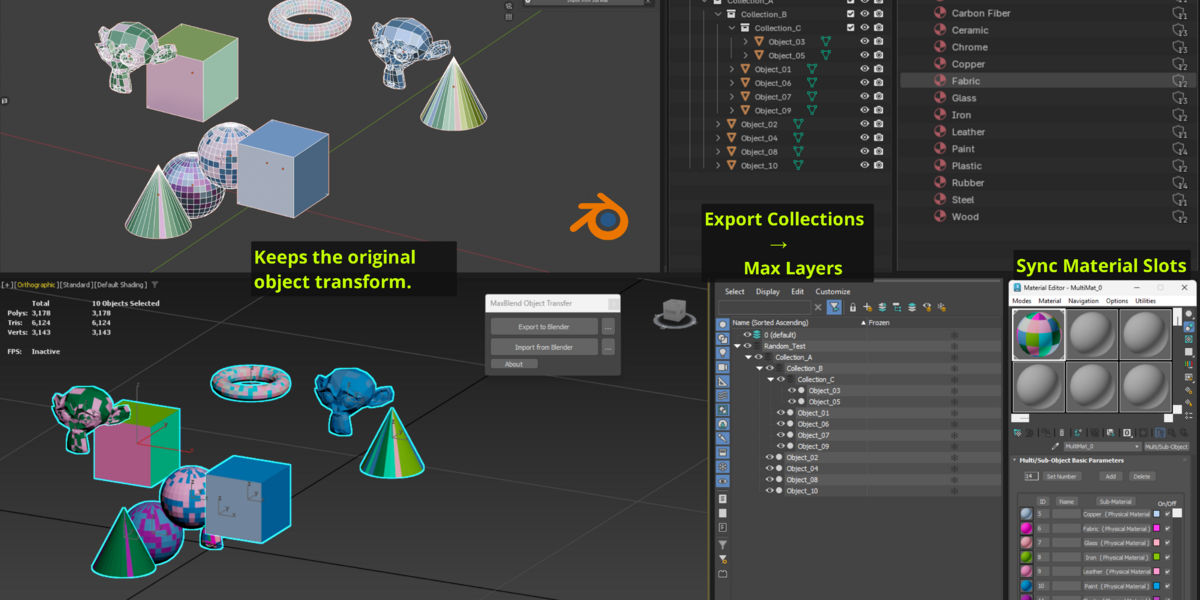
A simple, friendly way to export to 3ds Max and import back into Blender, with support for Collection → Layer organization, Material ID syncing, duplicate material handling, modifier handling, smooth and hard edges, and more.
Blender Side
Main Features
Export to 3ds Max
Send your selected Blender objects to 3ds Max with convenient options to control how your models are exported.
Import from 3ds Max
Bring your models back into Blender while keeping your scene organized.
Duplicate Material Handling
When importing from 3ds Max, MaxBlend can detect materials that have been duplicated by the FBX import process and lets you choose how to handle them.
Settings
Export
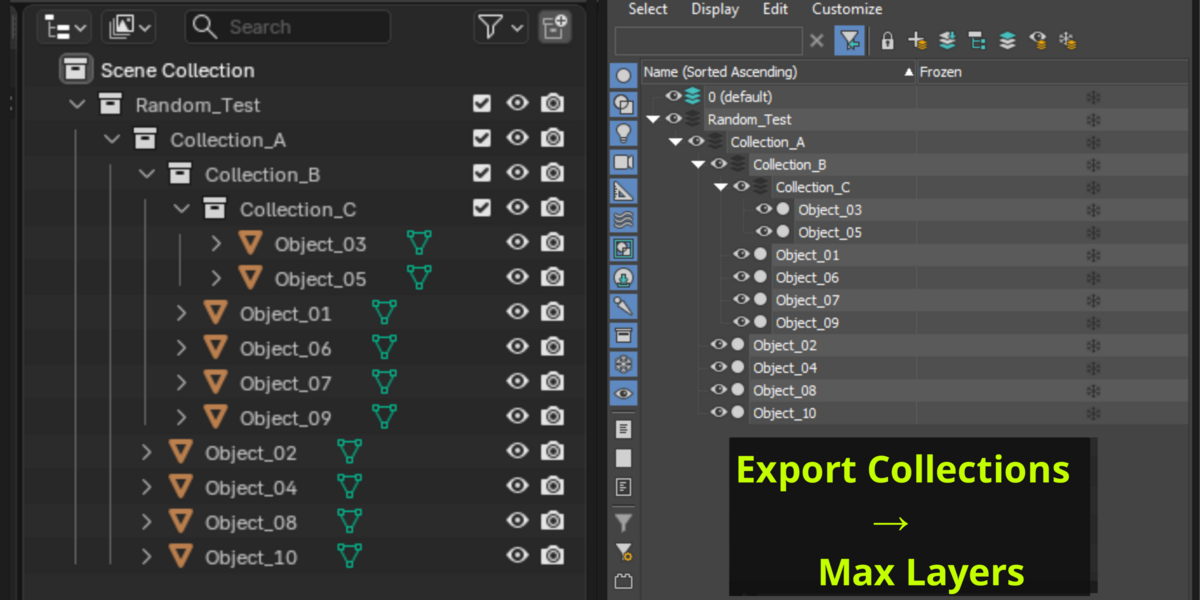
Export Collections → Max Layers
Enabled: Keeps your Blender Collection structure organized as 3ds Max Layers.
Disabled: Exports without Collection-based Layer organization.Apply Transform
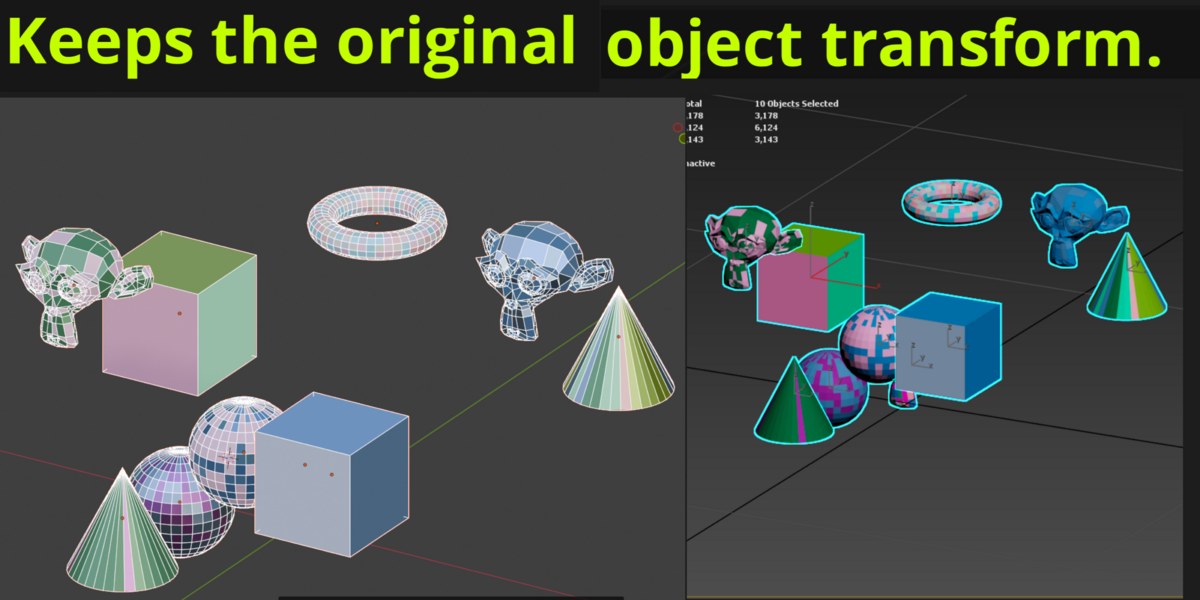
Enabled: Bakes Location, Rotation, and Scale into the exported geometry.
Disabled: Keeps the original object transforms.Apply All Modifiers
Enabled: Exports the final mesh with all modifiers applied.
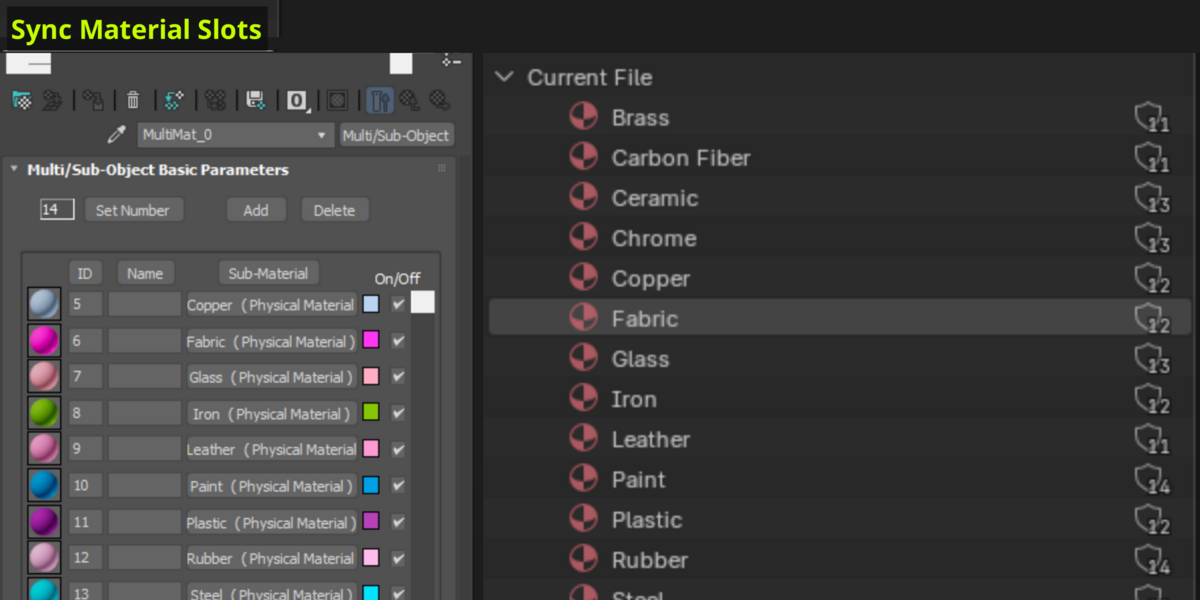
Disabled: Exports the base mesh without applying modifiers.Sync Material Slots
Enabled: Removes unused material slots and gives exported objects a consistent material slot order, helping keep Material IDs consistent across objects in 3ds Max.
Disabled: Preserves each object's original material slots and order.Triangulate
Enabled: Converts the exported mesh to triangles.
Disabled: Preserves the original face structure.
Import
World Rescale
Adjusts the imported FBX scale to match your Blender scene.-
Sync Materials
Detects materials that were duplicated during FBX import and lets you choose how to handle them:Use Existing Materials — Keep the materials already in your Blender file.
Use Imported Materials — Keep the newly imported materials.
Keep Duplicated Materials — Keep both versions.
3ds Max Side
Main Features
Export to Blender
Send your selected 3ds Max objects to Blender along with their Layer structure and convenient export options.
Import from Blender
Bring your models back into 3ds Max with Material IDs restored and Layers organized to match your Blender Collections.
Sync Material IDs
Quickly synchronize Material IDs between multiple objects based on their material names.
Select one object as the Source, then select the objects you want to update and press Sync. MaxBlend matches the material names and applies the corresponding Material IDs to the target objects.
Settings
Export
Up Axis
Sets the up axis (Y or Z) to match your Blender scene.Smoothing Groups
Enabled: Exports smoothing group data to help preserve correct shading in Blender.
Disabled: Skips smoothing group data.Preserve Instances
Enabled: Keeps instanced objects linked, so editing one instance updates the others.
Disabled: Exports each instance as an independent object.Collapse All Modifiers
Enabled: Bakes the modifier stack into the exported mesh.
Disabled: Preserves the object's current geometry without collapsing the modifier stack.Reset XForm
Enabled: Resets the object's transform before export.
Disabled: Keeps the original transform.Convert To Editable Poly
Enabled: Converts objects to Editable Poly and cleans up dead vertices and unused structures.
Disabled: Exports objects in their original state.Triangulate
Enabled: Converts the exported mesh to triangles.
Disabled: Preserves the original face structure.
Import
World Rescale
Adjusts the imported FBX scale to match your 3ds Max scene.Up Axis
Sets the up axis (Y or Z) to match the incoming file's orientation.
A Smoother Blender ↔ 3ds Max Workflow
Simple controls, less manual cleanup, and a more consistent workflow between Blender and 3ds Max.
Installation
Blender
Install the .zip add-on through:
Edit → Preferences → Add-ons → Install
3ds Max
Simply drag and drop the included script into the 3ds Max viewport to run it.
Changelog
1.0.0
Initial release
Added Material ID synchronization in 3ds Max
Added duplicate material handling when importing into Blender
Feedback & Bug Reports
Have a suggestion or found a bug? I'd love to hear from you!
For bug reports, please include:
Your Blender / 3ds Max version
A short description of the issue
Steps to reproduce the problem
Screenshots or a .blend file are also helpful.
Thanks for supporting Phatarian!
© 2026 Phatarian. All Rights Reserved.