|
🚀 Maxon Cinema 4D Import‑Export Pro Document
The fastest way to import Cinema 4D projects into Blender!
A polished, production-ready addon that imports selected .c4d project files directly from Blender—no need to keep Cinema 4D open. It preserves core assets with minimal friction:
|
|
Overview
1. What is it?
Maxon Cinema 4D Import‑Export Pro lets you open, edit, and save native .c4d scenes directly inside Blender. Geometry, materials, animations, lights, cameras, and splines travel both ways with a single click, so you can keep Cinema 4D assets in your pipeline without ever launching Cinema 4D.
Perfect for studios migrating to Blender, freelancers who receive C4D files, and anyone who juggles multi‑DCC projects.
|
|
Features
2. Key Features
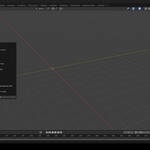
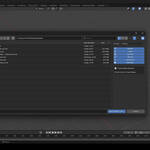
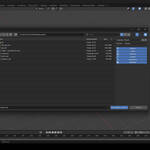
• Bidirectional Support – Import and export .c4d files from the File ▶ Import‑Export menu.
• Dual Conversion Modes- Precise (Alembic‑based) for maximum fidelity.
- Standard (FBX‑based) for blazing speed.
• Component Toggles – Choose exactly which elements to include: models, lights, cameras, splines, animations, materials.
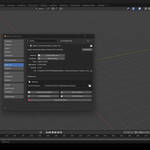
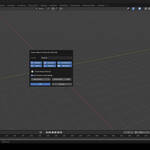
• Drag‑and‑Drop – Drop any .c4d file into the 3D Viewport and get an options popup.
• One‑Tap Toolbar Button – Optional import icon in the 3D View header for even faster access.
• Frame‑Range Import – Bring in only the animation segment you need (Precise mode).
• Custom Cache & Robust Logging – Set your own temporary directory and review a detailed log at any time.
• Cross‑Platform – Windows 10/11, macOS 12+, and modern Linux distros.
• Blender 4.2 LTS Ready – Fully tested with the latest Blender builds.
|
|
Setup
3. Installation
1. Download the ZIP from BlenderMarket (do not unzip).
2. Inside Blender: Edit ▶ Preferences ▶ Add‑ons ▶ Install and select the ZIP.
3. Enable the checkbox "Maxon Cinema 4D Import‑Export Pro."
4. (Optional) Click the add‑on's ⚙︎ Preferences to: - Set a custom Cache Directory (SSD recommended for large scenes).
- Show or hide the 3D View Import Button.
- Pick default Import/Export Formats.
5. Save Preferences and restart Blender if prompted.
|
|
Getting Started
4. Quick Start
Importing a .c4d Scene:
1. File ▶ Import ▶ Maxon Cinema 4D (.c4d)
2. Choose Precise (Alembic) or Standard (FBX).
3. Toggle the scene elements you wish to import.
4. (Precise mode) Specify a custom frame range if you only need part of the animation.
5. Click Import — that's it!
Exporting back to .c4d:
1. File ▶ Export ▶ Maxon Cinema 4D (.c4d)
2. Select the objects you want to send.
3. Pick Precise or Standard and the components to include.
4. Press Export and choose a destination.
Tip: You can mix‑and‑match modes. For example, use fast Standard imports for look‑dev, then switch to Precise for final animation hand‑off.
|
|
Workflows
5. Advanced Workflows
| Need to… |
Try this |
| Keep file sizes small |
Disable Materials on export and re‑apply Blender shaders later |
| Sync only cameras |
Un‑check everything except Cameras |
| Preview a single shot |
Use Precise mode + custom frame range |
| Batch convert many files |
Drag multiple .c4d files into the viewport; each will open with its own popup |
|
|
Compatibility
6. Compatibility
• Blender: 4.2 LTS or newer (works on Alpha & Beta builds too).
• File Types: Native .c4d saves from R21 and above.
• OS: Windows, macOS (Apple Silicon & Intel), Linux (glibc 2.35+).
• Unit Scale: 1 Cinema 4D unit = 1 cm. The add‑on handles scale adjustments automatically.
|
|
Limitations
7. Known Limitations
• Procedural or third‑party Cinema 4D shaders may import as baked textures.
• MoGraph effectors and X‑Particles are currently baked to geometry.
• Very large scenes (10 M+ polygons) may require the Precise mode and an SSD cache for best stability.
We continuously improve coverage—join the community group below to vote for next‑priority features.
|
|
Support
8. Troubleshooting & Support
| Symptom |
Solution |
| Import/export fails instantly |
Verify the Cache Directory has write permission and enough disk space. |
| Nothing appears after import |
Make sure the object types you need (e.g. Models) were enabled in the popup. |
| Animation starts at wrong frame |
Use the Frame Range option or set your Blender scene's start frame to match. |
| Need more help |
1) Check the detailed log at Documents/blender_c4d_log.txt 2) Visit our Issue Tracker or QQ support group. |
Community: QQ Group ID in the add‑on Preferences.
|
|
License
9. Licensing
A purchase grants one seat for commercial or personal use. Minor updates within the 2.x cycle are free. For studio licensing or special builds, please contact us.
|
|
Updates
10. Changelog (excerpt)
v2.1.8
• Added drag‑and‑drop importer with settings popup.
• New 3D View toolbar icon.
• Separate defaults for import and export formats.
• Performance optimizations for heavy Alembic streams.
Full history available in the documentation.
|
 blenderVfxMaster