 Dynos
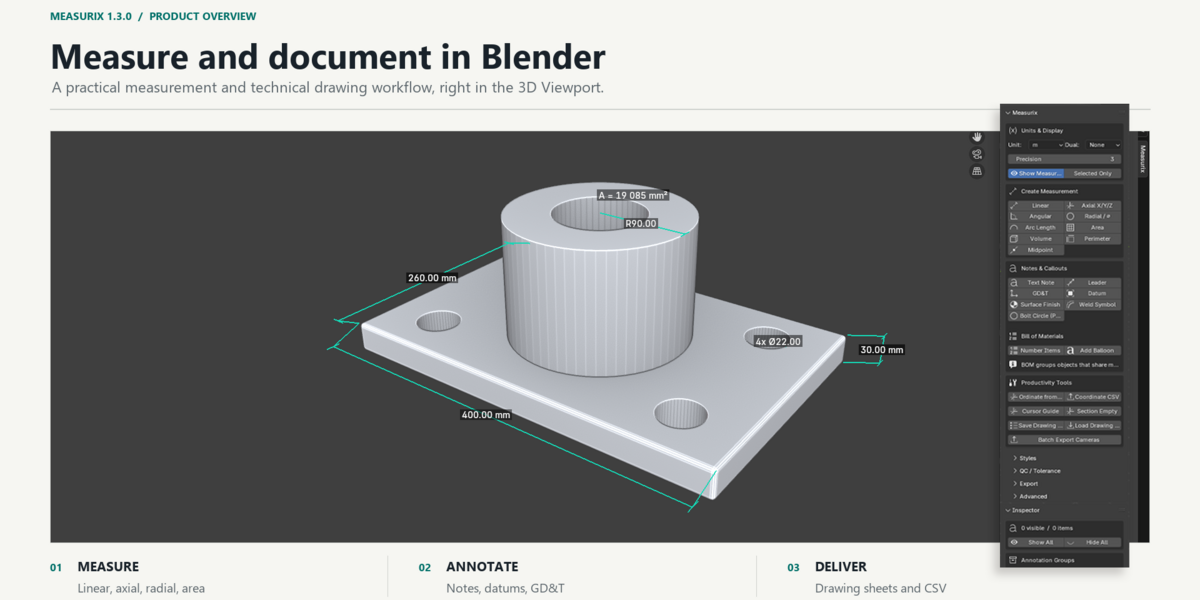
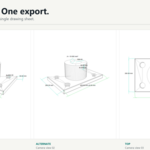
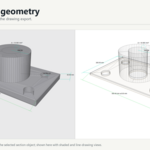
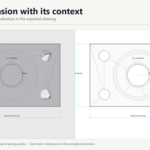
Measurix adds measurement, annotation, and technical drawing tools to Blender's 3D Viewport. Create dimensions from mesh selections, add drawing callouts, and export camera-based drawing sheets and tabular reports from your scene.
Features
Measurement
- Linear — straight-line distance between selected points; selected mesh edges can also be measured individually
- Axial — X, Y, and Z distance components
- Angular — angle from three selected vertices, two selected edges, or two selected faces
- Radial — radius or diameter from supported circular edge selections
- Arc Length — length along a selected mesh edge chain
- Area and Perimeter — measurements of selected mesh faces
- Volume — volume of a closed mesh object
- Centerline / Midpoint — midpoint-related dimension and annotation tools
- Auto Measure — chooses a measurement operation based on the current selection
- Continuous and Baseline measurement workflows
- Dimension Chain — create dimensions from selected edges or re-space visible dimensions
- Ordinate dimensions — coordinate dimensions relative to the 3D Cursor
- Object XYZ Bounds — create dimensions for selected mesh object bounds
- Bolt Circle (PCD) — detect circular hole patterns and create a callout
Tracking & Snapping
- Supported measurements can retain vertex or face references and update when referenced geometry changes; behavior depends on the measurement type and source selection
- Snapping is enabled by default, including vertex, edge-midpoint, face-center, and surface snapping
- Snap controls and optional alignment inference are available in the Advanced section
Annotation & GD&T
- Free-text notes and leader lines
- Geometric dimensioning and tolerancing (GD&T) frames
- Datum reference markers
- Surface-finish symbols
- Weld symbols
- Bill of Materials item numbering and balloons
- Optional conversion to Blender Annotation (Grease Pencil) data
Precision & Units
- Metric and imperial units, with optional dual-unit display
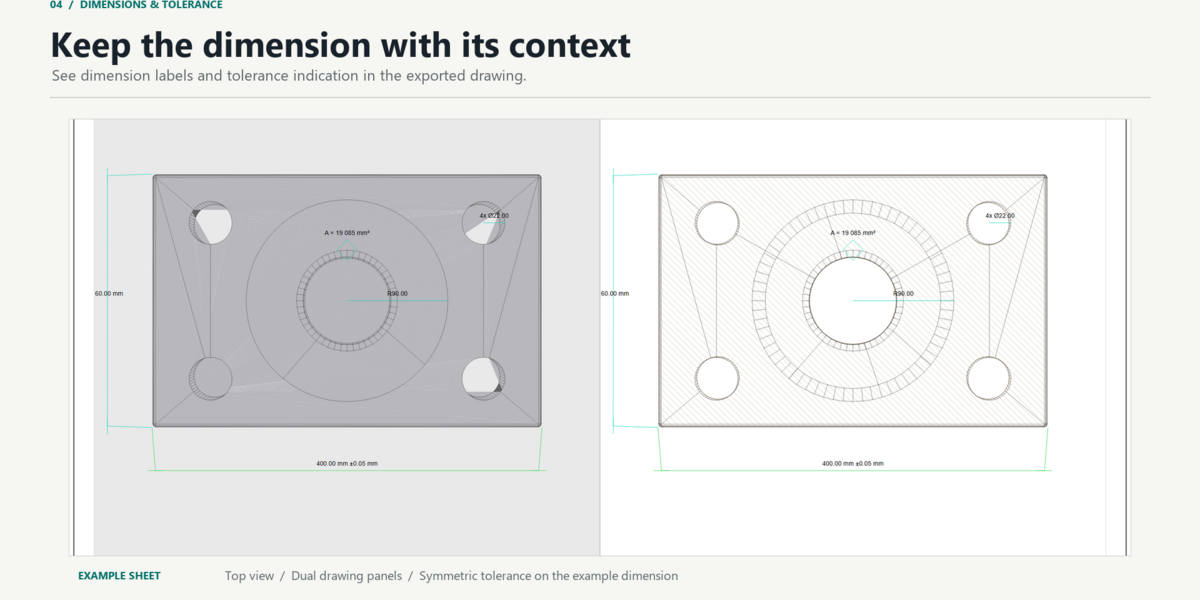
- Configurable precision, symmetric and deviation tolerance fields, reference dimensions, and locking
- Parametric set-value tools can change an object's transform when explicitly used
- Custom dimension styles for line and text appearance, arrowheads, and offsets
Documentation & Export
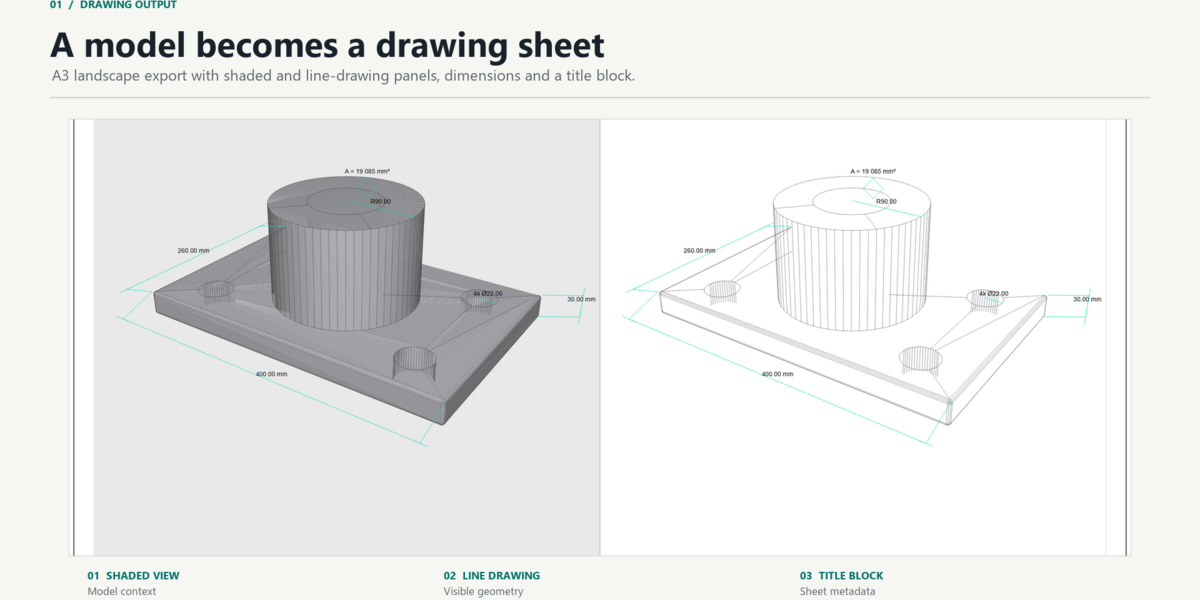
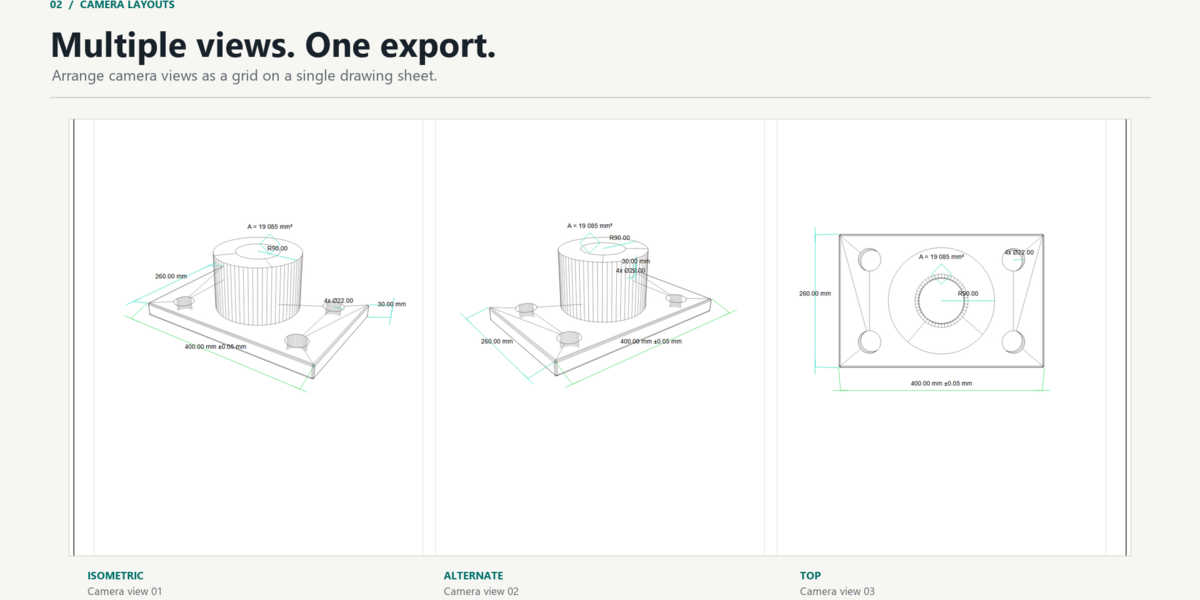
- Camera-based drawing sheets in SVG, PDF, and JPG
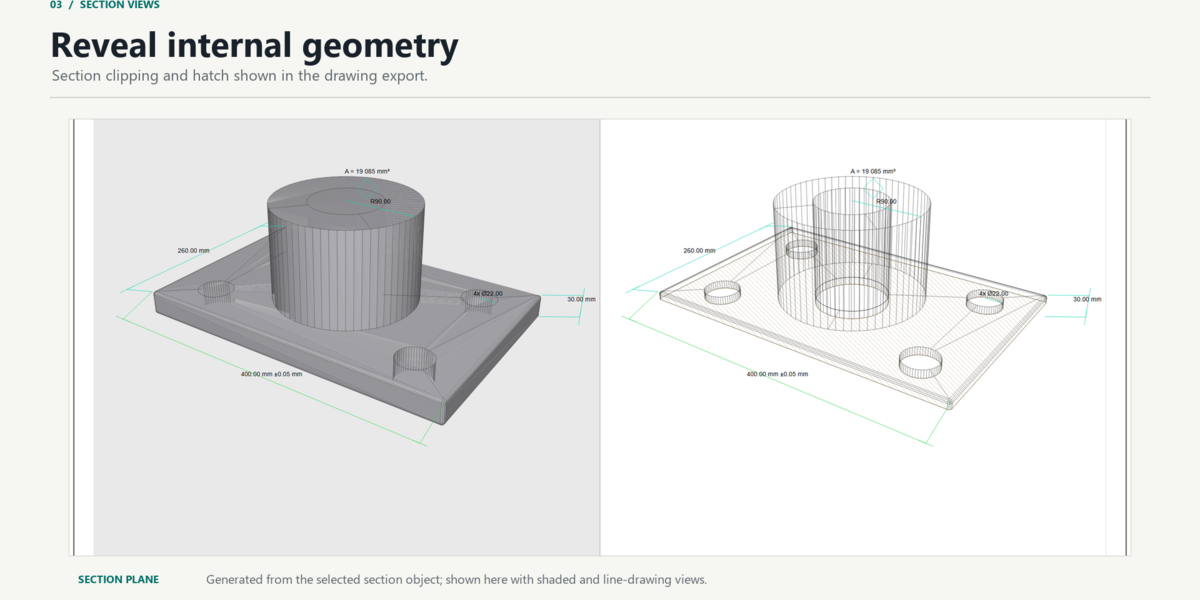
- Drawing sheets can include shaded and line-drawing panels, dimensions, title-block information, and optional section views with hatch
- Camera layouts support one sheet per camera or a multi-camera grid; batch camera export is available
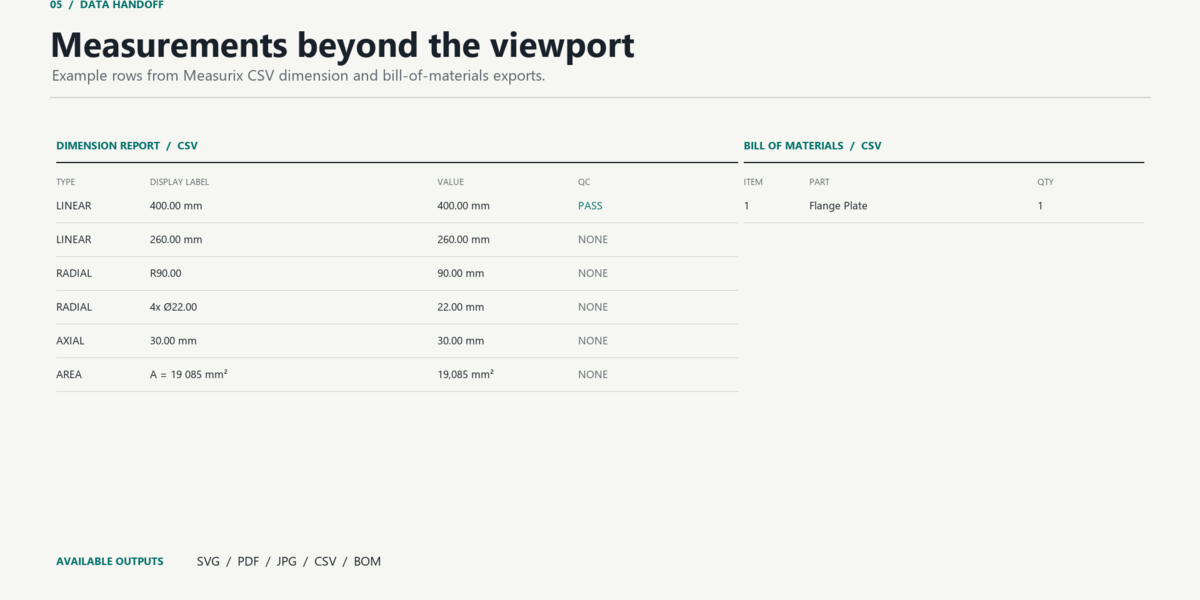
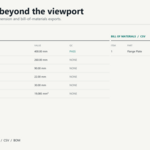
- CSV dimension and QC reports, BOM CSV, and hole/feature coordinate CSV tables
- Drawing Readiness checks, reusable drawing presets, dimension history, and an inspector panel
Requirements
Blender 4.2 or newer
Installation
- Download the Measurix
.zippackage. - In Blender, go to
Edit > Preferences > Get Extensions(orAdd-ons) and chooseInstall from Disk... - Select the downloaded
.zipfile and enable Measurix. - In the 3D Viewport, press
Nand open the Measurix tab.
Permissions
Measurix requests file-system access to export drawing sheets and reports (SVG / PDF / JPG / CSV / BOM) to a location you choose.
License
GPL-3.0-or-later. Readable Python source is included. See blender_manifest.toml.
Support
For bug reports or feature requests, please use the support channel listed on the product page.
Have questions about this product?
Login to message
| Blender Extension Compatible | Yes |
| Published | 4 days ago |
| Blender Version | 4.4 - 5.2 |
| Extension Type | Add-on |
| Render Engine Used | Cycles, Eevee |
| License | GPL |
Discover more products like this
manufacturing gd&t cad measurement precision measure drafting industrial design architectural visualization engineering